Human Resources - Dismissal Procedure
This module add new functionality to validate dismissal process and collect statistics for reporting
purposes.
Key Features:
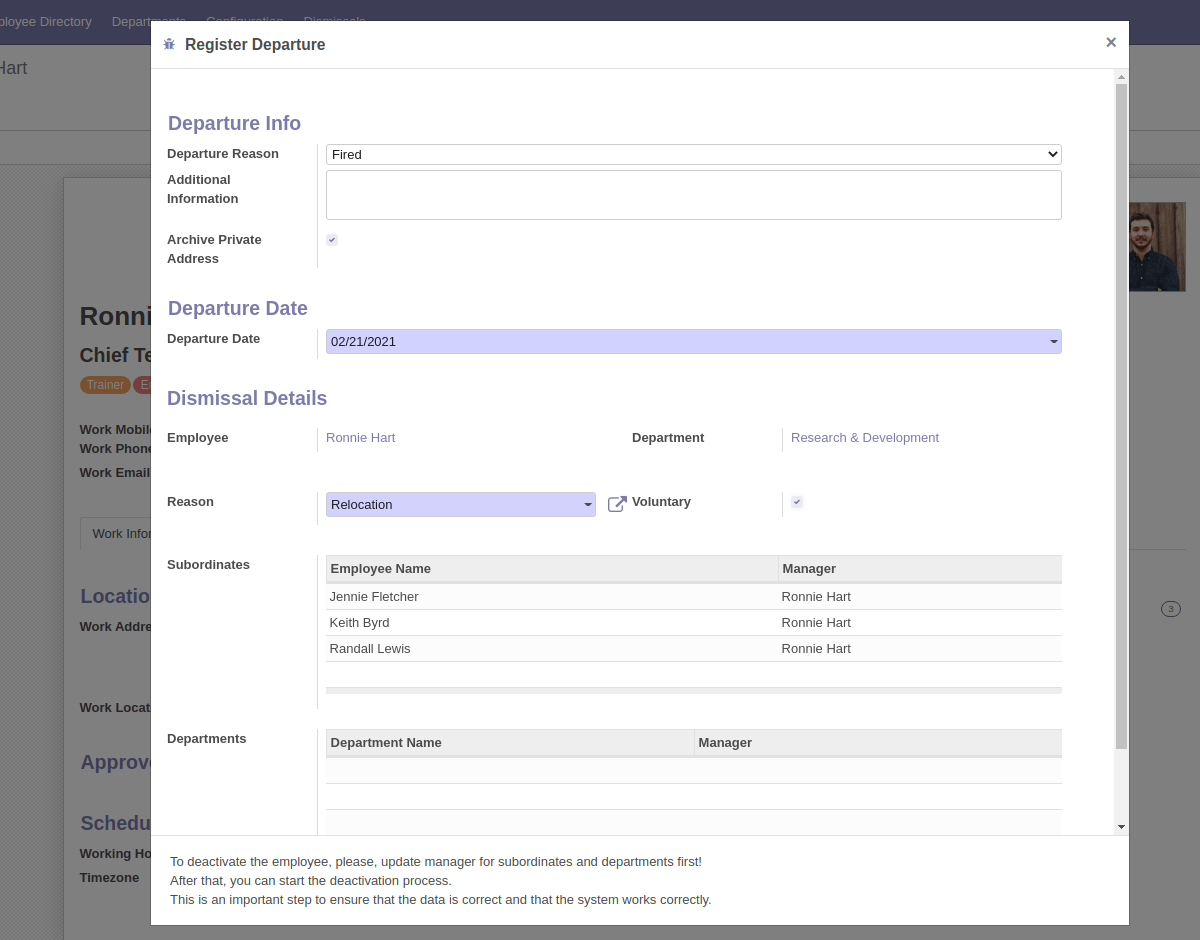
- HR Officer can not deactivate employee if he/she is set as manager of other employee(s) or department(s).
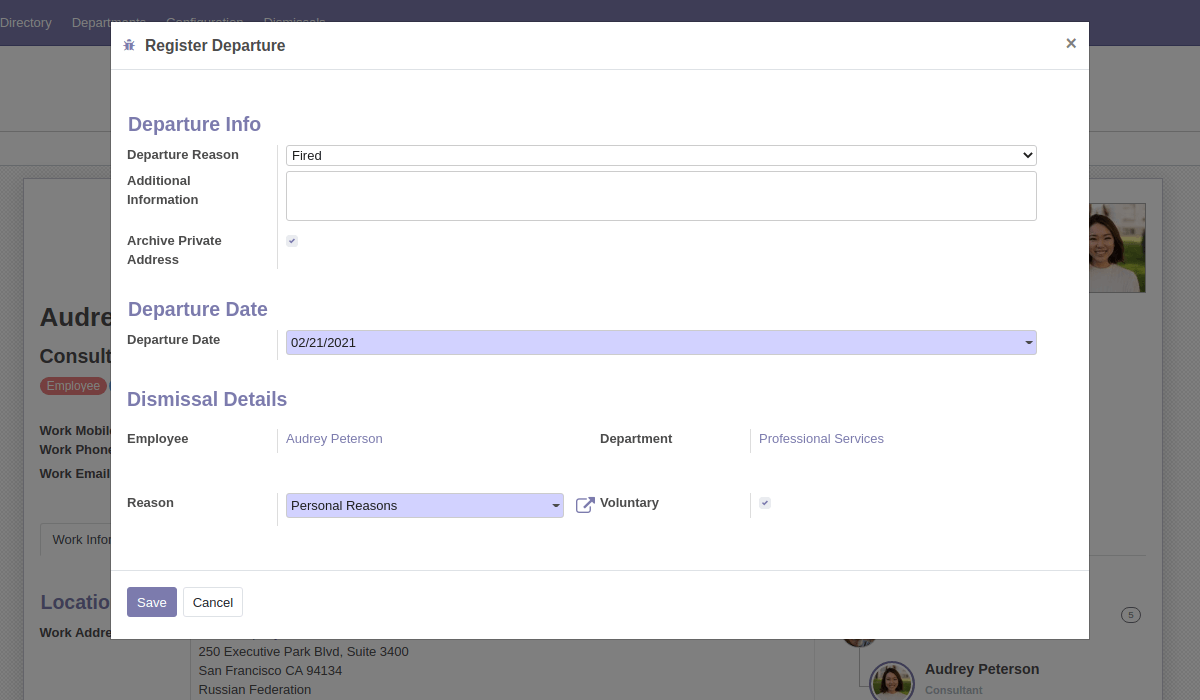
- Before deactivation the system shows popup window that ask choice dismissal reason and date.
- After deactivation of employee, related user (if exists) will be deactivated automatically to not be able to log in to the system.
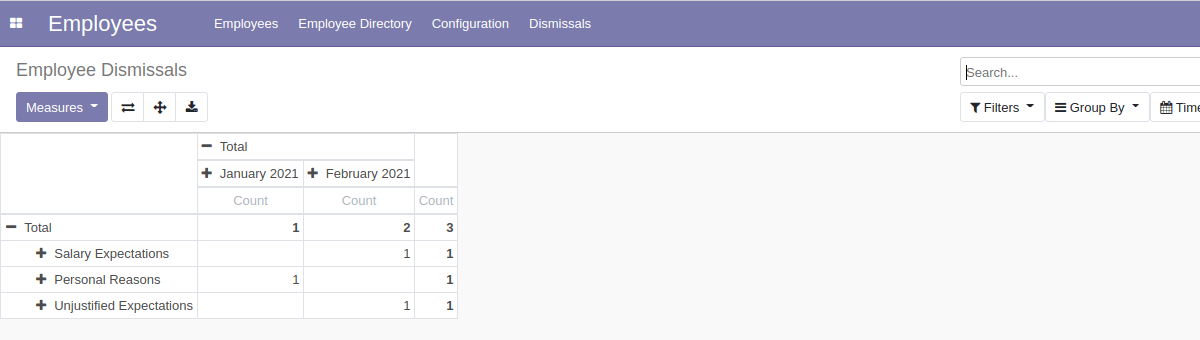
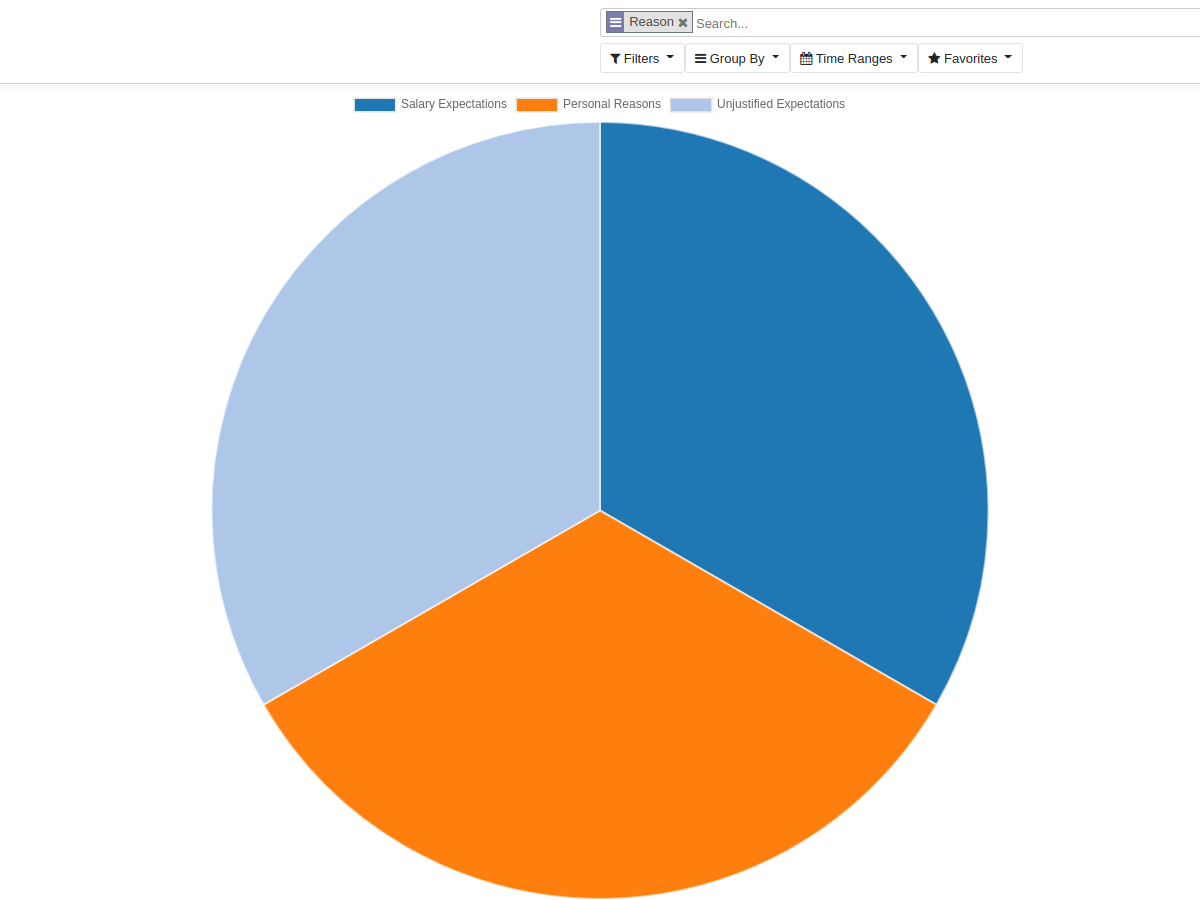
- The system collects the records and shows them as a pivot table or graph for reporting purposes.
How it works:
After installing the module, new menu items will appear in the HR section.
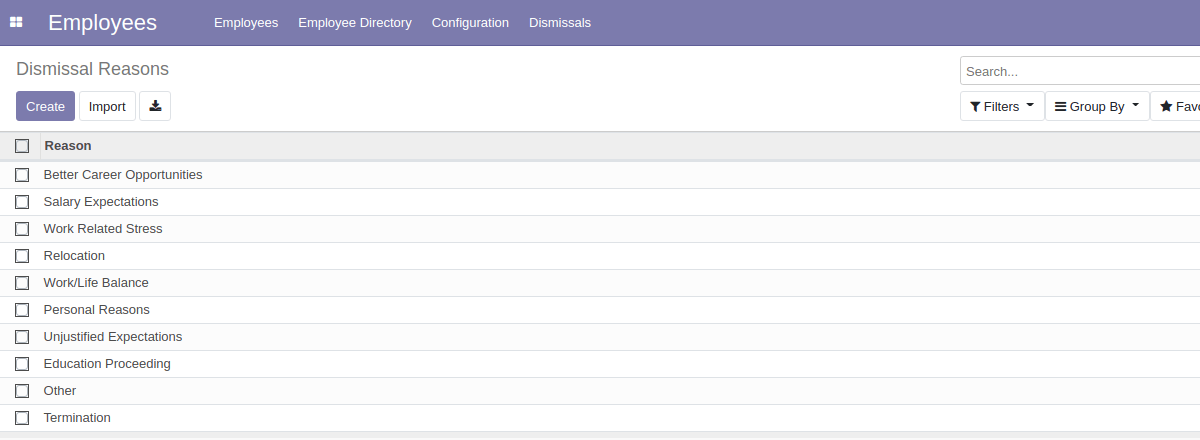
For example, some dismissal reasons have been added, but a HR Officer can update this list for your company.
On click "Archive" button in employee form the popup window will appear:
If the employee that the HR Officer is trying to deactivate does not have direct subordinates and if he/she is not set as a department manager, the system will allow to deactivate the employee.
If the employee that the HR Officer is trying to deactivate has direct subordinates, or if he/she is set as a department manager, the system ask update manager for subordinates and departments.
After deactivation of employee the new dismissal record is created and HR Officer(s) can generate report using these records:
Also related user (if exists) will be deactivated automatically to not be able to log in to the system.
Contact me for Support, Customization, Implementation:
Email: xfanis.dev@gmail.com
Telegram: https://t.me/xfanis
Twitter: https://twitter.com/XFanis_Dev
Email: xfanis.dev@gmail.com
Telegram: https://t.me/xfanis
Twitter: https://twitter.com/XFanis_Dev