To-DO Checklist for Project Tasks
Also checklist can control moving task from one stage to another if user selected target stage for checklist item.
Key Features:
- Dynamic and flexible project task checklist
- Project manager can enable or disable task checklist feature separately for each project
- Checklist items can be added by assigned user or project manager
- Each task checklist has its own target stage so that the user can determine which key items should be completed by the end of each stage of the task
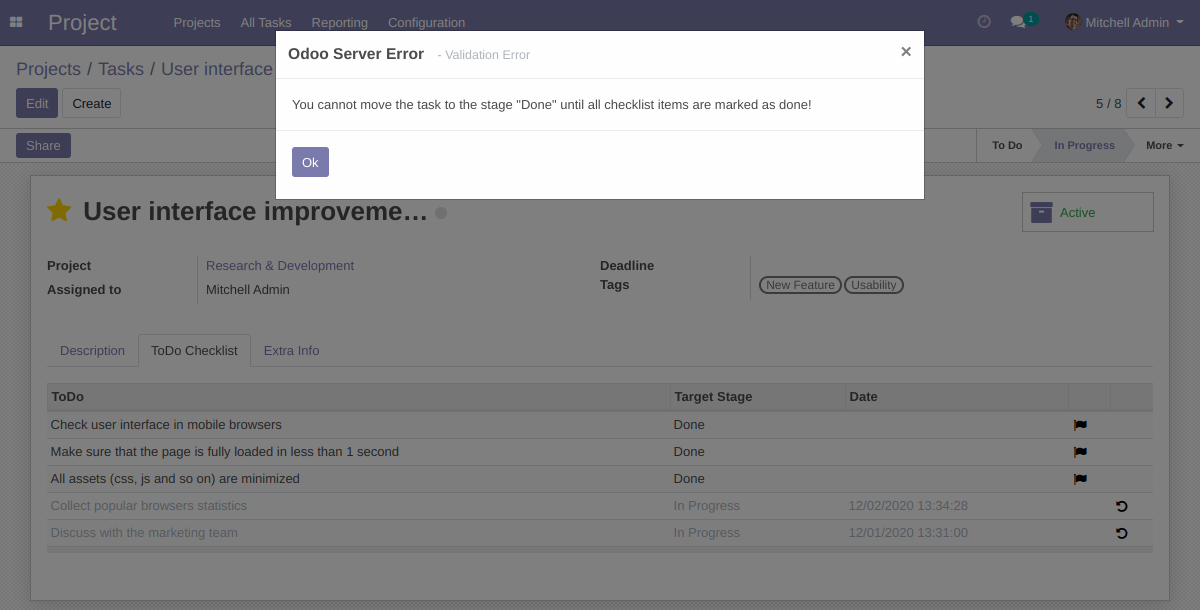
- The system controls stage of task and does not allow to finish it until all the checklist items with target stage are marked as done
Steps to start using the To-Do Task Checklist module:
- install the module
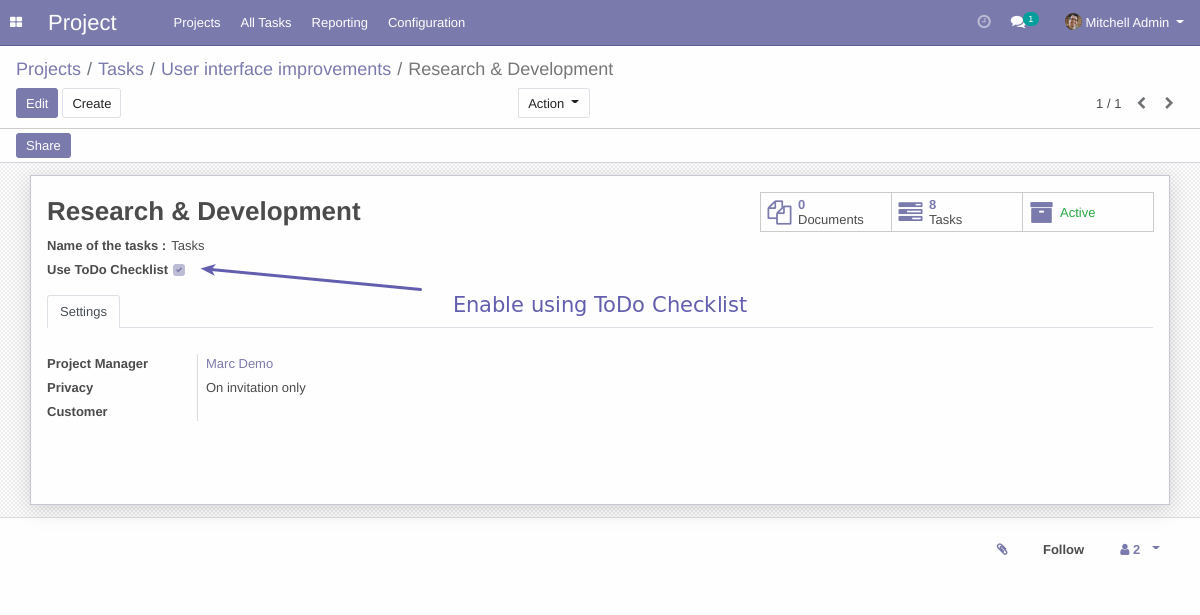
- click edit project and mark the checkbox "Use ToDo Checklist"
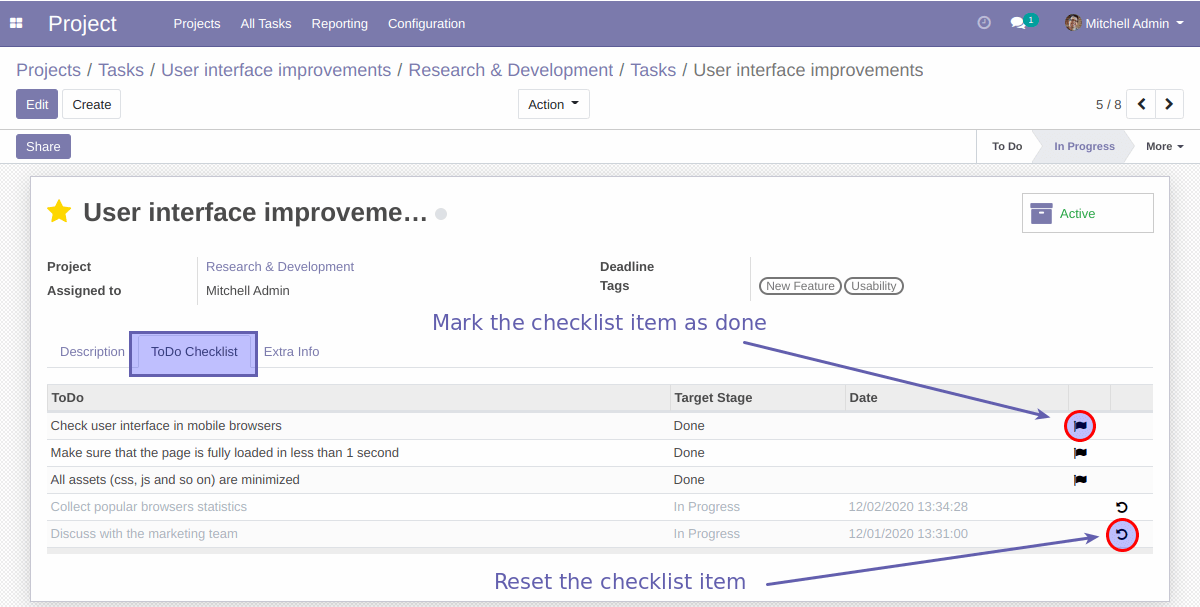
- after enabling the option the tab "ToDO Checklist" will appear in task form and user or PM can manage To-Do items
How it works:
Project manager and assigned user are allowed to manage Task Checklist.
Also target stage can be specified. If target stage is set,
the system prevents moving task to the selected stage until all items are marked as done.
If target stage is not set, then checklist will work for self-control to keep important things and
subtasks in sight.
Screenshots:
You can enable using ToDo Task Checklist for all or specific projects:
After enabling the option the tab "ToDO Checklist" will appear in task form and user or PM can manage To-Do list:
If target stage is set, the system prevents moving task to the selected stage until all items are marked as done:
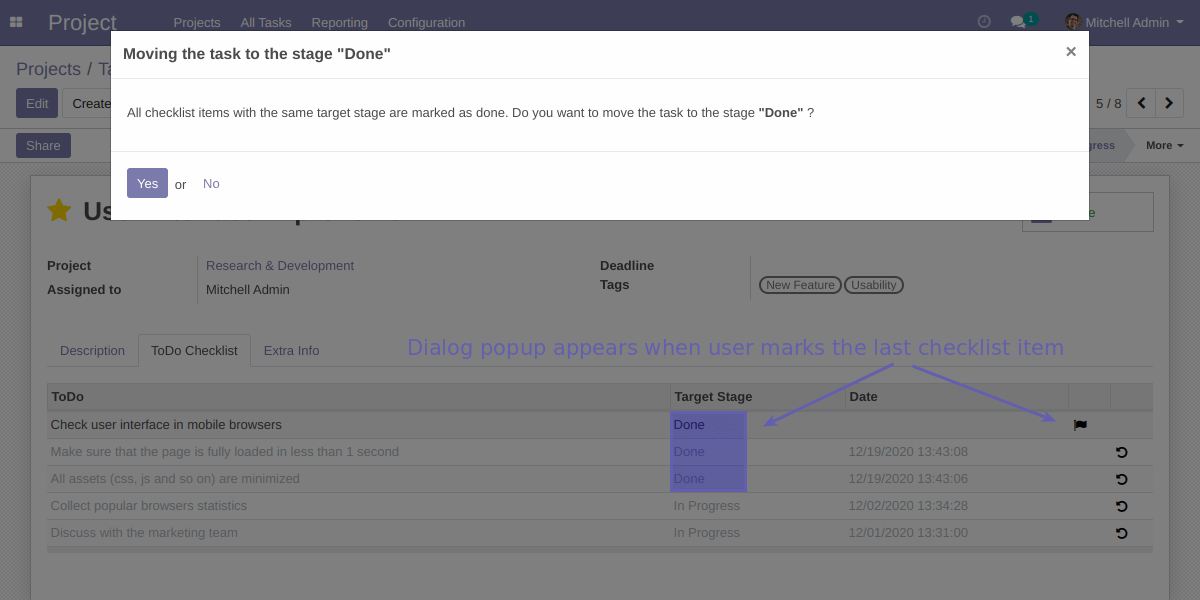
If all checklist items of the task are marked as done, the dialog window appears. If user click "Yes", the task was moved to the target stage, if no - the stage of the task will not be changed and user can do it later:
Email: sales@xfanis.dev
Telegram: https://t.me/xfanis
Twitter: https://twitter.com/XFanis_Dev