Sale Projects
by XFanis
/ version
Official Odoo store · pay by card
Requires
Odoo modules
Sale Projects
Project related sale quotations, sale orders and invoices
Key Features:
- Using project products to create sale quotations more quickly
- Ability to apply project details through sale order or invoice form
- Relation between sale orders and projects
- Relation between invoices and projects
- Multi-Company and Multi-Currency features of Odoo System are supported
- User can see all related sale orders / invoices via smart buttons in project form
Module Settings:
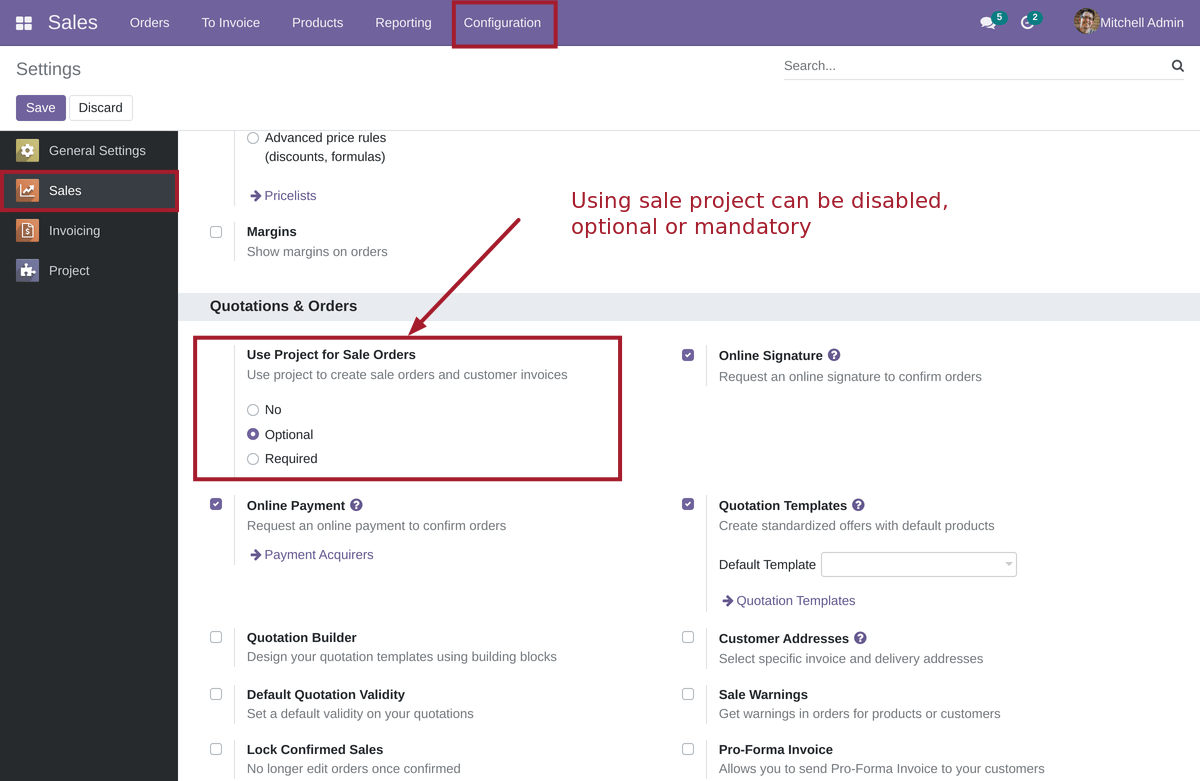
After installing the module, administrator can enable using sale projects.
Sale Project Form:
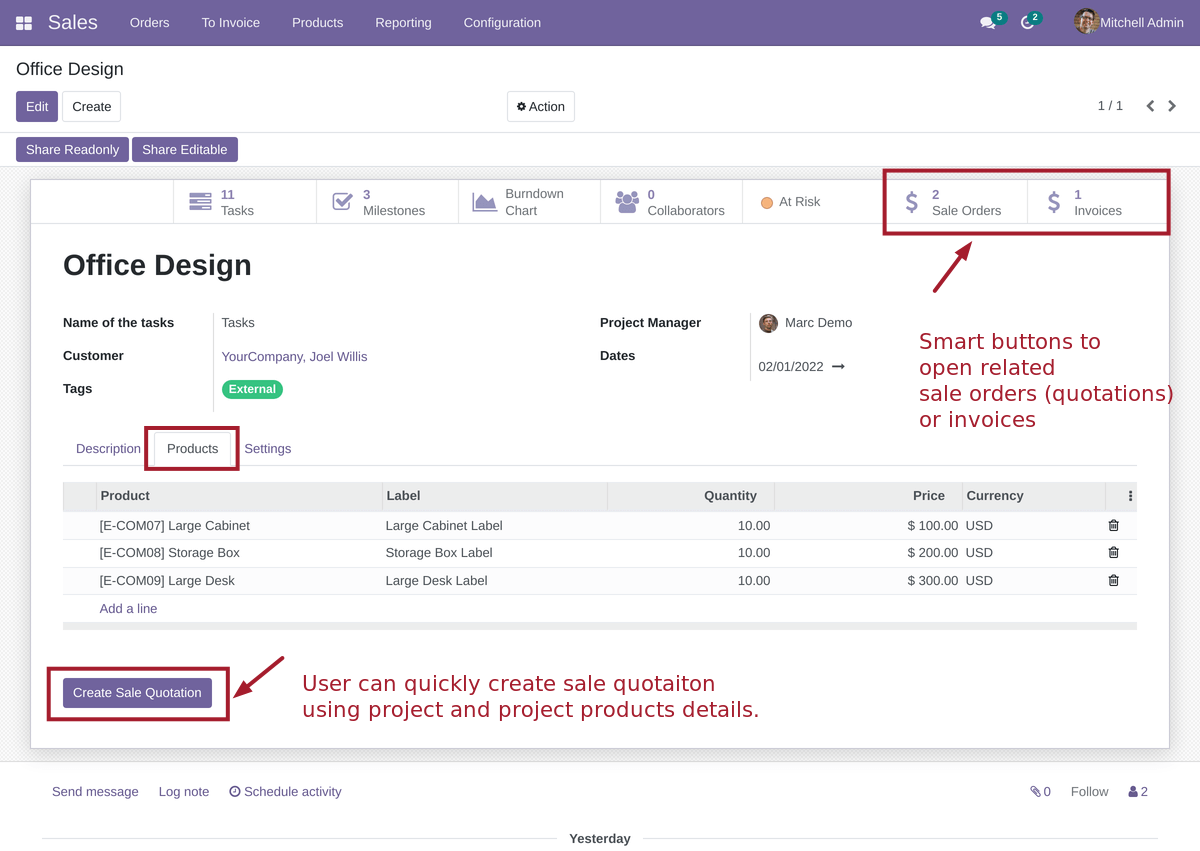
You can specify project products and quickly create sale quotations using special button.
Also there are 2 smart buttons to open related sale orders (or quotations) and invoices.
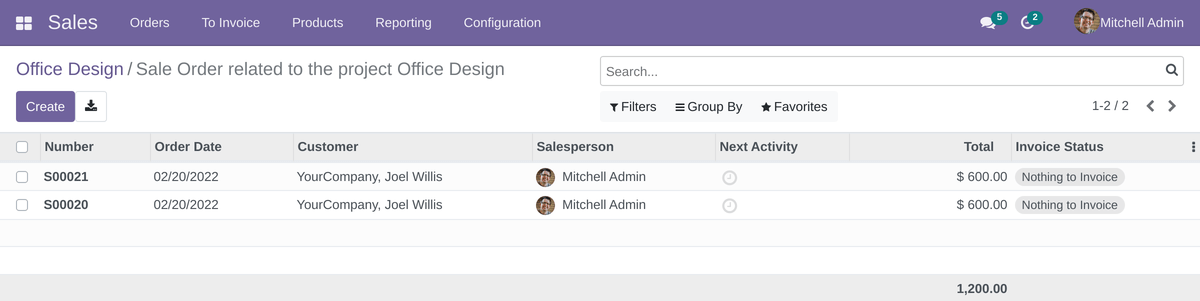
Project Sale Orders
If user clicks the "Sale Orders", he/she can see the list of related sale orders or quotations for project
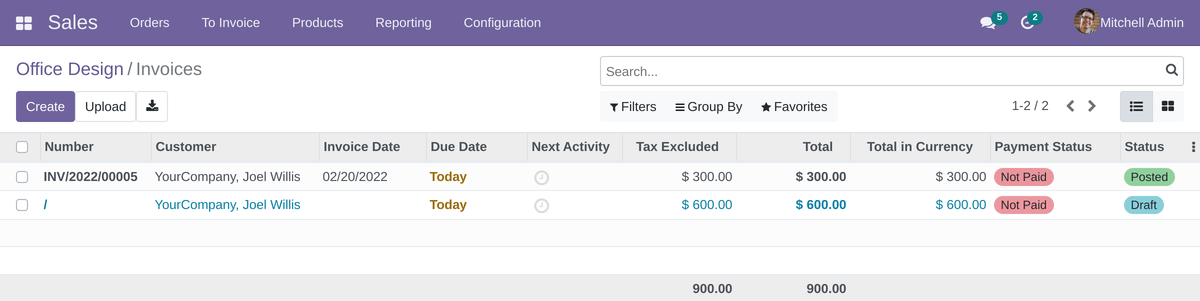
Project Invoices
If user clicks the "Invoices", he/she can see the list of related invoices for project
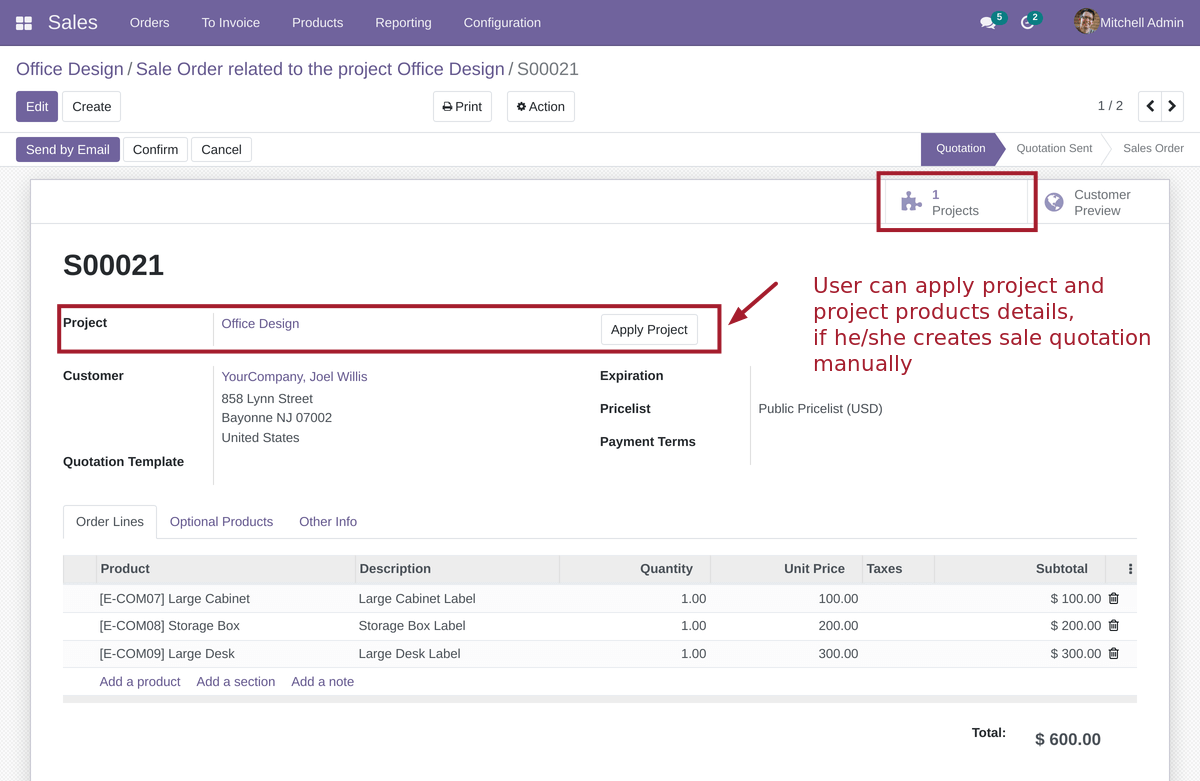
Project Sale Order Form
Also user can create sale quotation and specify related project manually. After selecting of project, user can click the "Apply Project" button.
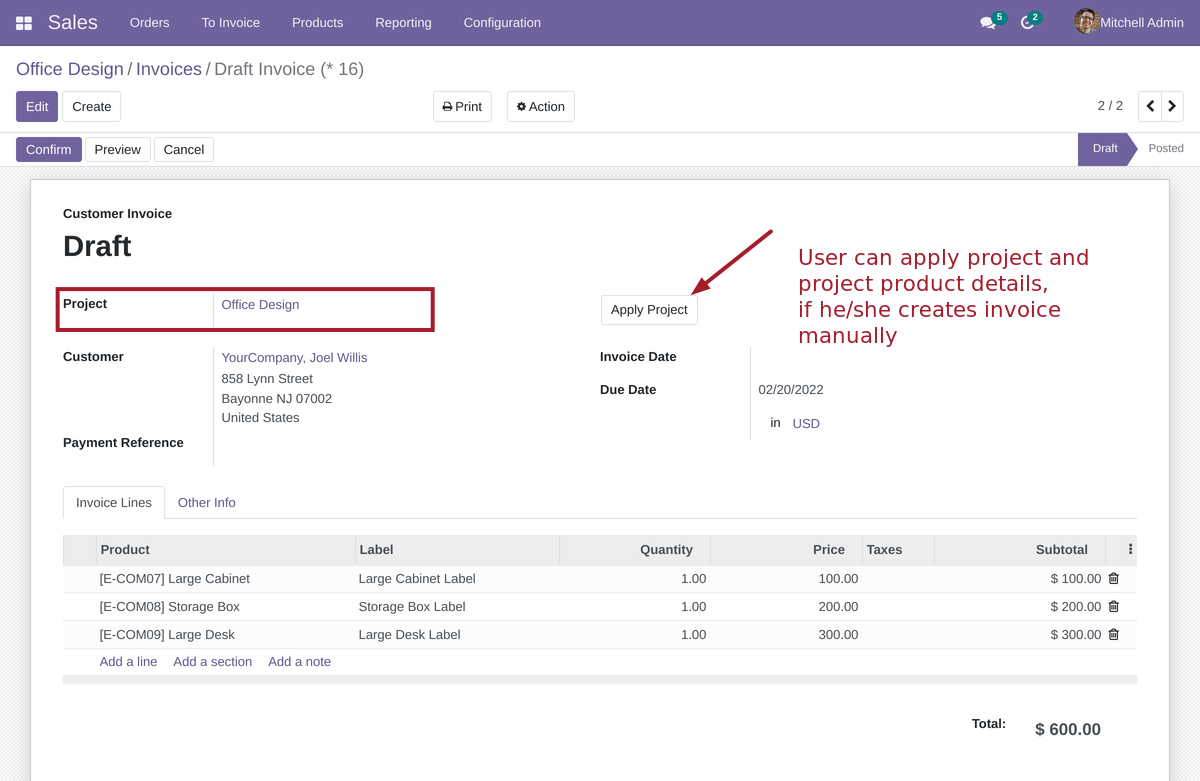
Project Invoice Form
The same for invoices. User can select and apply project details to invoice manually:
Email: sales@xfanis.dev
Telegram: https://t.me/xfanis
Twitter: https://twitter.com/XFanis_Dev