Approving finishing/completion of tasks
This module helps to prevent closing task without approval by project manager (or another user).
How it works:
Project manager can set approver and end stage for project.
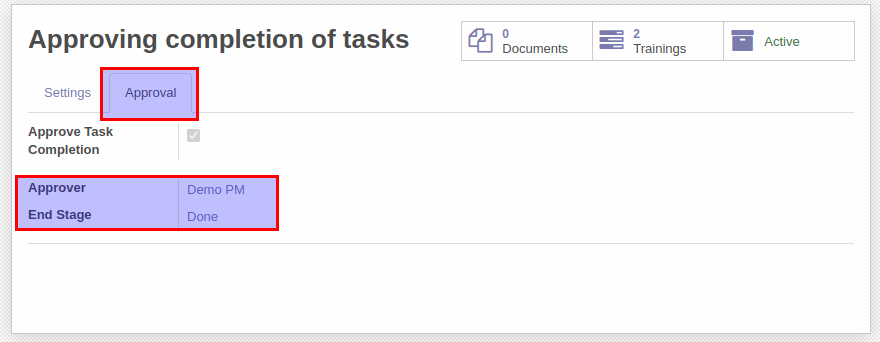
When assigned user want to mark a task as completed/finished the system ask send task to approve.

Assigned user should click "Send to Approve" in the task form view or in dropdown menu of kanban card.
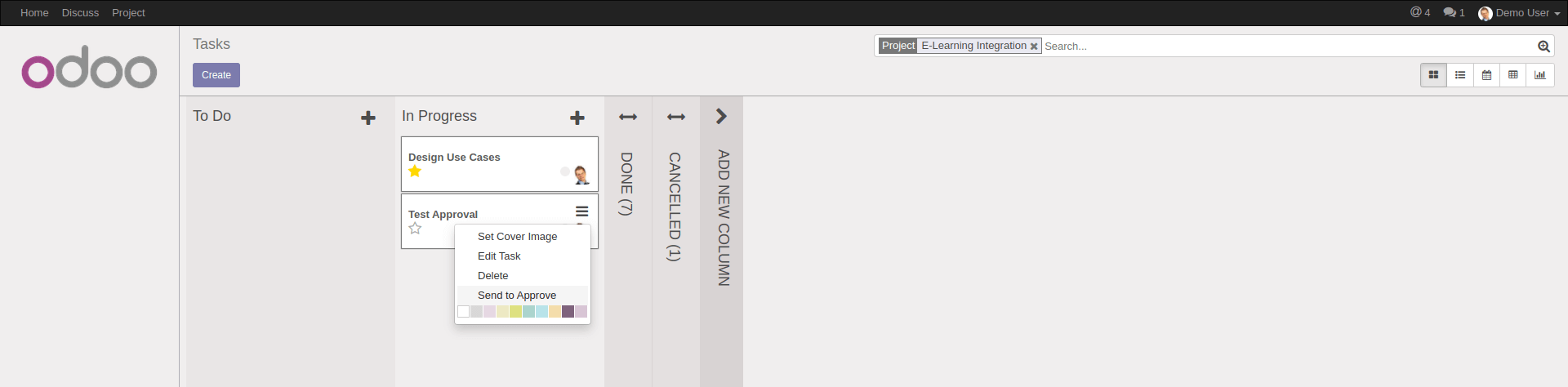
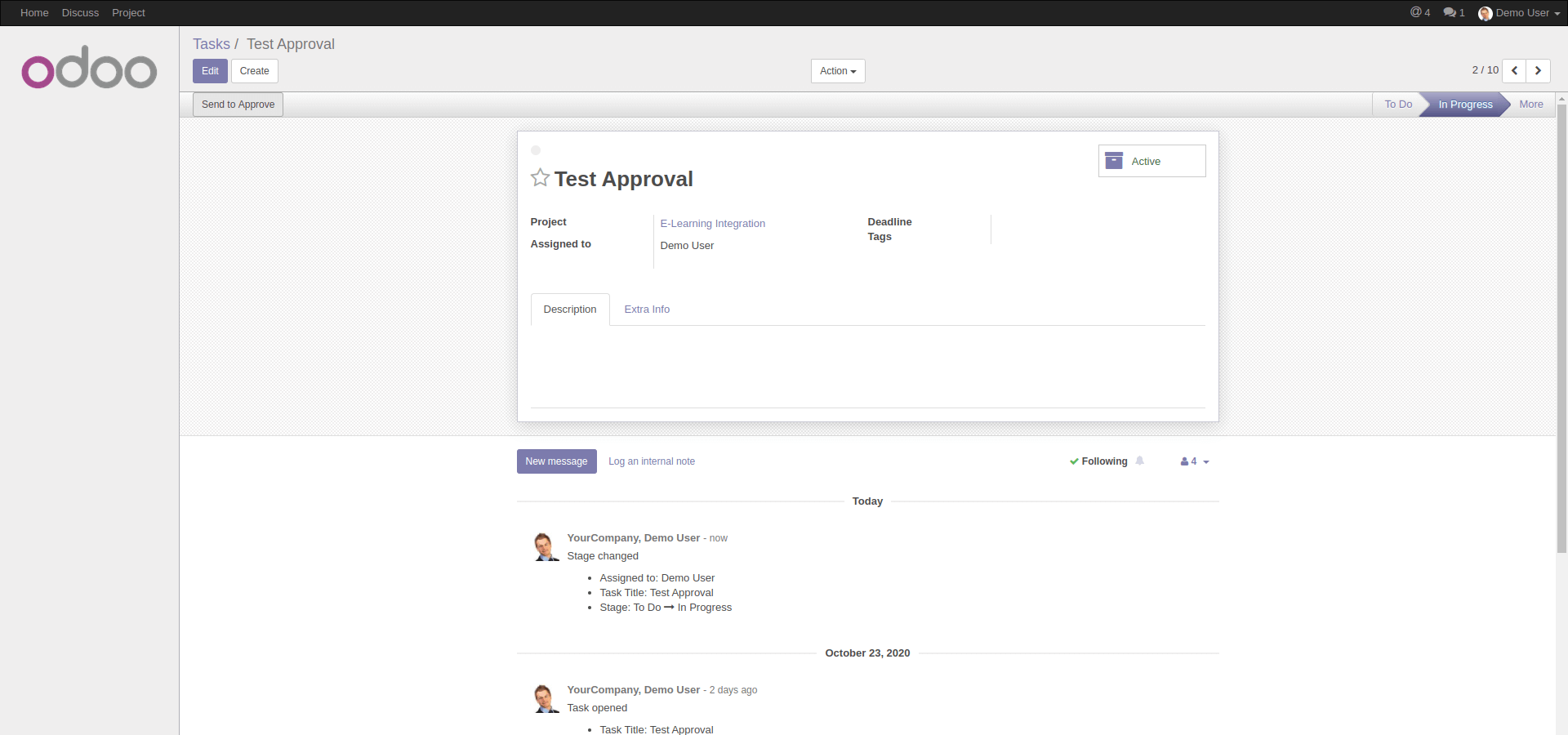
The task moves to approval and kanban state will be set as "done" (Ready for next stage).
It also helps to quickly find tasks which are under approval.
After assigned user's click approver will receive request to approve completion of task and should
check if the task is completed properly. After checking approver click the button "Approve Task"
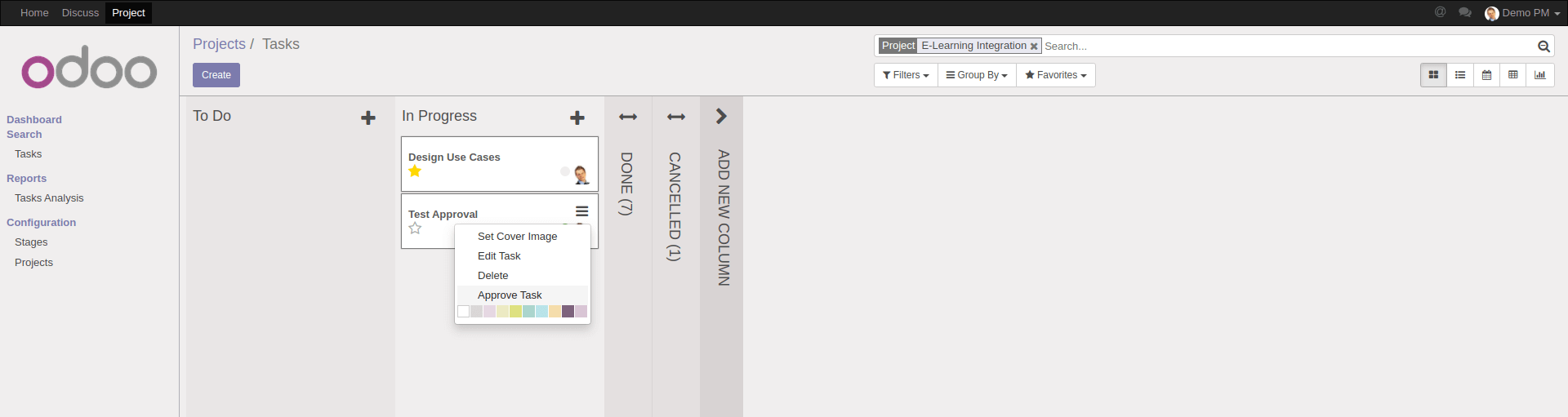
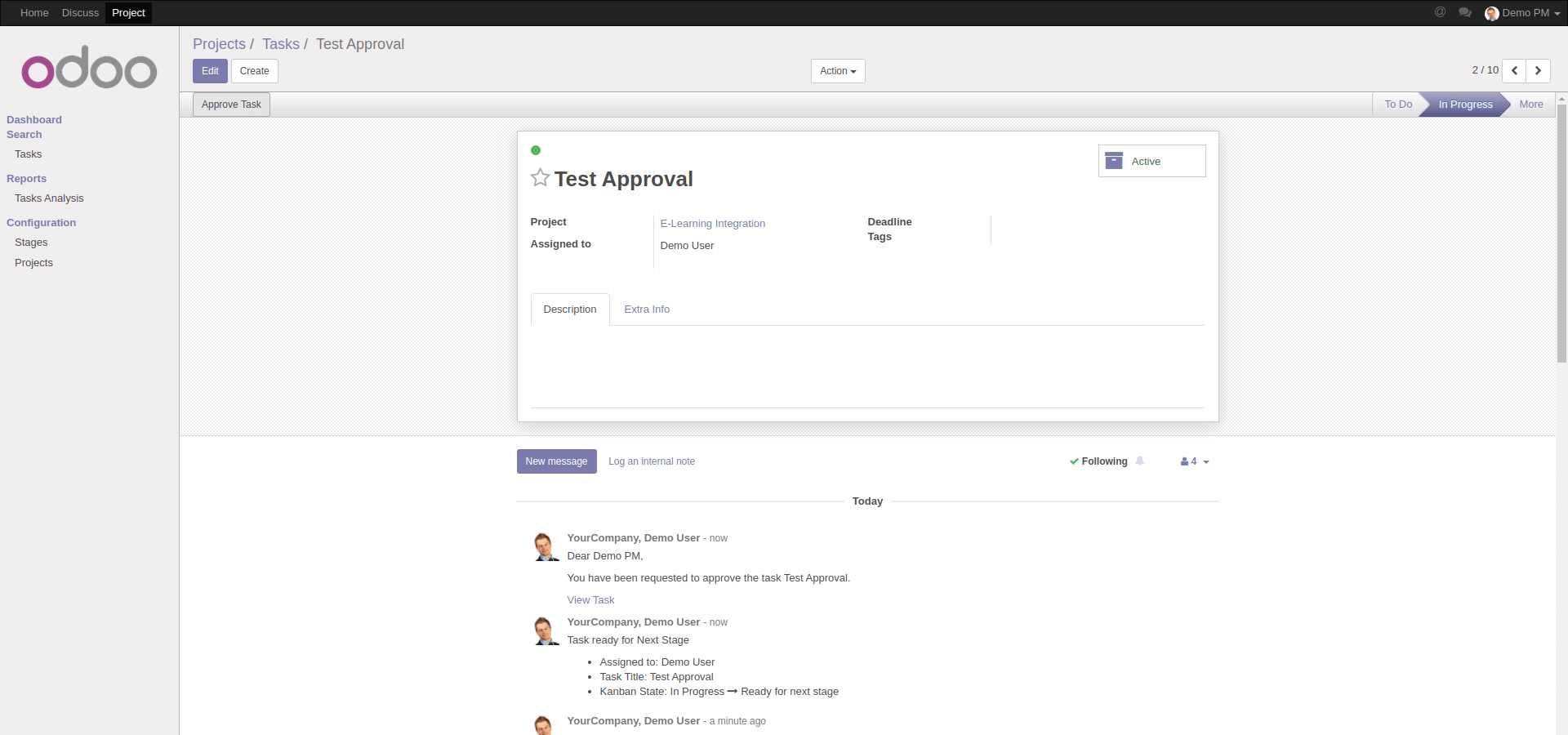
After approval the task will be moved to end stage (defined is the project settings) and assigned user
will receive a notification.
Please note that to send email notifications to approvers an outgoing email server should be configured.
If your Mail Transfer Agent (MTA) supports SRS (Sender Rewriting Scheme), your users can send and receive notification. However, that is more complex and requires more technical knowledge.
Instead, you can install additional module to Replace "Email From" and "Reply To" parameters of outgoing emails.
Contact me for Support, Customization, Implementation:
Email: xfanis.dev@gmail.com
Telegram: https://t.me/xfanis
Twitter: https://twitter.com/XFanis_Dev
Email: xfanis.dev@gmail.com
Telegram: https://t.me/xfanis
Twitter: https://twitter.com/XFanis_Dev