Accounting Teams and Journal Restriction
by XFanis
/ version
Official Odoo store · pay by card
Requires
Odoo modules
Accounting Teams and Access Groups
For newer versions please refer links below:
Accounting Teams for Odoo:
17.0 |
18.0 |
19.0 |
Key Features:
- Each user in the Billing Administrator group can create teams and add members to separate access.
- The module allows restricting access for journals, invoices, journal entries and items based on accounting team.
- The multi-company features of the Odoo System is supported. You can create different teams for each entity of your organization.
How it works:
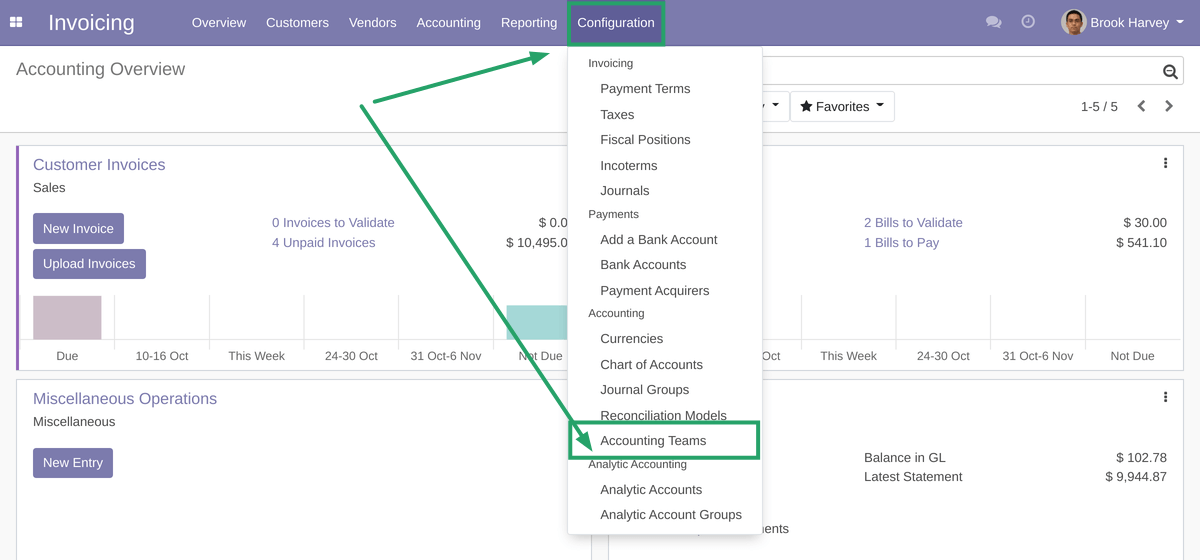
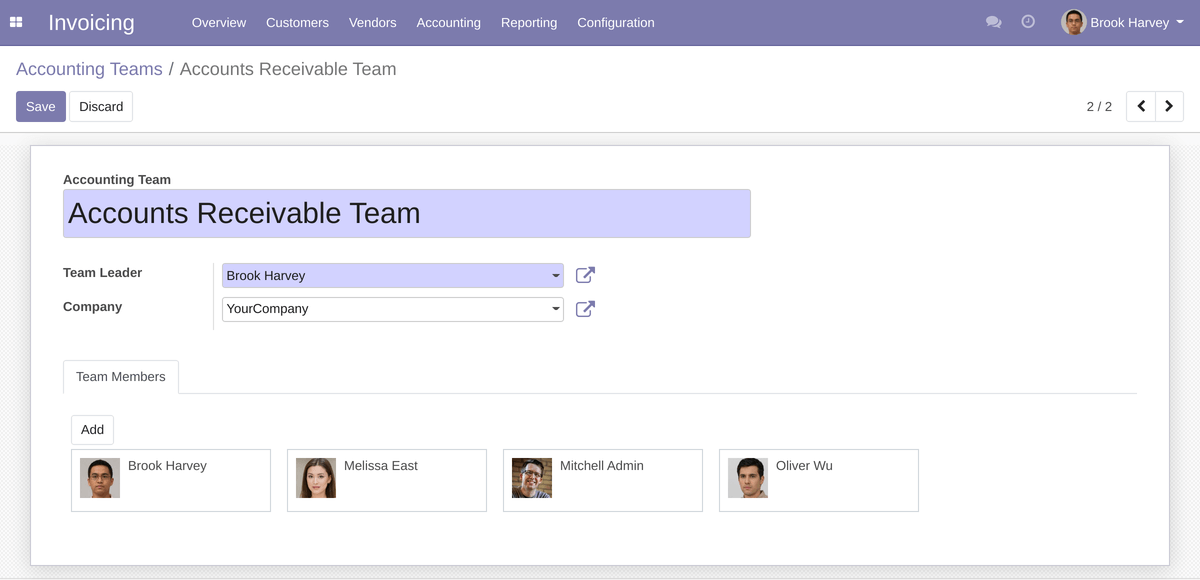
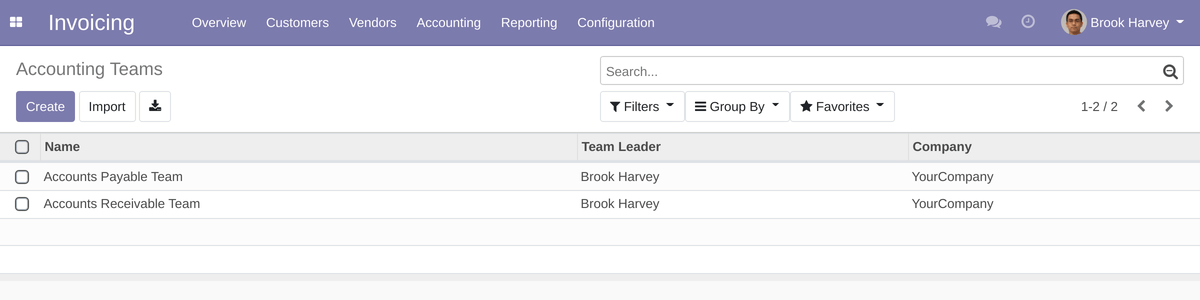
After installing the module, Billing Administrator can create a new accounting team and add members.
Accounting Teams Menuitem
Accounting Team Form
Accounting Teams List
After creating accounting teams you can select allowed teams in journal settings:
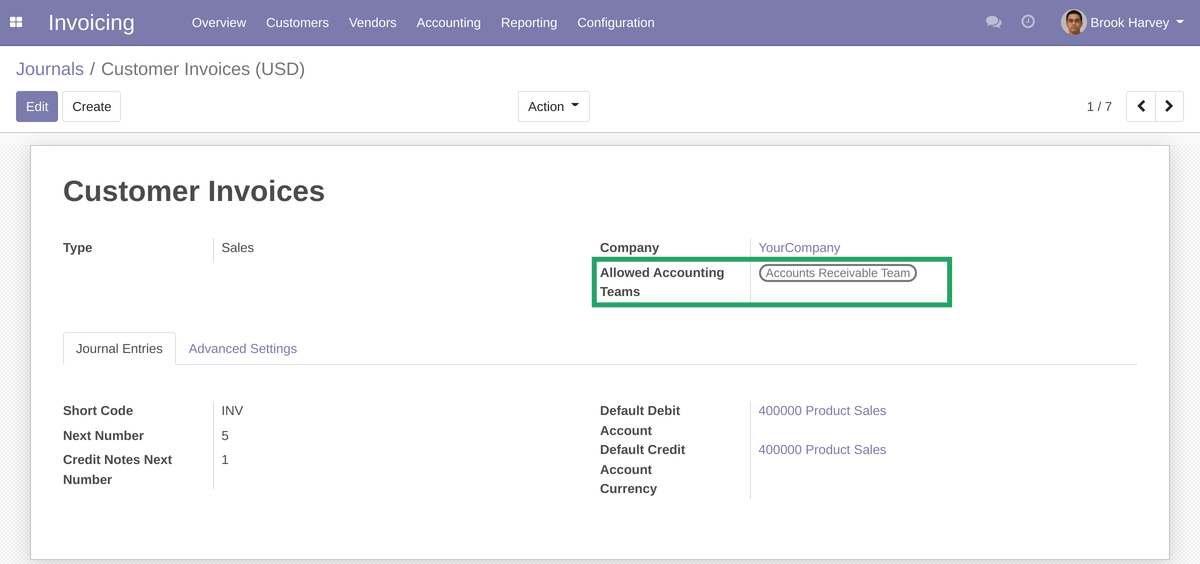
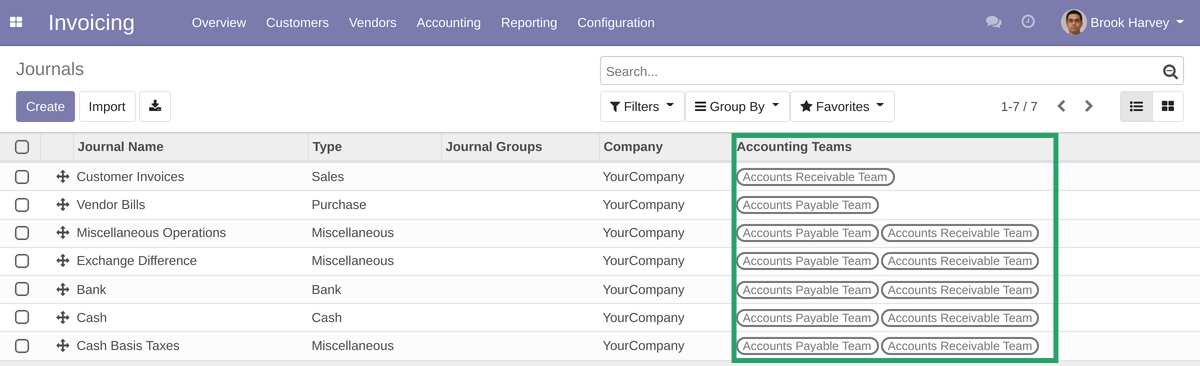
User can see and select only allowed journals in any dropdown menu during creating invoices and journal entries.
Records visibility:
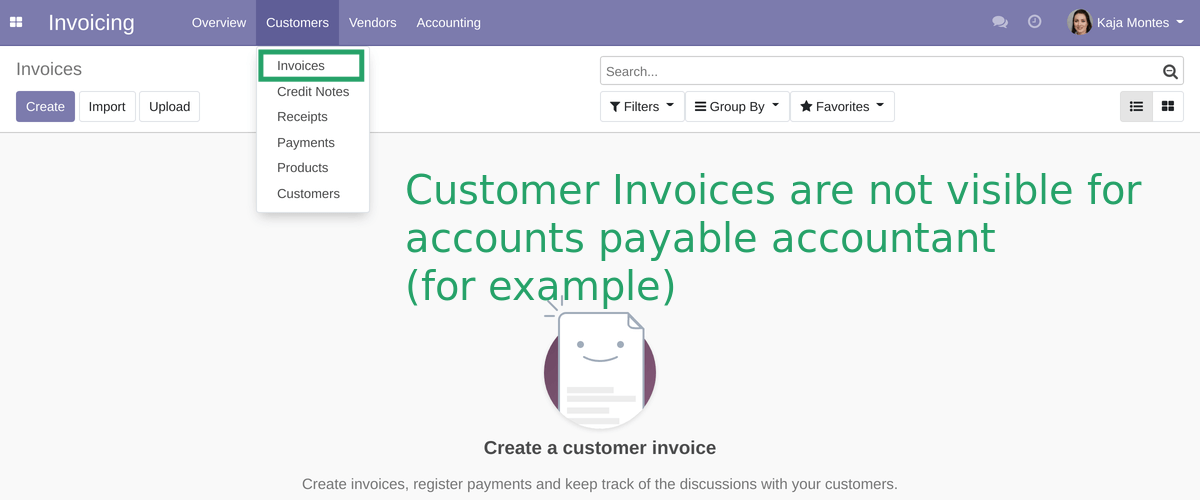
User can see/edit invoices, journal entries and items posted in allowed journals only.
For example accounts payable accountant does not see customer invoices:
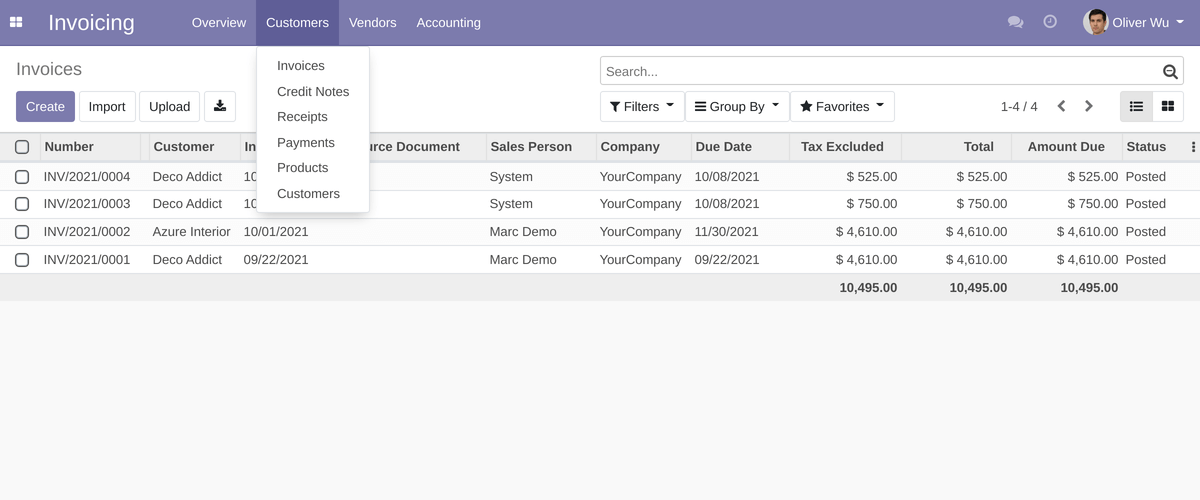
But accounts receivable accountant can see all customer invoices:
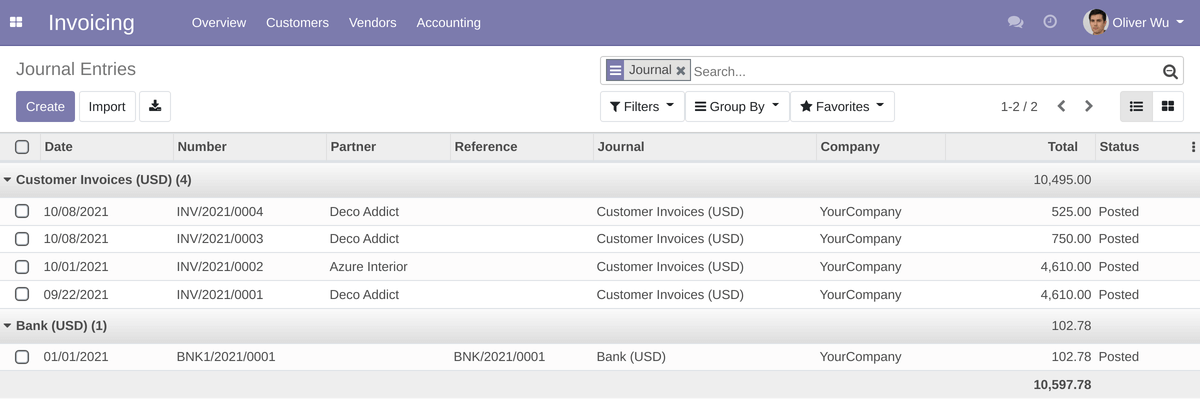
Also users can see only allowed journal entries based on team access:
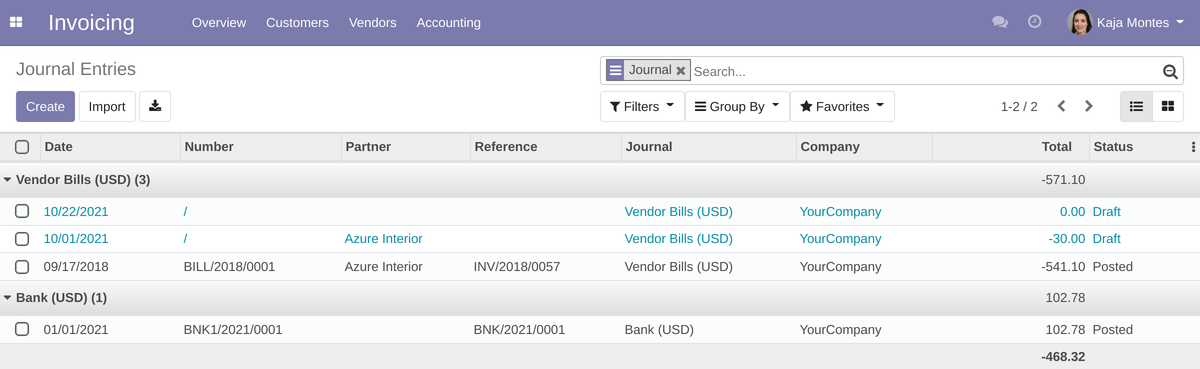
If accountant does not have access to at least one sales journal, he/she is not able to create customer invoice:

Also if user does not have access to at least one purchase journal, he/she is not able to create vendor bills:

Please note that all restrictions are applicable only for regular accountants. The invoicing module administrators have no access restrictions and can/edit all records.
Also please keep in mind, that you can create different teams for different companies, if you use multi-company feature of Odoo.
In that way you can control who can see particular invoices and entries and who cannot. This module will help you hide important information from unnecessary people.