Employee Loan Management (Accounting)
by XFanis
module: $5.00 + deps
Price breakdown
Employee Loan Management
Flexible and Effortless Employee Loans
Empower your workforce to request loans, streamline approvals, and calculate repayments effortlessly.
Stay in control with configurable parameters and automated workflows, ensuring financial wellness for your employees.
Upon installing this module, the administrator gains the ability to configure maximum loan amounts and maximum loan terms in months for employee loans.
In addition, our module provides default accounting settings for employee loans, including options to configure the journal for posting entries, the accounting method, employee loan accounts, loan treasury accounts, as well as Interest Receivable and Income accounts.
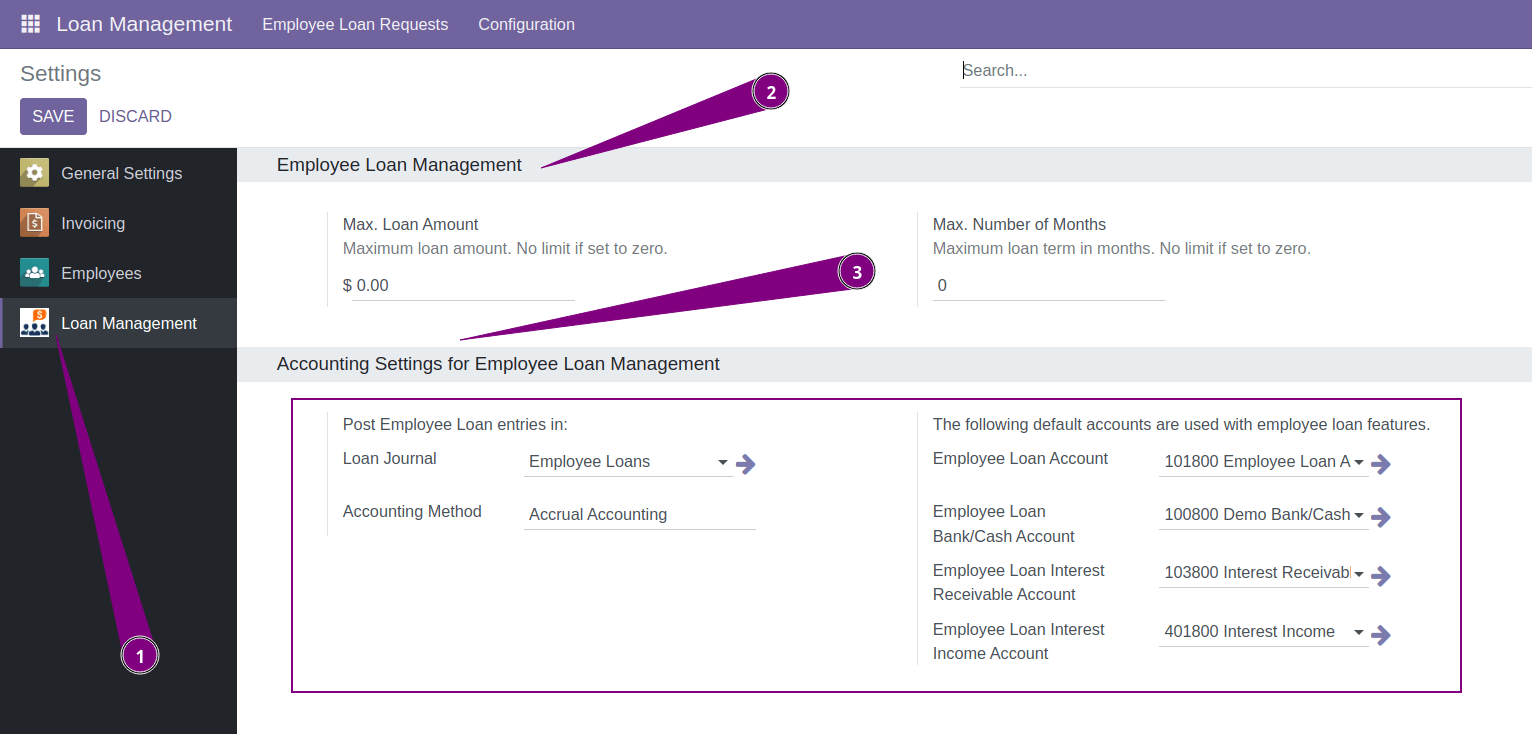
Access to this module is categorized into three levels:
- Employee: Grants the ability to request loans.
- Officer: Allows validation and approval of loan requests.
- Administrator: Provides full control and configuration privileges.
To request a loan, an employee must input the principal amount, the desired loan term in months, and the planned date of the first payment. Before submitting request employee should compute monthly installments.
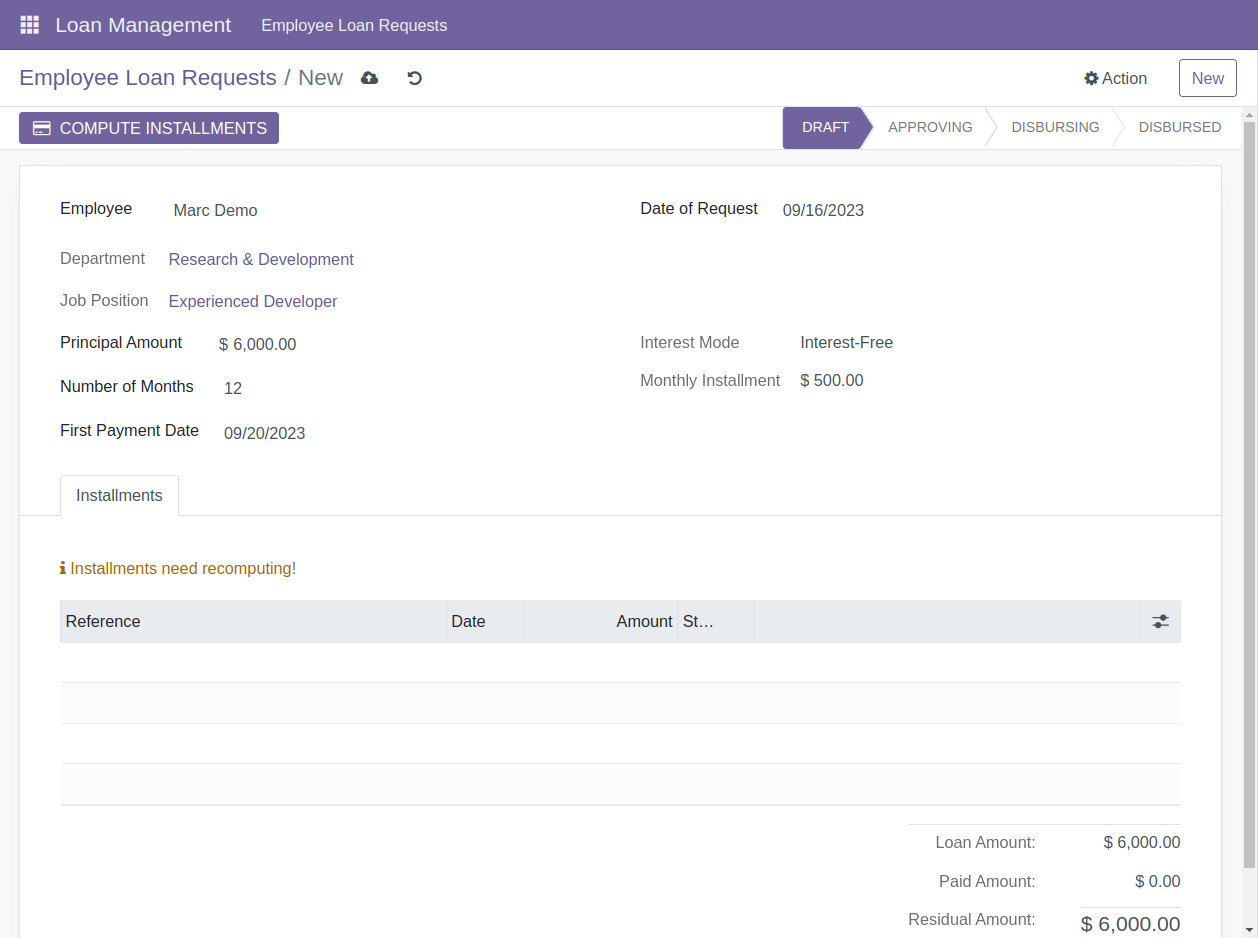
The system computes the monthly installments after clicking the "Compute Installments" button.
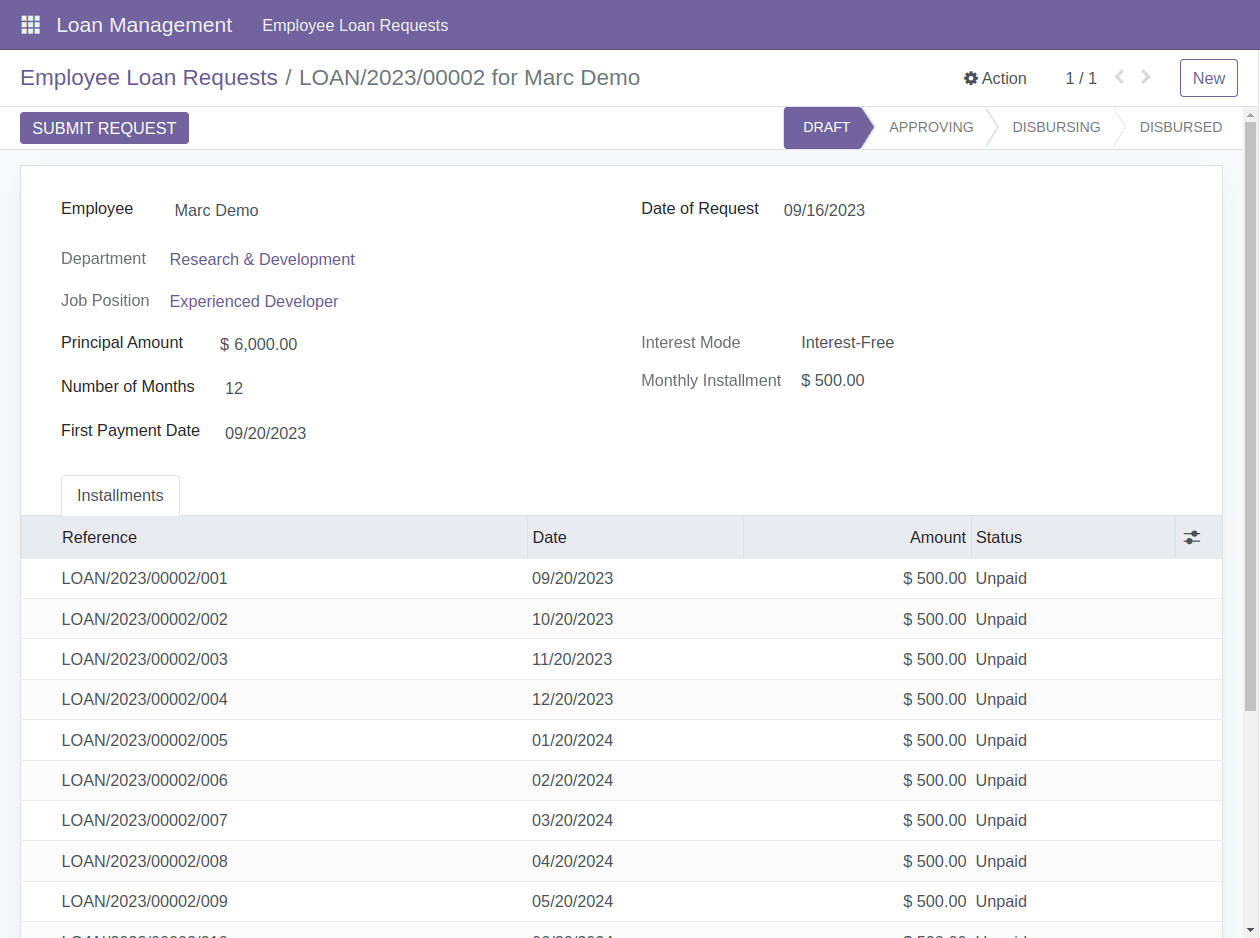
There are multiple details of installments available for users
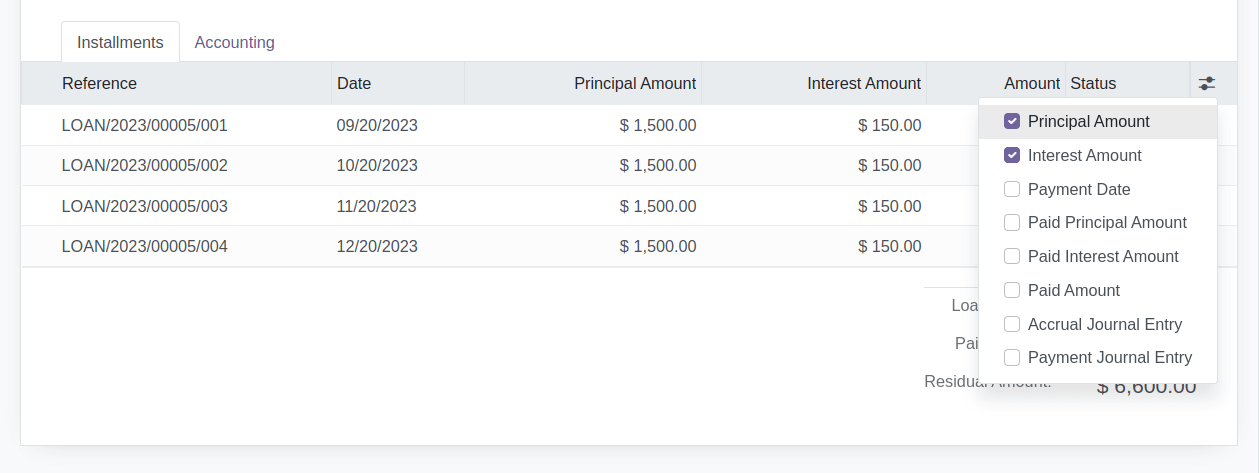
Loan module officers have the authority to approve or reject loan requests. Before approval, officers can update the initial request data. If any changes are made, the initiating employee is required to accept the modifications. By default, the "Interest-Free" mode is applied, but officers can change it to "Flat Interest" and set the interest rate. Any alterations affecting the monthly installment trigger a recalculation.
Accountants assigned as loan module officers have the authority to approve loan requests, modify initial data, and specify the journal and accounts for posting accounting entries.
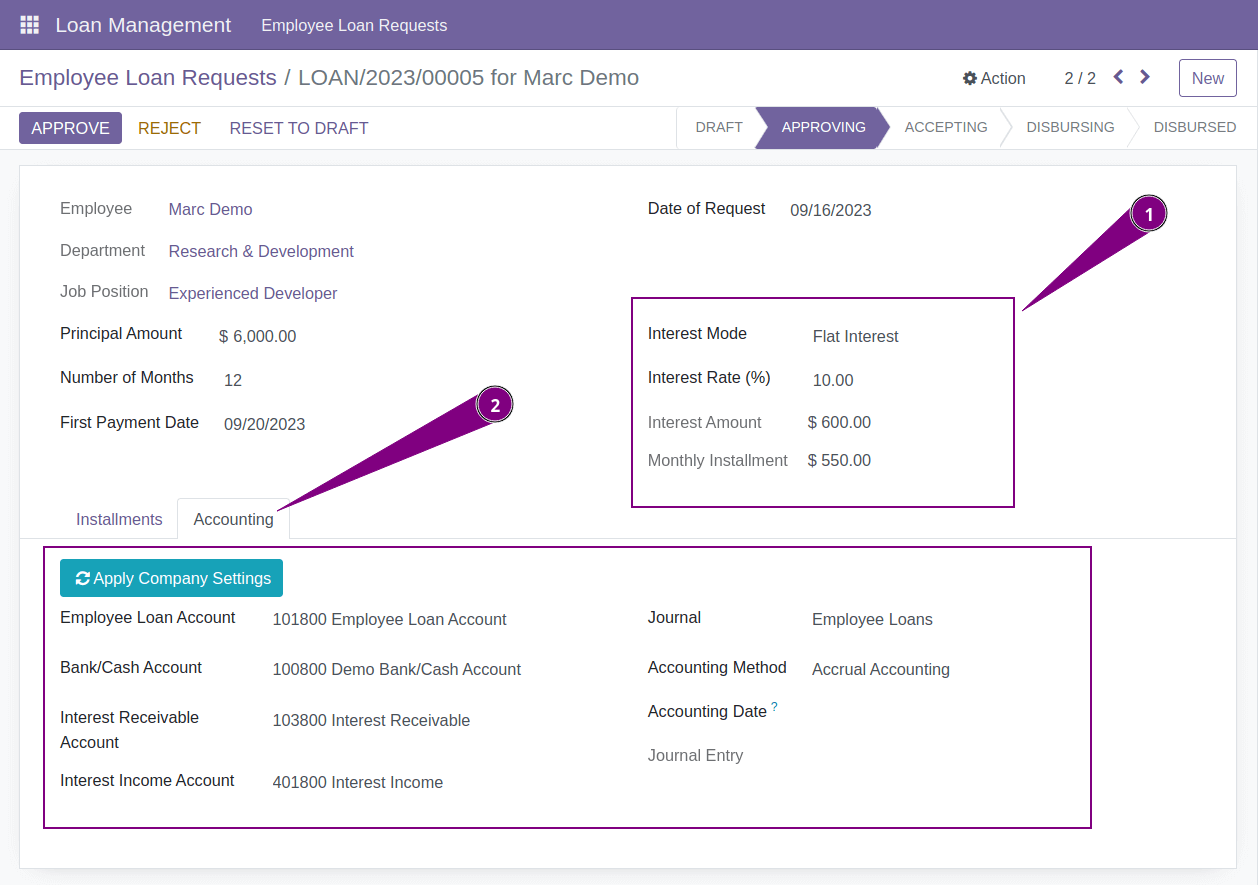
Furthermore, loan module officers can initiate loan requests on behalf of other employees. In such cases, the respective employee must accept the request after it has been approved.
After loan request approval, accountants can proceed to post the journal entry:
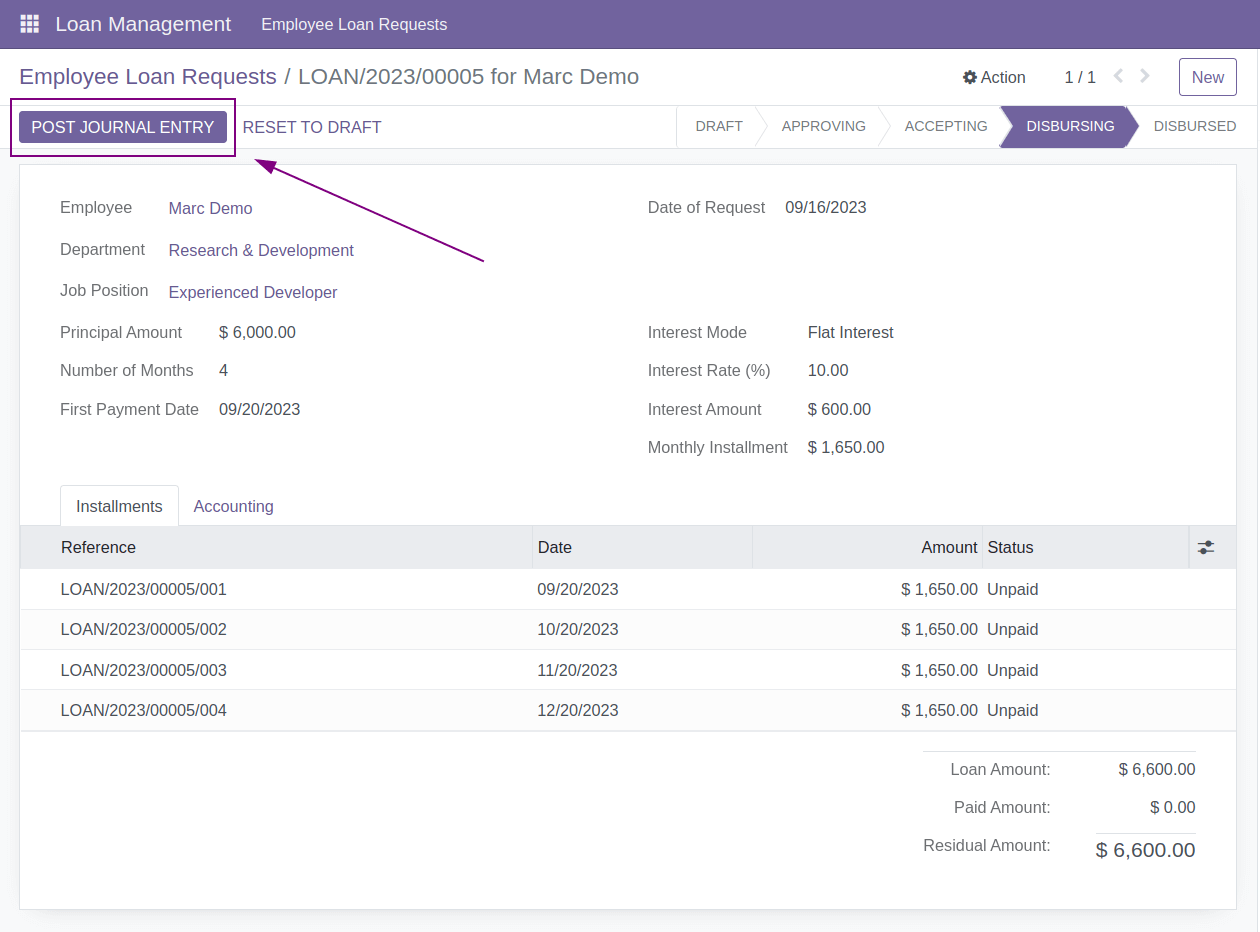
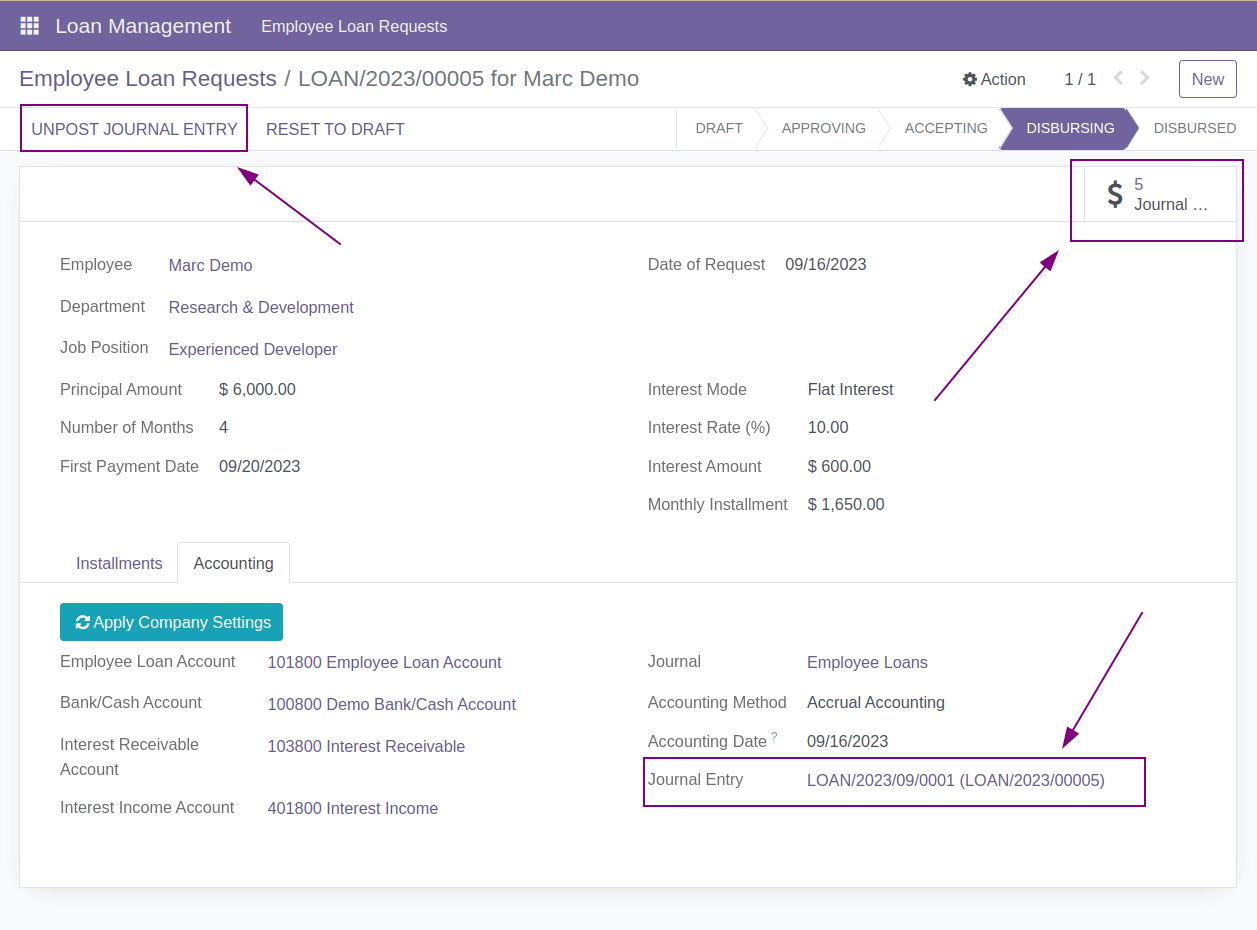
After clicking 'Post Journal Entry,' the system generates the loan entry and, if applicable, accrued interest entries.
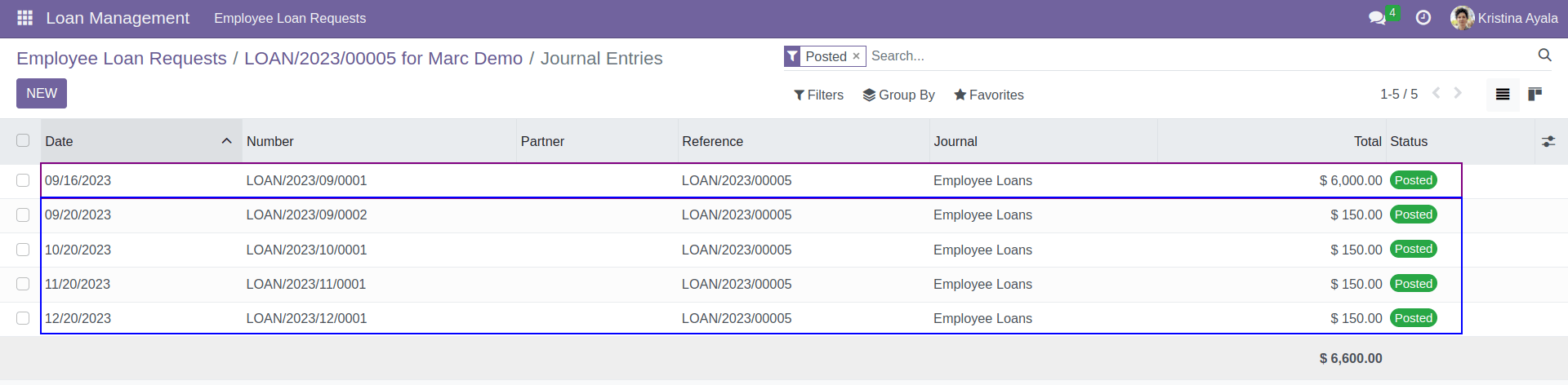
There won't be accrued entries if the interest mode is set to 'Interest-Free' or if you are not using the accrual accounting method.
Accountants have the capability to manually mark installments as paid. The system will prompt for the payment date and generate the associated journal entry.
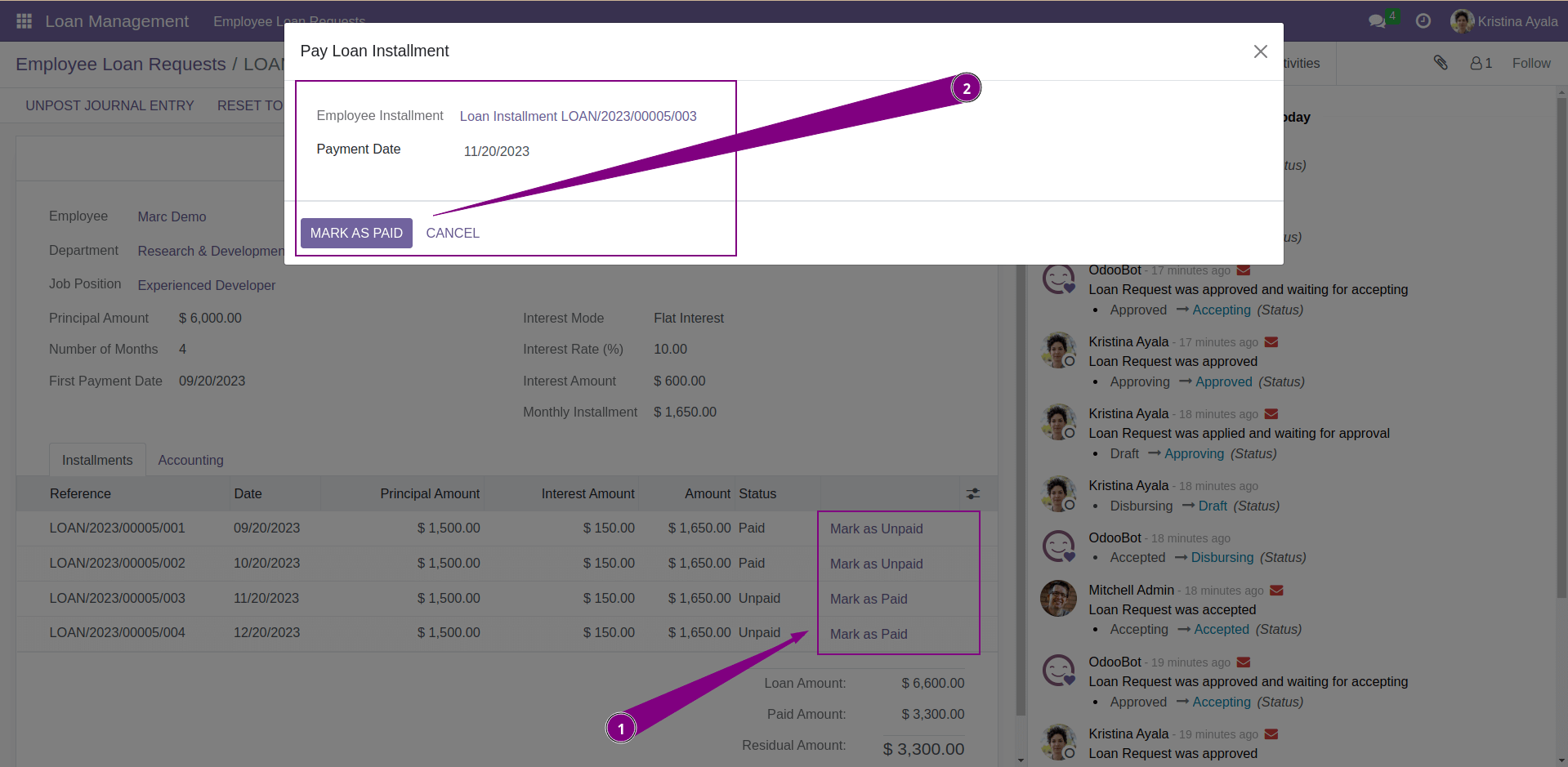
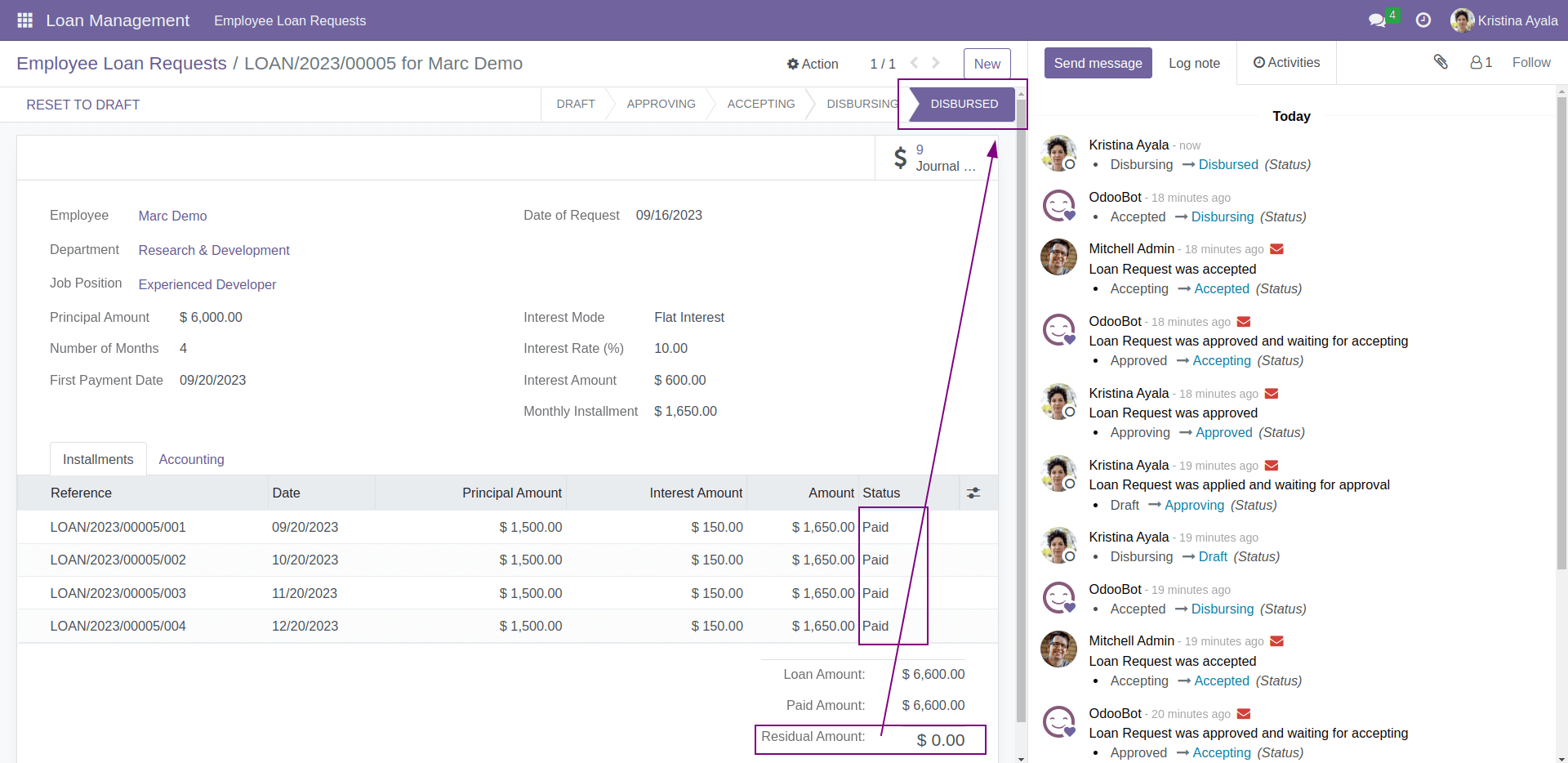
When all installments are paid, the loan automatically moves to the 'Disbursed' stage.
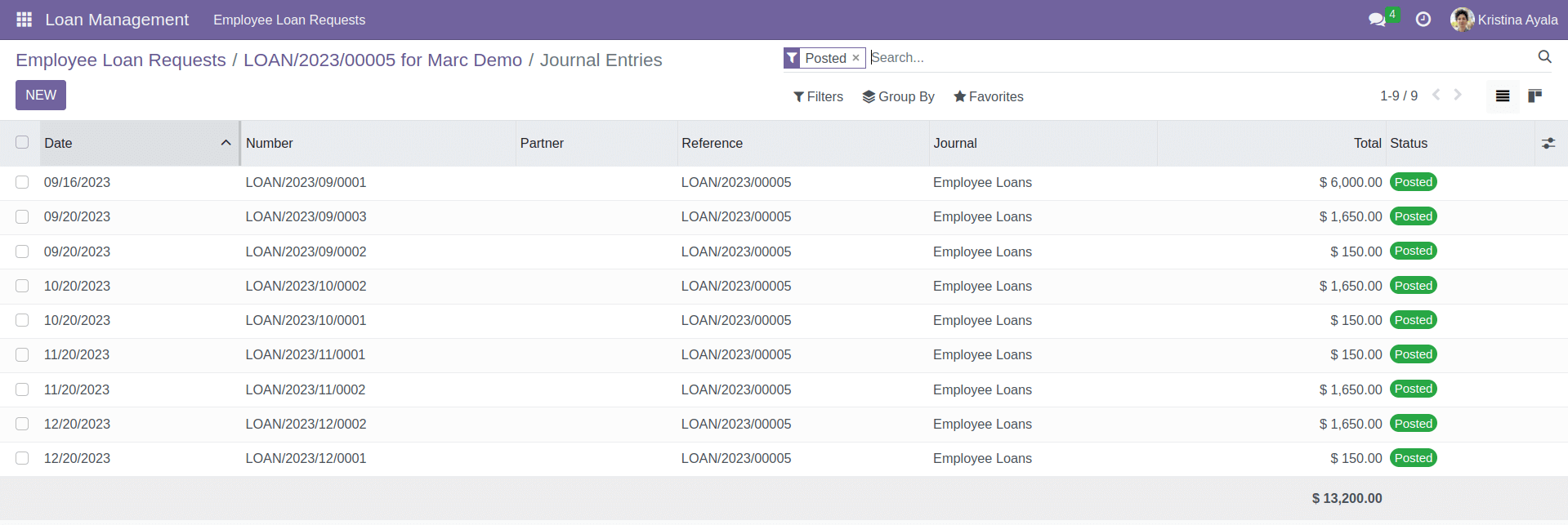
Here are examples of journal entries for fully disbursed employee loans, which can vary based on the accounting method and interest mode.
As highlighted in the module description, our Loan Management Module streamlines the entire process of employee loans within your organization. From loan requests and approvals to automated accounting entries and seamless installment tracking, our module ensures a hassle-free experience for both employees and administrators.
Dynamic Approval Workflows for Employee Loans
For more extensive approval workflows with unlimited stages and various conditions, consider our Dynamic Approval Workflows for Employee Loans module.
XF Payroll Integration
Our Loan Management Module can be seamlessly integrated with the Payroll Deductions Module , ensuring that approved loans are automatically deducted from employees' salaries, simplifying payroll processes and ensuring accurate loan repayment tracking.