Record Mentions in Chatter for Odoo
This module turns # into a mention of any document. Type # and the beginning of a number, pick the document in the list, and the posted message shows the number as a link that opens it. The chatter of both documents then shows the link, so it is found without reading the whole history.
Key Features:
- Suggestions while typing, the same way as @ mentions of people
- Works in the chatter of any record, in Discuss channels and in chat windows
- Any document numbered with a sequence: sale orders, purchase orders, transfers, journal entries and more
- Cross links: a # counter in the chatter of both documents lists the linked documents, whichever side the mention was written on, with its author and date
- The list of models is filled automatically when an app is installed, and can be changed
- Channels keep working with # as before; documents are listed below them
- The link opens the document form, also in a new tab and from the email notification
- Works in Odoo Community and Enterprise, no extra apps required
Why use it:
- One click instead of a search. The reader opens the mentioned order from the message, without copying its number into a search box
- Links are never lost in the history. The counter shows every linked document, even when the mention is far down a long chatter
- Both sides know. A purchase order mentioned on a sale order shows that sale order too, so the buyer sees which customer is waiting
- No typos. The number is picked from the list, so the link always points to the right document
Mention a Document with #
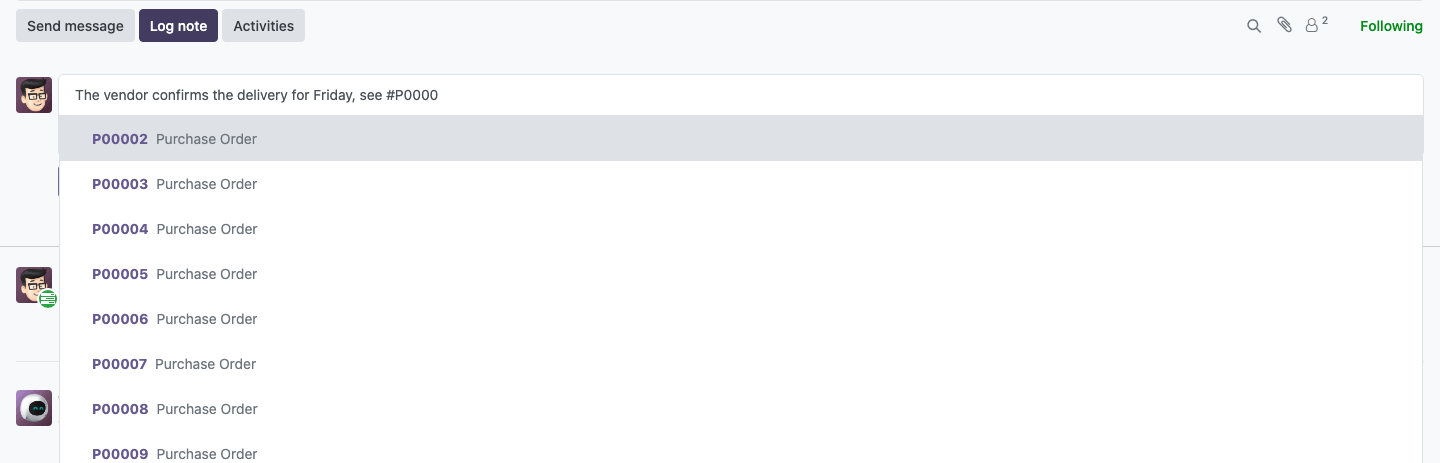
In the chatter of any record, or in a Discuss channel, type # and the beginning of a document number. The matching documents are suggested while you type, with their type. Pick one and post the message: the number becomes a link to the document.
Cross Links in Both Documents
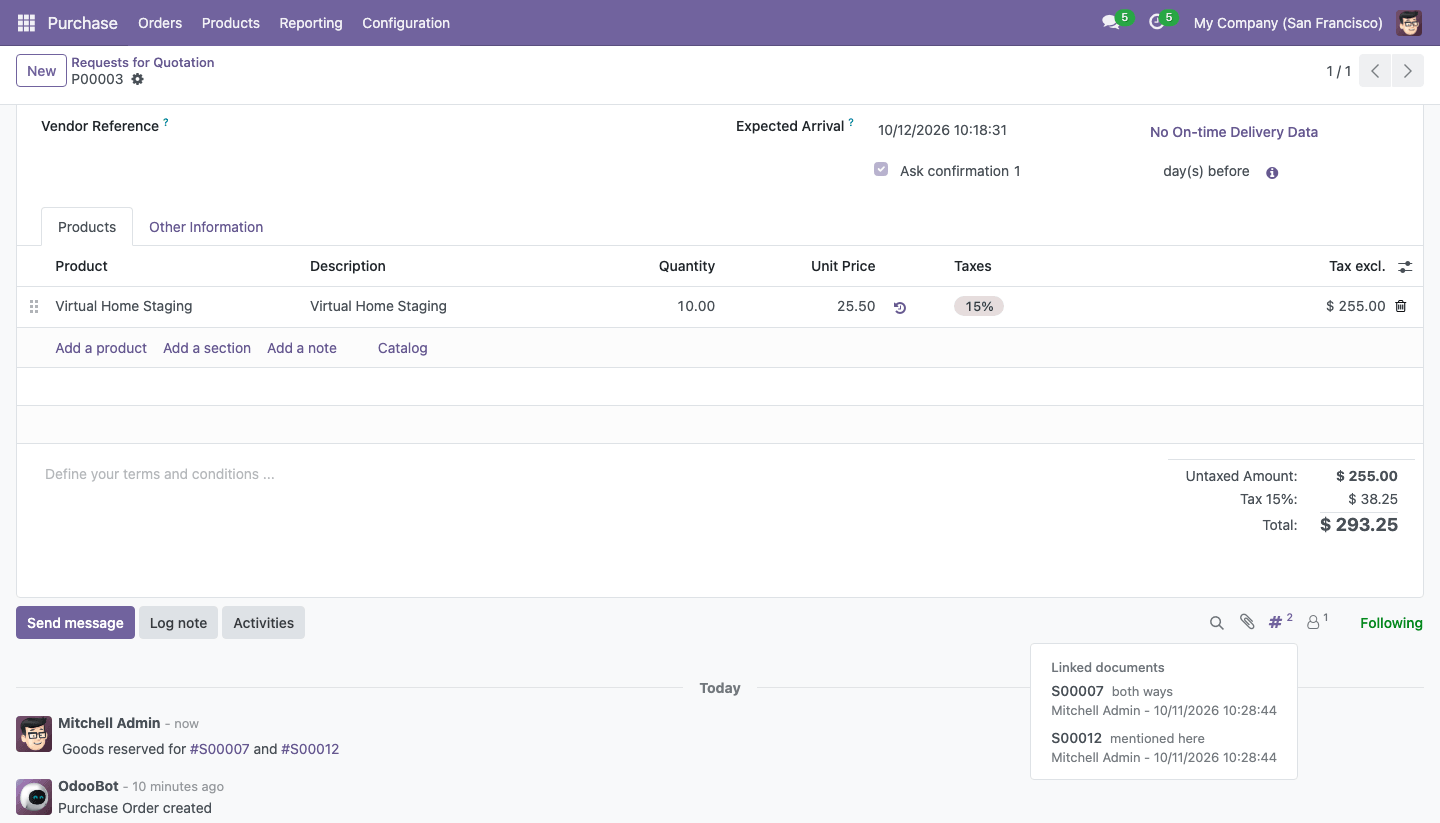
The # counter in the top bar of the chatter shows how many documents are linked to this one. Click it to list them: mentions this for a document whose chatter mentions this one, mentioned here for a document mentioned in this chatter, and both ways. Click a document to open it.
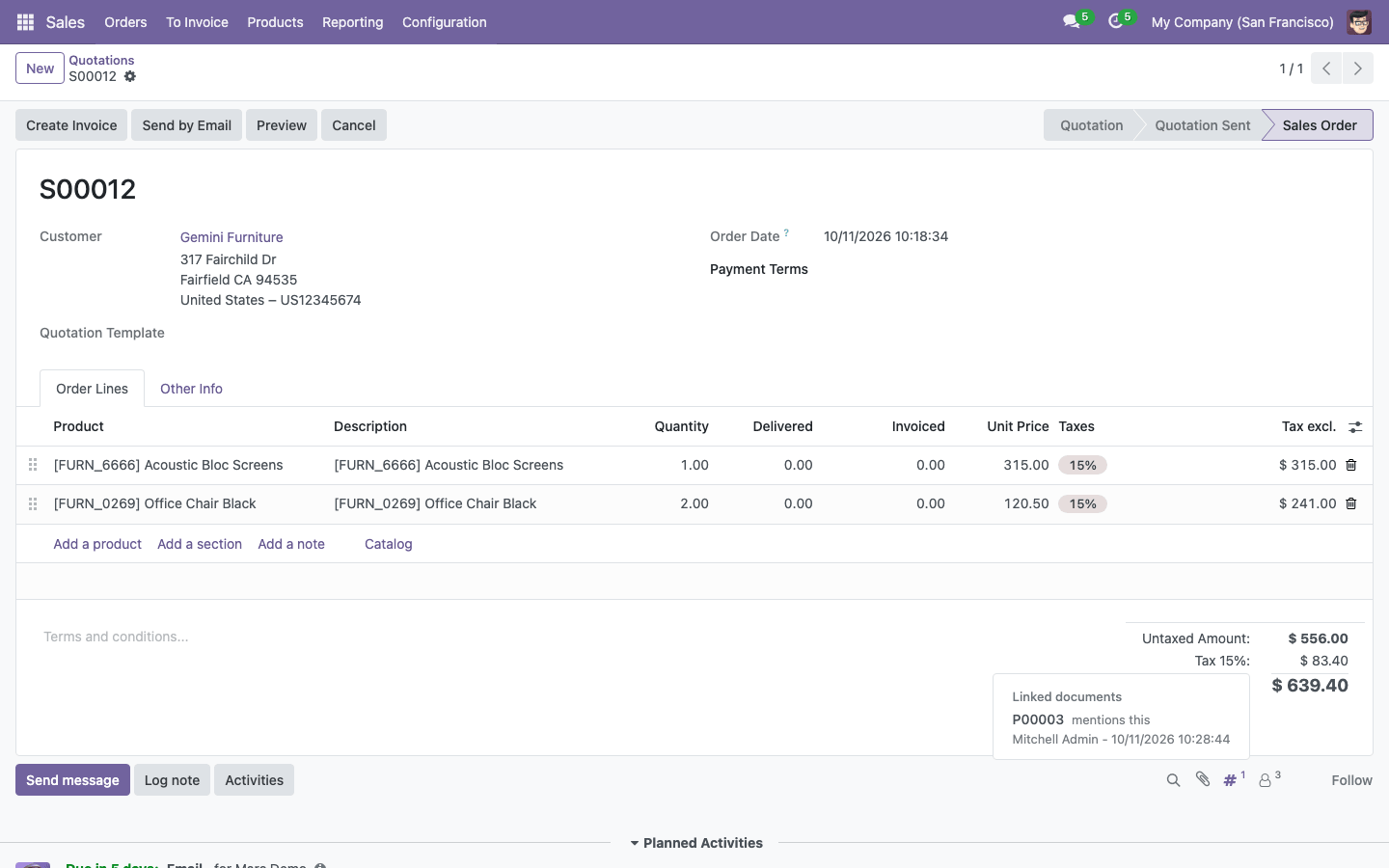
The sale order mentioned on the purchase order shows the link as well:
Documents That Can Be Mentioned
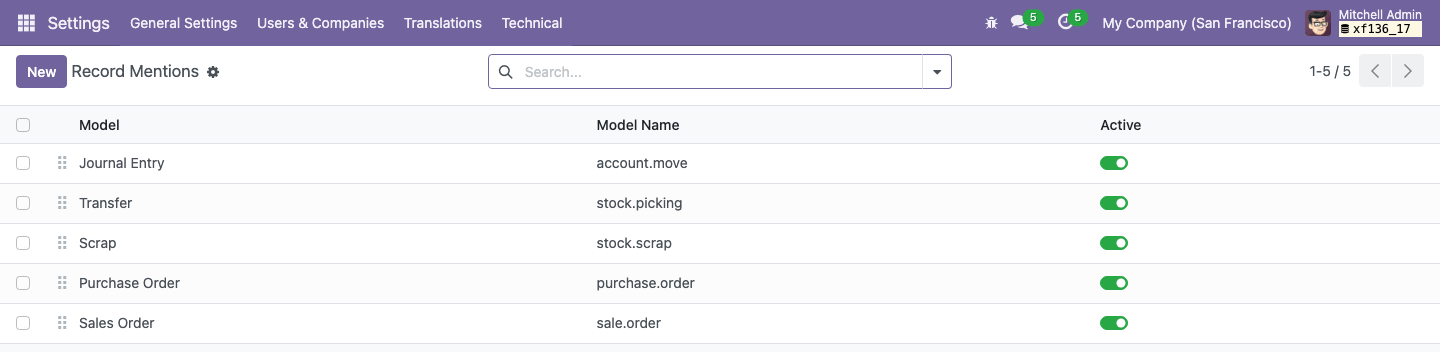
Settings → Technical → Discuss → Record Mentions (developer mode) lists the models whose documents can be mentioned. Models numbered by a sequence, transfers and journal entries are added automatically when their app is installed. Switch a model off, or change the order in which models are searched, as needed.
How to Use the Module:
- Install the module. The models numbered by a sequence are listed automatically.
-
In the chatter of any record, or in a Discuss channel, type # and the beginning of a
document number, for example
#P00 - Pick the document in the list and post the message
- Click the number in the message to open the document
- Click the # counter in the chatter of either document to see all the documents linked to it
- To add or switch off a model, open Settings → Technical → Discuss → Record Mentions in developer mode
Email: sales@xfanis.dev
Telegram: https://t.me/xfanis
Want to know when this module gets a new version or fixes? Subscribe to updates (one email to sales@xfanis.dev, no spam).