Replace email_from and reply_to
by XFanis
/ version
Requires
Odoo modules
Replace "Email From" and "Reply To"
Key Features:
- "Email From" and "Reply To" can be configured depending on data model and company
- You can send default sender address to avoid outgoing server errors
- Multi Company feature of the Odoo System is supported
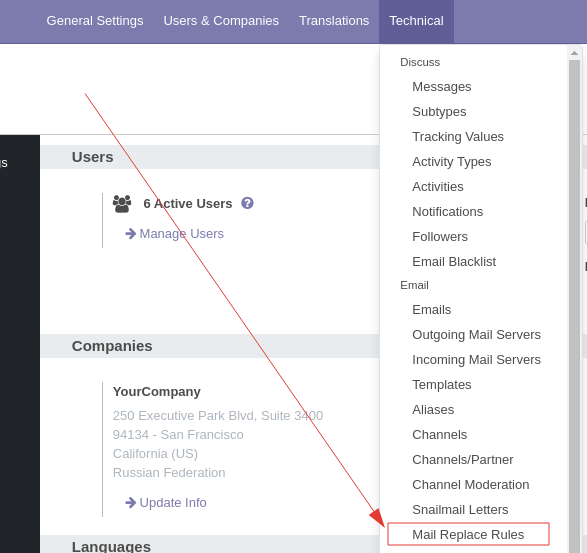
After installation the module new menuitem is appeared:
Examples of how you can set up rules:
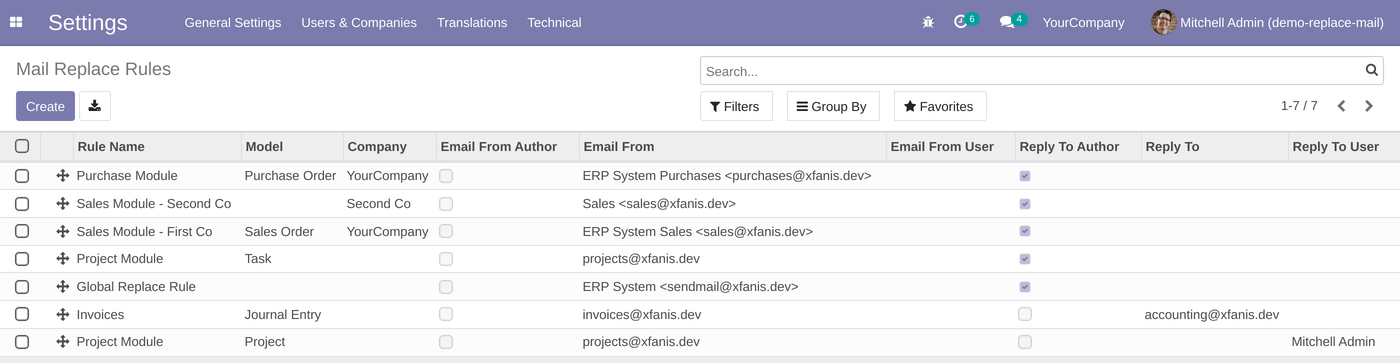
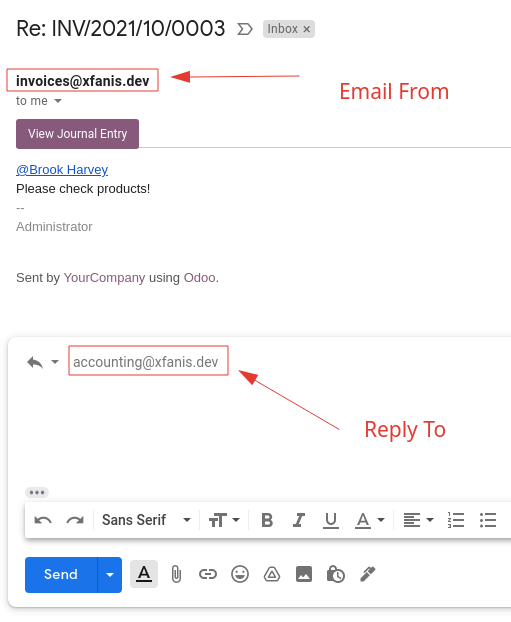
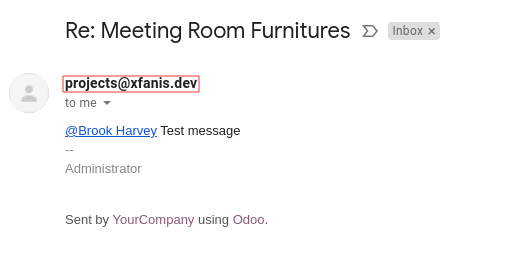
Custom email_from and reply_to overwriting examples:
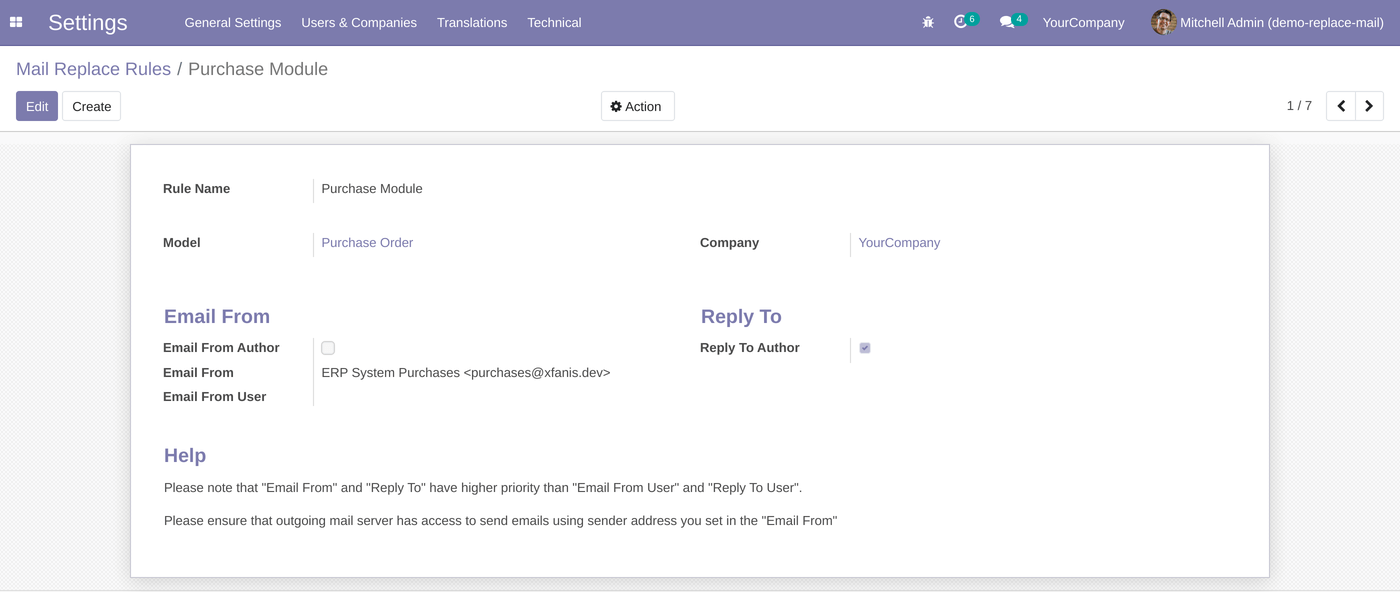
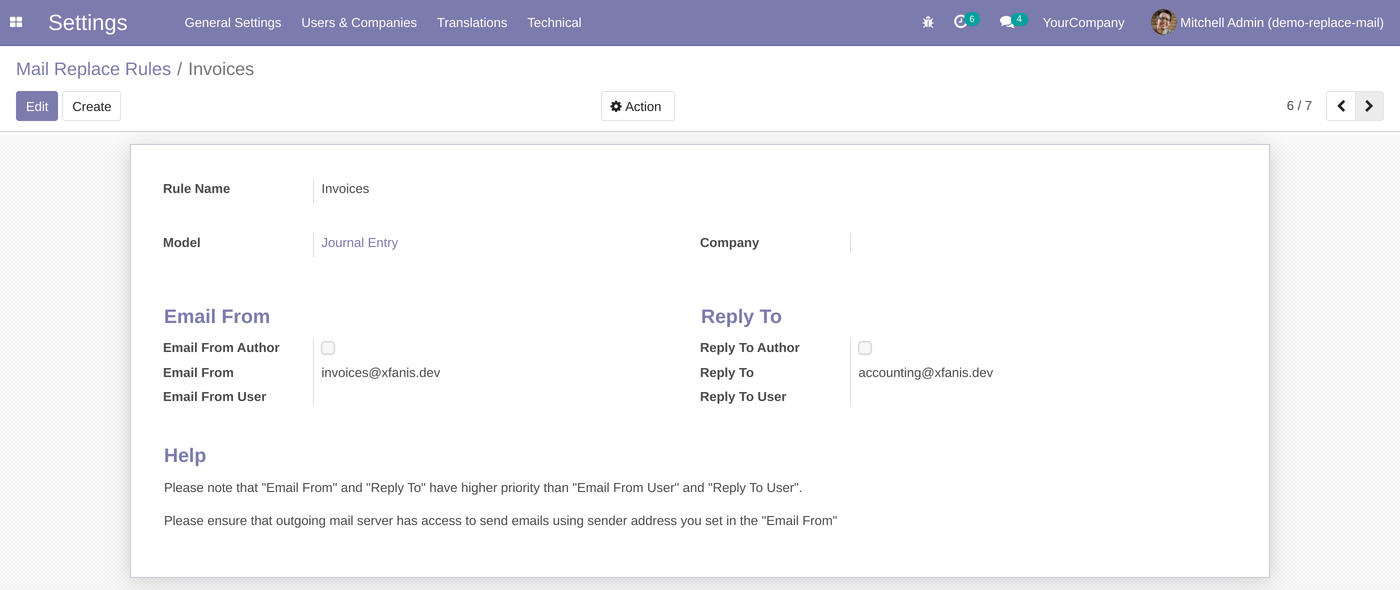
Replacement rule priority:
- 1. Strict rule: model and company are set. It is the highest priority.
- 2. Model-based rule: model is set, company is empty. This rule will be used only if a strict rule does not exist.
- 3. Company-based rule: model is empty, company is set. Such rule will be used only if there are no strict and model-based rules.
- 4. Global rule: model and company are not set. Global rule is used only if there are no other rules.
P.S. The equal rules can be ordered by sequence.
Steps to start using module:
- 1) Install Module
- 2) Add Replacement Rules
- 3) Remove built-in ir.config_parameter to avoid errors:
Settings -> Technical -> Parameters -> System Parameters.

If your Mail Transfer Agent (MTA) server supports SRS (Sender Rewriting Scheme), and it was configured properly you can skip the step 3. However, that is more complex and requires more technical knowledge.
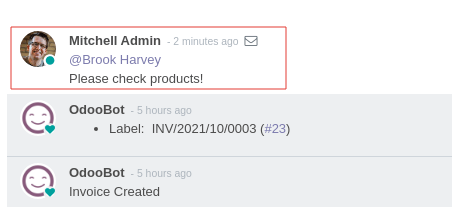
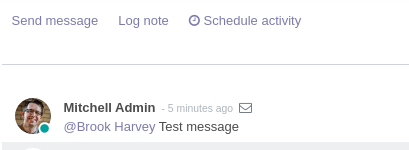
Additional Screenshots with Examples:
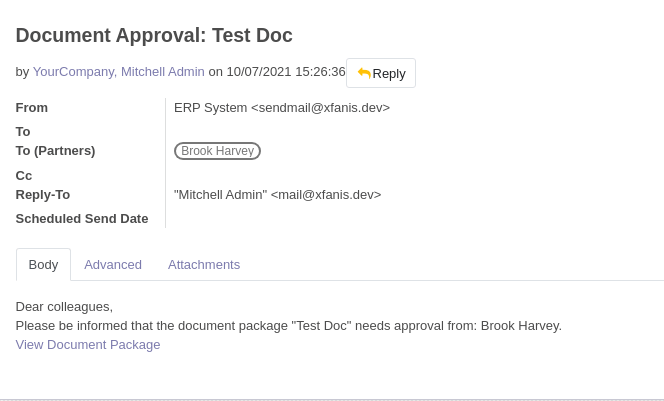
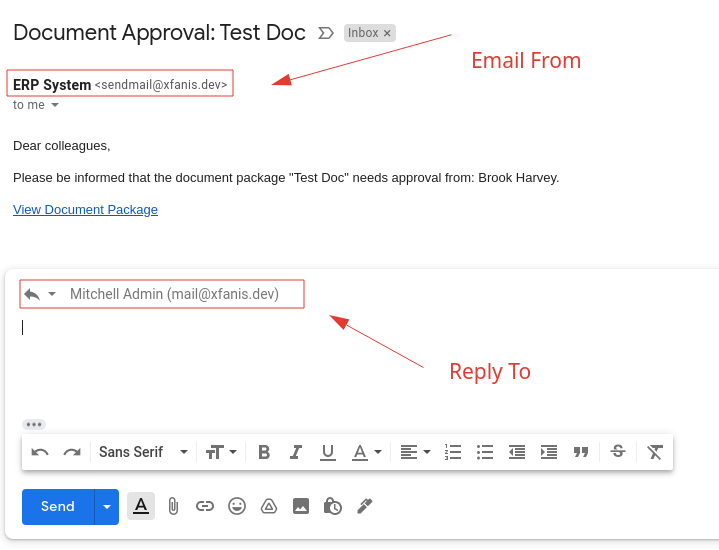
This images show that the parameters "Email From" and "Reply To" of received emails are overwritten according rules.
Please use "right mouse click -> open image in new tab" to show full size of screenshots.