Update User Access Wizard
by XFanis
/ version
Official Odoo store · pay by card
Requires
Odoo modules
User Access Copy & Template Management for Odoo
Perfect for multi-company environments, the module ensures consistent access rights across your organization while maintaining flexibility and control.
Key Features:
- Advanced Access Templates with hierarchical structure for organized permission management
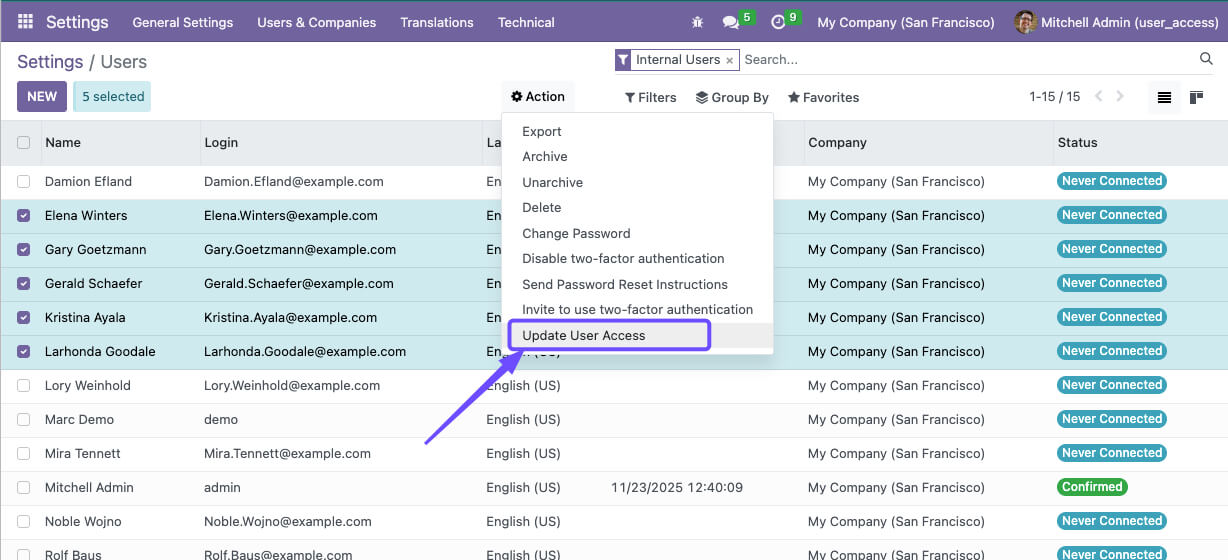
- Copy user access rights from one user to multiple users simultaneously
- Multi-company support with company access synchronization capabilities
- Flexible update modes: Replace existing access or Append new permissions
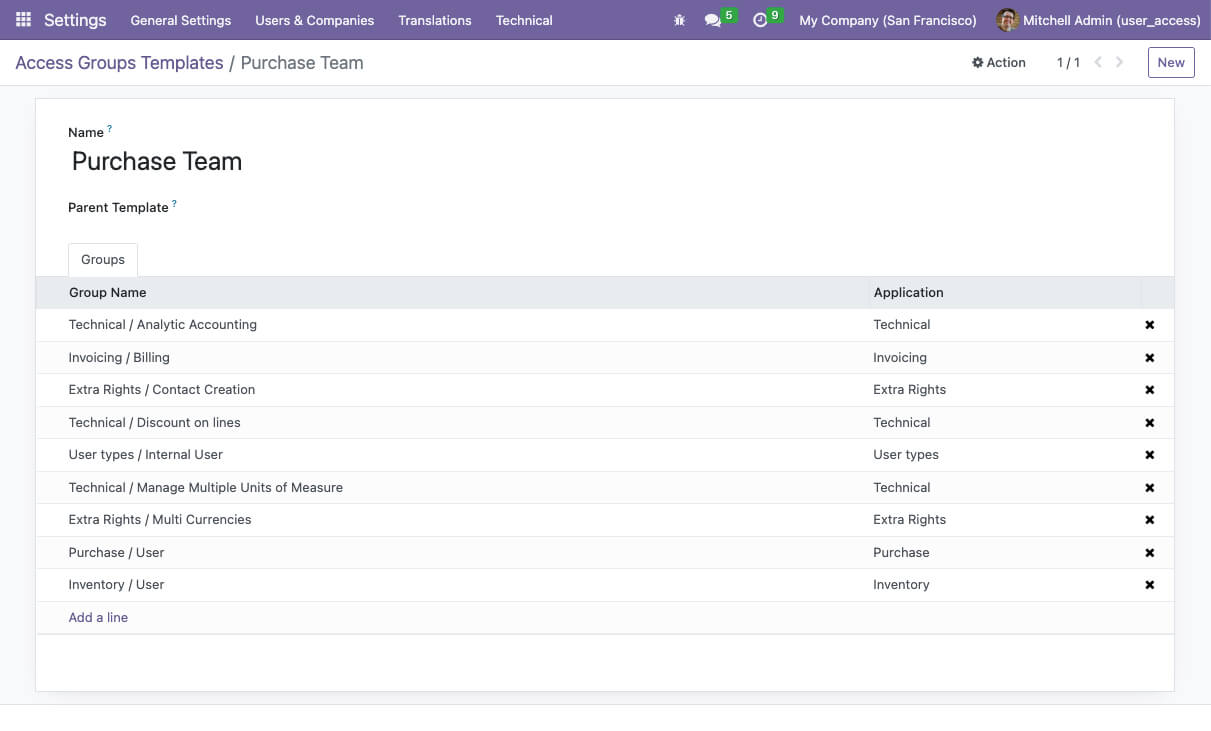
- Template inheritance - child templates automatically inherit parent template groups
- Bulk user access management for efficient onboarding and role changes
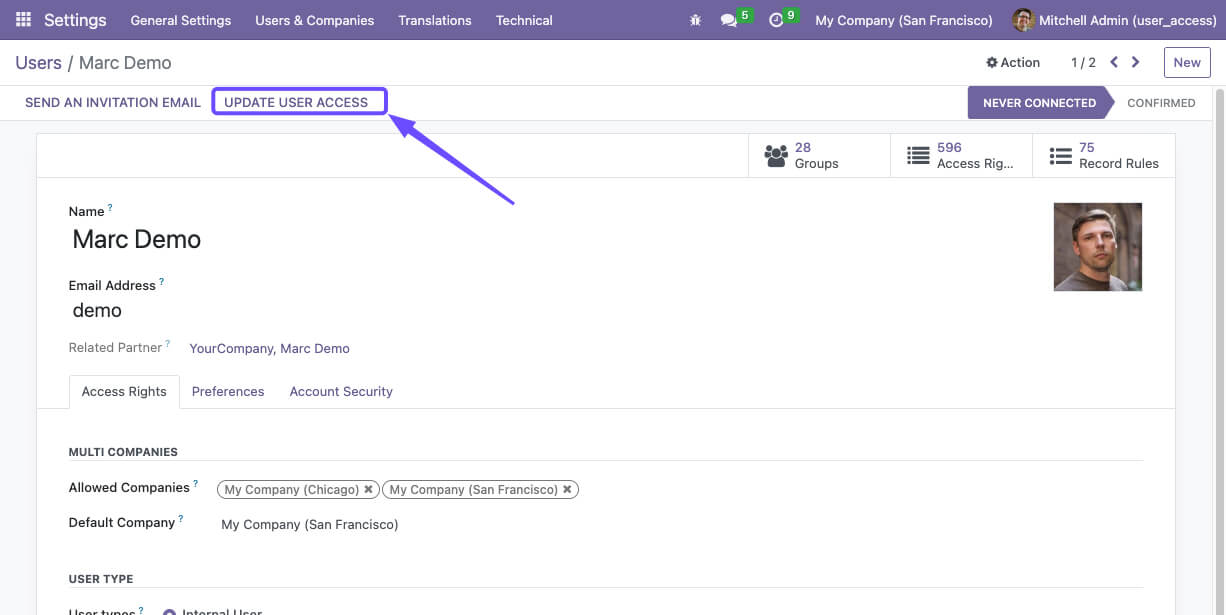
- Intuitive wizard interface integrated directly into user forms
- Separate management of access groups and company permissions
Screenshots:
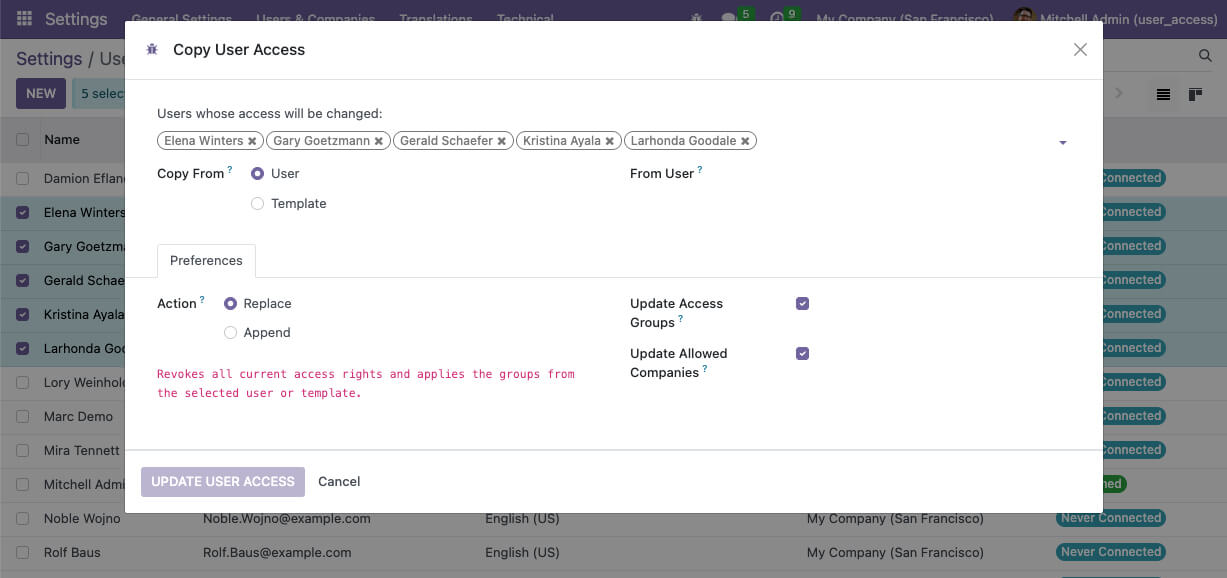
How to Use the Access Copy Module:
- Install the xf_user_access_copy module
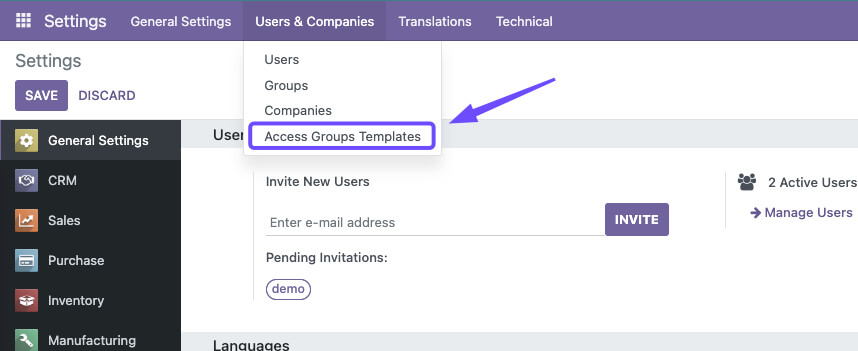
- Navigate to Settings > Users & Companies > Access Groups Templates to create templates
- Go to Users list or open any user form
- Click "Update User Access" button to open the access wizard
- Select target users and choose copy source (User or Template)
- Configure update preferences and execute the access update
Access Templates Management:
Template Hierarchy
Create structured access templates with parent-child relationships. Child templates automatically inherit all groups from their parent templates, allowing you to build sophisticated permission structures.
- Define base templates for common roles
- Create specialized child templates with additional permissions
- Maintain consistency across related job functions
- Simplify template maintenance through inheritance
Template Benefits
- Standardization - Ensure consistent access for similar roles
- Efficiency - Quick user setup with predefined templates
- Flexibility - Easy modifications across multiple users
- Audit Trail - Clear documentation of access standards
Access Update Modes:
Replace Mode
Completely replaces all existing access groups with the source groups. Perfect for role changes or access standardization.
Revokes all current access rights and applies the groups from the selected user or template.Append Mode
Adds source groups to existing user permissions while keeping current access. Ideal for granting additional privileges.
Keeps all current access rights and adds the groups from the selected user or template.Common Use Cases:
User Onboarding
Quickly set up new employees with standardized access based on their role templates or copy permissions from experienced team members.
Role Standardization
Ensure all users in the same role have identical access rights across different departments or companies.
Multi-Company Management
Synchronize company access across users working in multiple companies to prevent access issues and maintain compliance.
Access Audits
Quickly align user permissions during security reviews or compliance audits by copying access from compliant users.
Temporary Access
Grant temporary permissions by appending access groups for specific projects or coverage needs, then easily remove them later.
Disaster Recovery
Quickly restore user access by copying permissions from backup users or templates during system recovery scenarios.
Technical Implementation:
- Wizard-based interface for intuitive user experience
- Advanced domain filtering to prevent self-copying conflicts
- Dynamic field visibility based on selection context
- Comprehensive permission controls for ERP managers
- Template hierarchy with recursive group collection
- Multi-company access synchronization
- Bulk operations with Odoo ORM commands for efficiency
- Integrated directly into Odoo's user management system
Email: sales@xfanis.dev
Telegram: https://t.me/xfanis
Want to know when this module gets a new version or fixes? Subscribe to updates (one email to sales@xfanis.dev, no spam).