Task Time Tracking
by XFanis
module: $5.00 + deps
Price breakdown
Automatic Time Tracker for Project Tasks
It streamlines the process, making it a hassle-free experience for users.
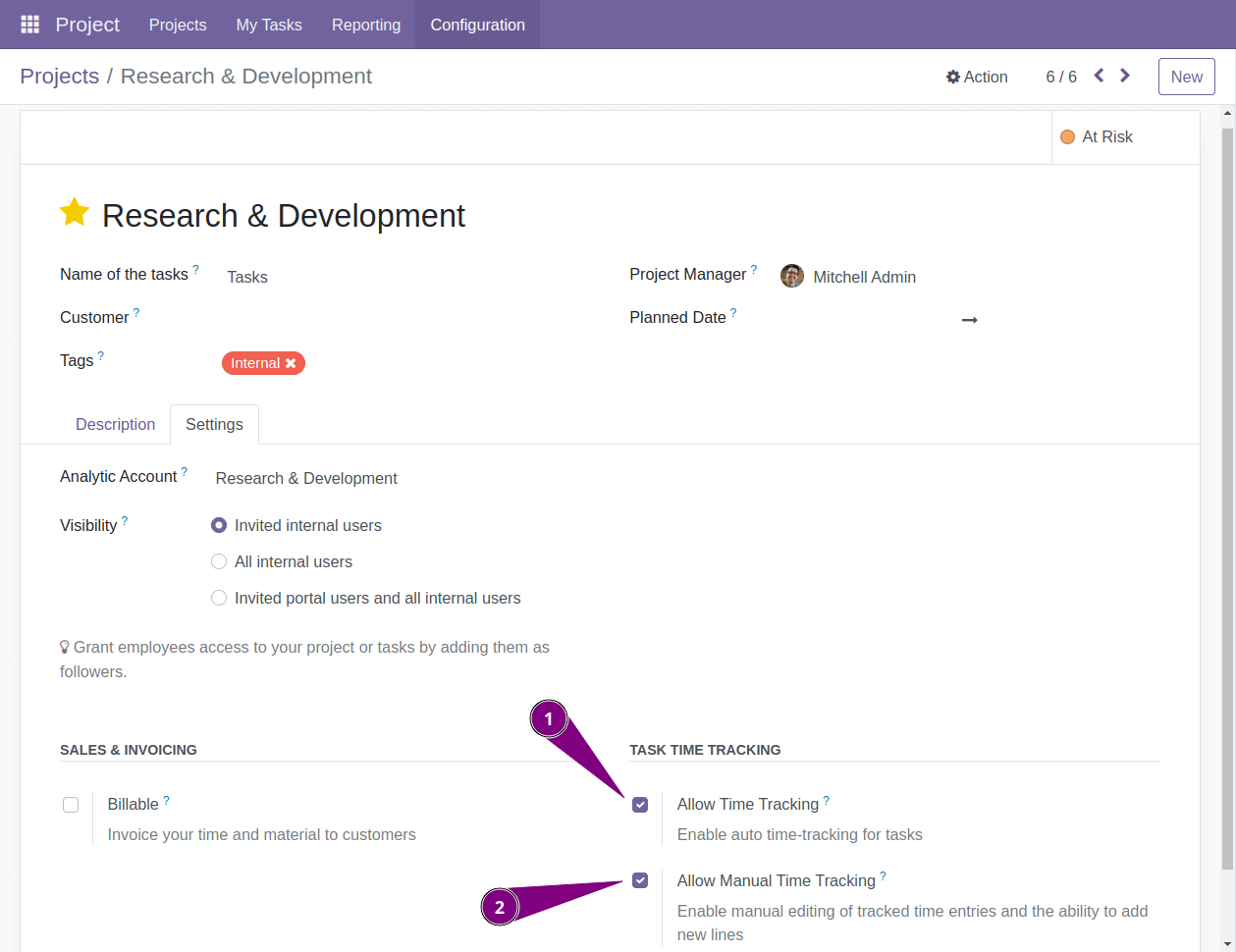
Enable Task Time Tracker
Following the module installation, project manager gain ability to enable time tracking for tasks.
-
The first option enables automated time tracking.
Whenever a task's stage, assignees, assignment units, or kanban state changes, the system generates a new time entry.
-
The second option allows manual editing of time entries.
Project managers can choose whether to permit or restrict the modification of tracked time entries.
How the system knows if the task is in progress or not
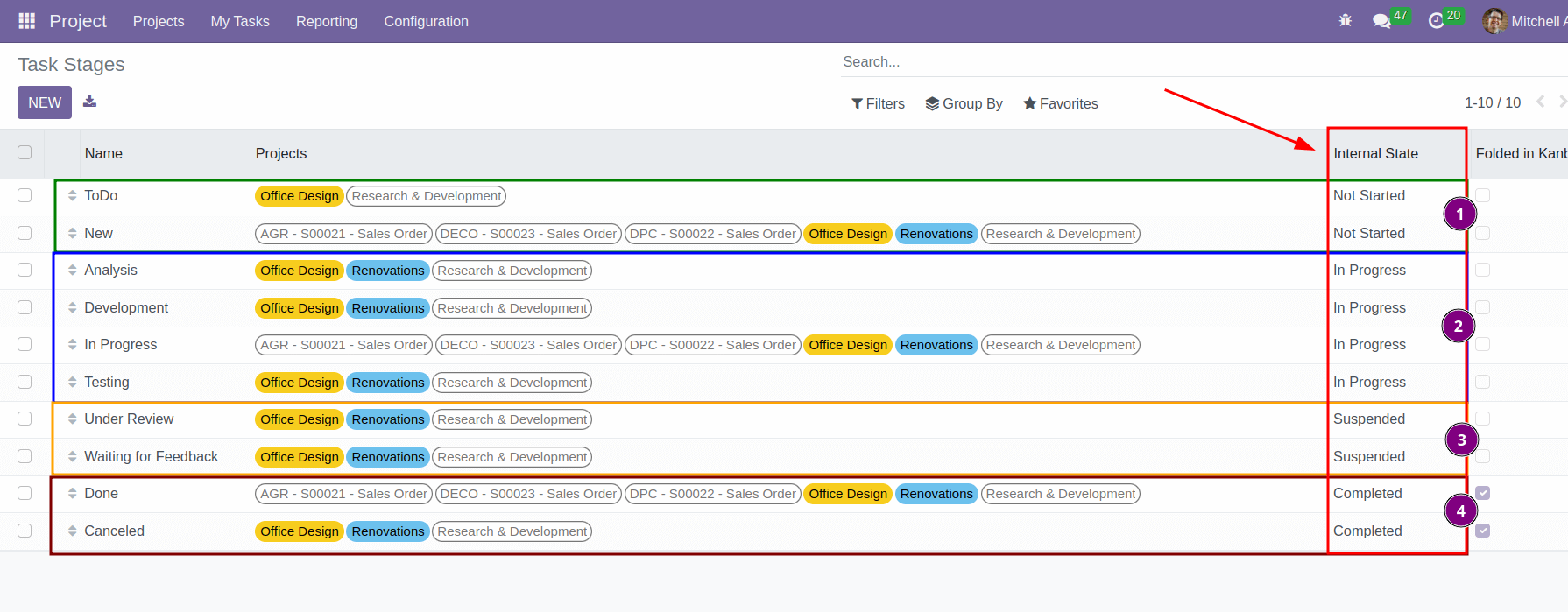
After installing the module you can set internal state to each task stage.
These internal states serve as indicators, distinguishing whether a task is not started, in progress, suspended, or completed.
How time tracker works
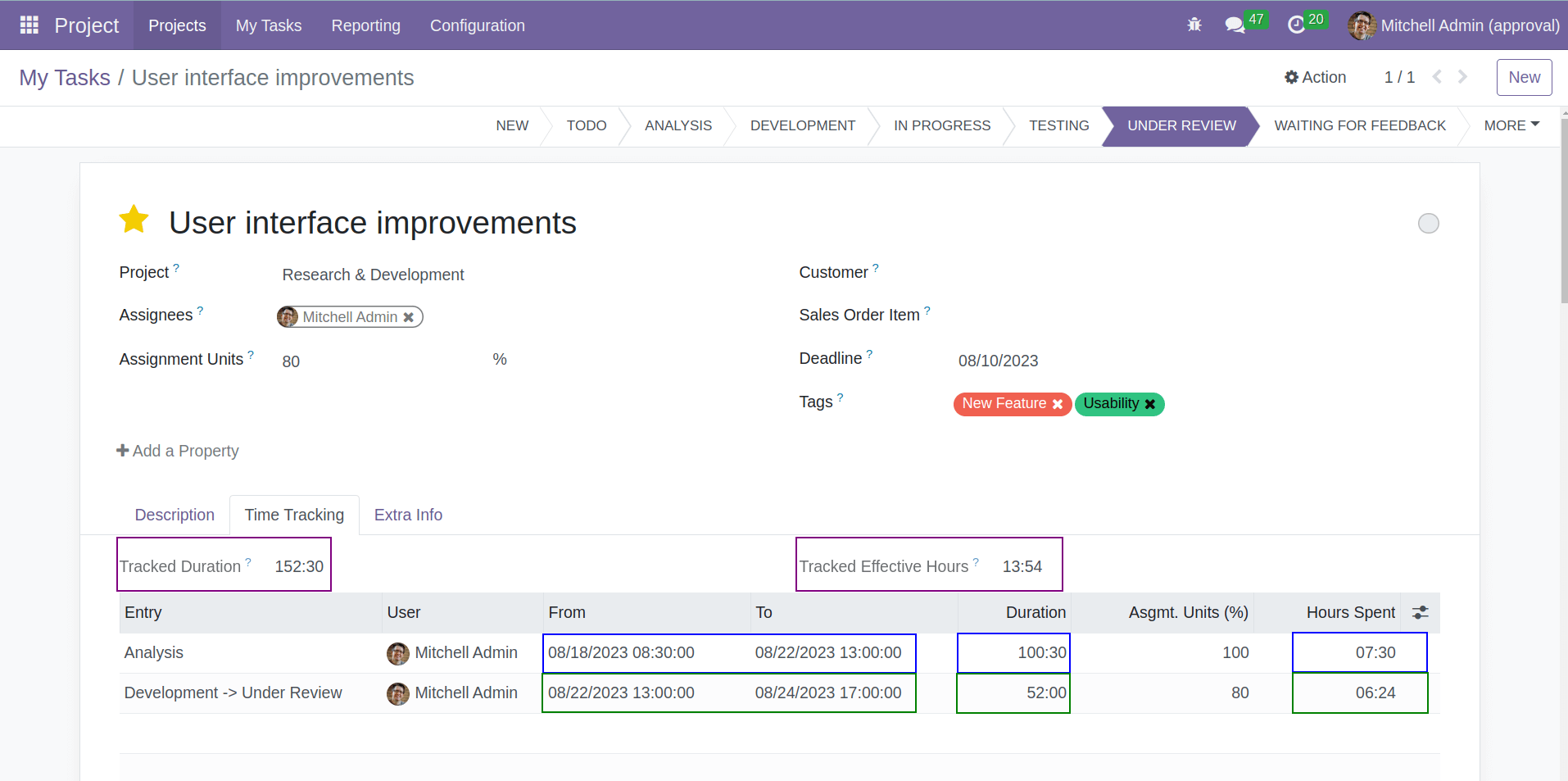
Whenever a task's stage or kanban state changes, a new time entry is generated. Additionally, reassignment to different users or changes in assignment units trigger new entries.
The Time Tracker calculates the duration and effective hours spent on each entry, subsequently summing up these values.
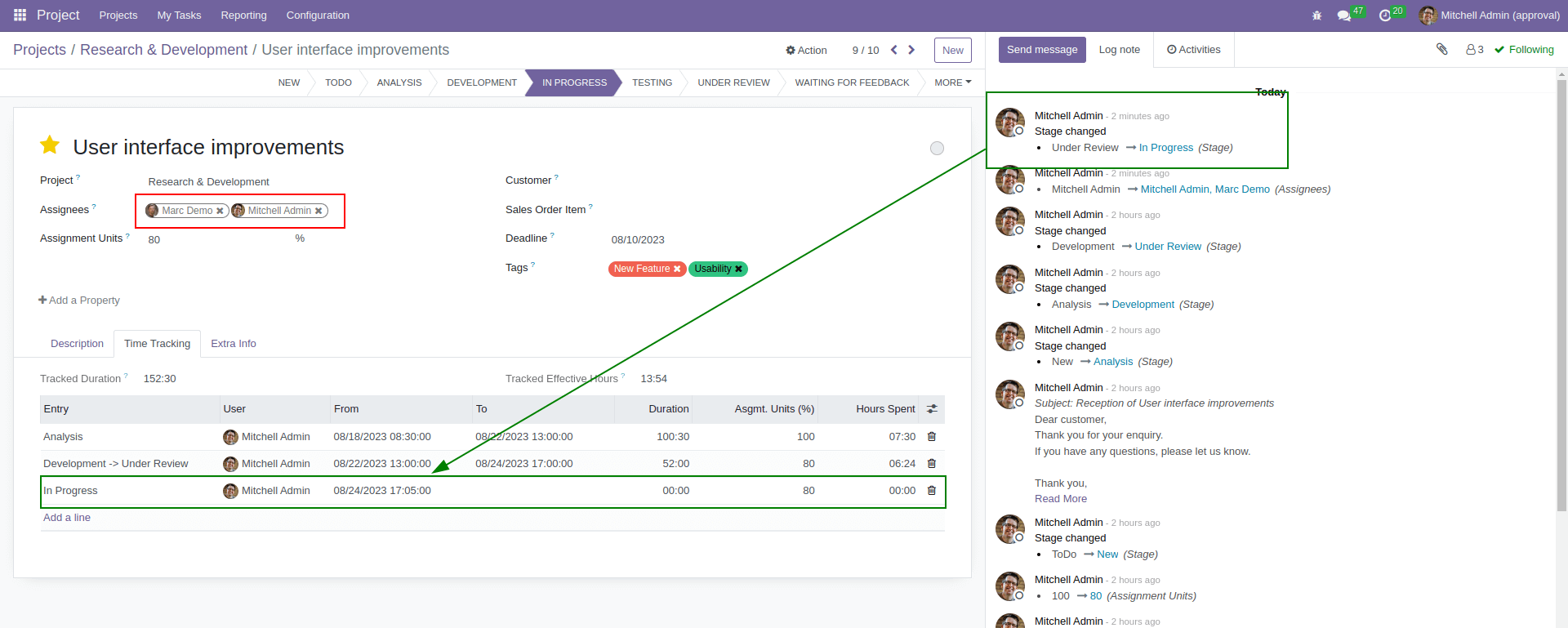
When there are multiple assignees, the time entry will be logged only for the user who initiated the changes.
How the system computes effective spent hours
The calculation of effective spent hours is based on the working time of each employee.
Three key parameters contribute to this value:
(1) working time,
(2) public holidays and
(3) time off for particular user
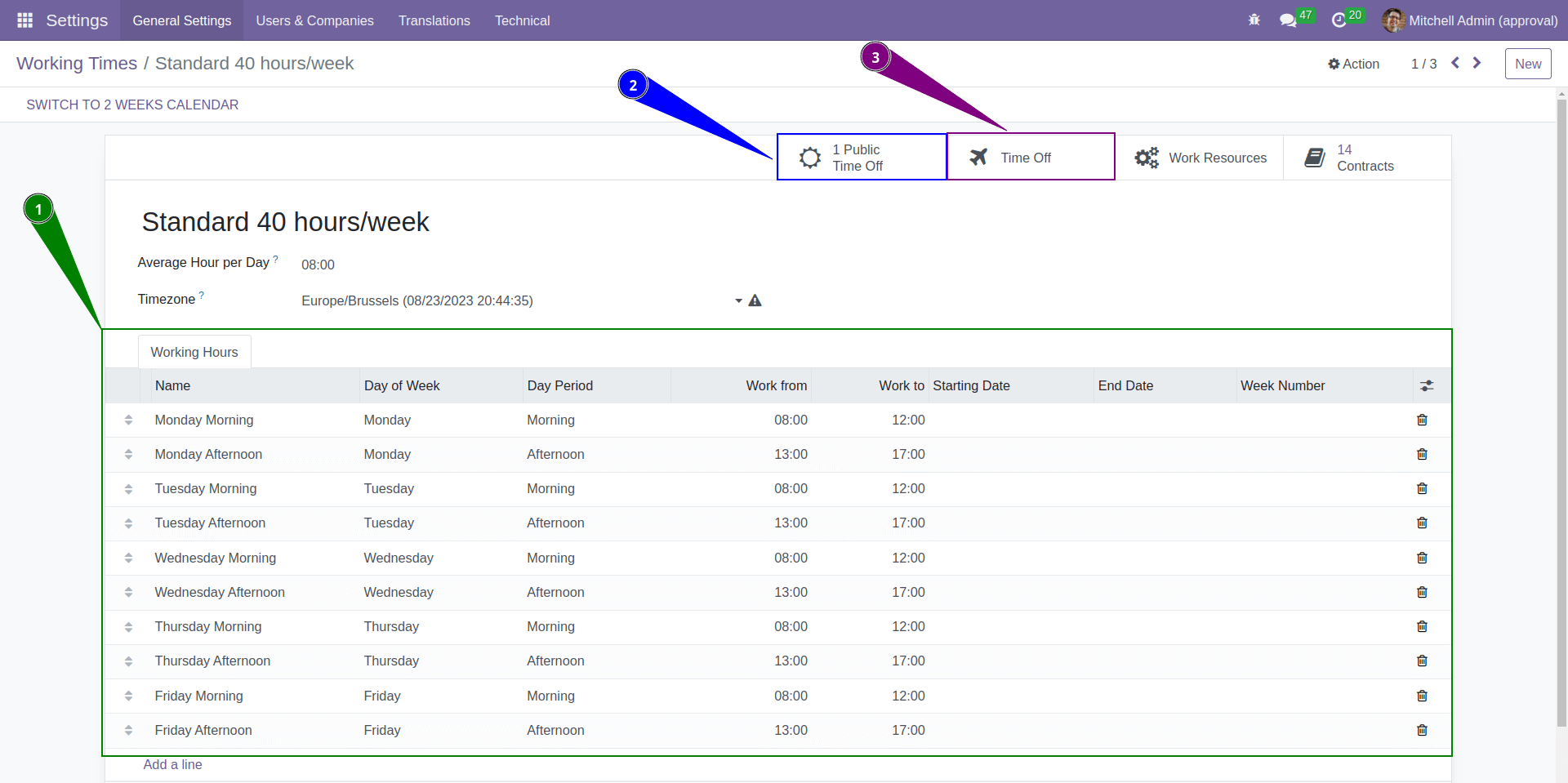
There is no need to manually pause the tracker when leaving work at the end of the day or for weekends. The system will not account for non-working hours.
Even if an employee goes on vacation without pausing their task, the system will simply skip the vacation time, provided that this vacation time is added in the system.
Email: xfanis.dev@gmail.com
Telegram: https://t.me/xfanis
Twitter: https://twitter.com/XFanis_Dev