Sale Merge | Merge Quotations and Transfer Lines with Analytics
by XFanis
$5.00
total
/ version
Price breakdown
Sale Merge | Merge Quotations and Transfer Lines with Analytics
$5.00
↳ Analytic Blend | Combine Lines with Analytic Distribution
Free
Total
$5.00
Buy on Odoo Apps Store
Official Odoo store · pay by card
Sale Merge with Analytics for Odoo
Merge quotations of one customer into one, or move selected lines to another quotation of the same
or of another customer. When lines of the same product end up in one quotation, you decide what
happens to their analytic distribution: blend it by quantity into one line, or keep lines with
different analytics apart.
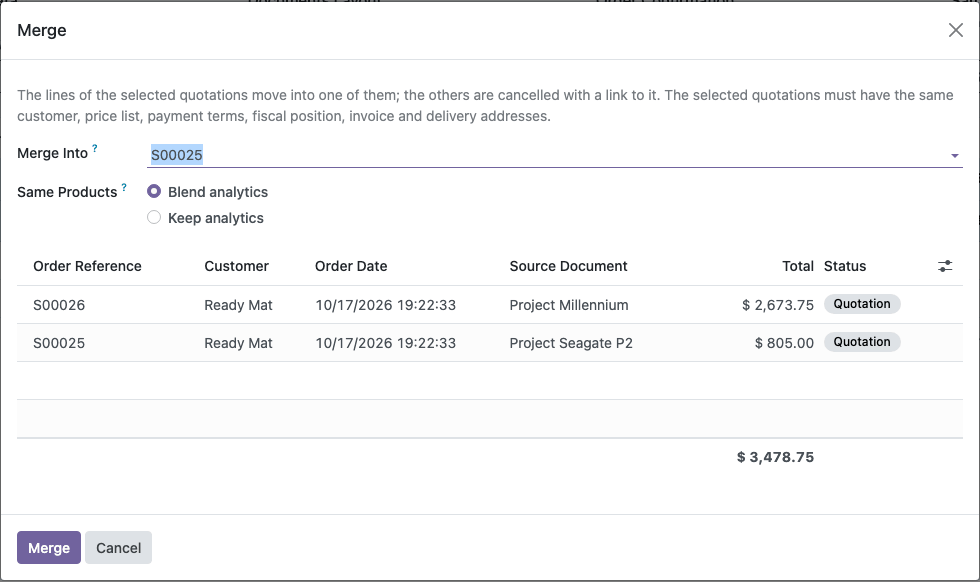
Merge Quotations
- Select several quotations in the list and choose Actions → Merge
- Choose the quotation that receives the lines; the others are cancelled with a link to it in the chatter
- Only quotations with the same customer, price list, payment terms, fiscal position, invoice and delivery addresses are merged
- With Inventory installed, the warehouse must be the same too
Transfer Lines to Another Customer
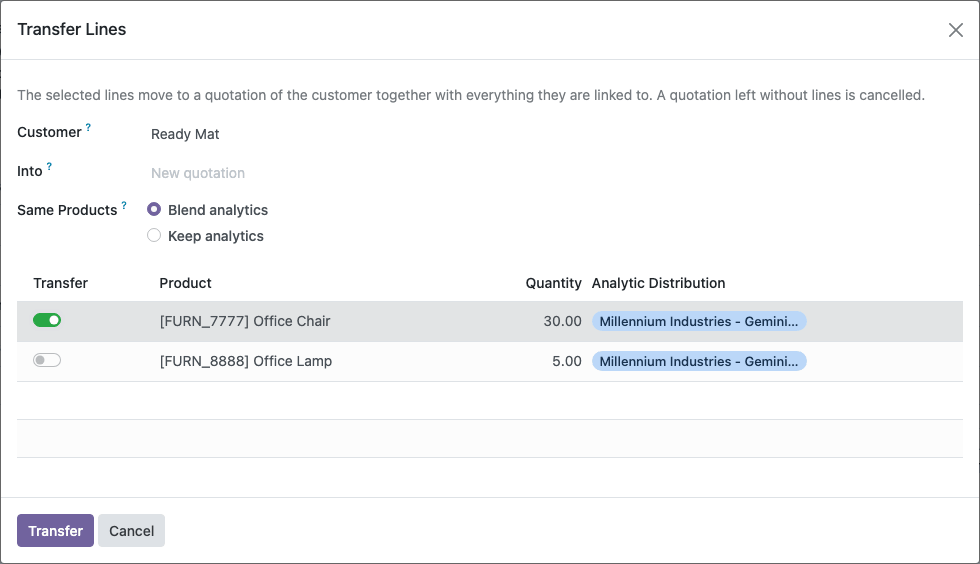
- Transfer Lines on a quotation moves the selected lines to another quotation of any customer, or to a new one
- For another customer, taxes and prices come from that customer's fiscal position and price list; for the same customer, the agreed prices stay
- Both quotations record the transferred lines in the chatter; a quotation left without lines is cancelled
Analytics of Lines of the Same Product
- Blend analytics: lines of the same product, unit and price become one line; 10 units at Project A and 30 units at Project B give 40 units at 25% A and 75% B
- Keep analytics: lines become one only when their analytic distributions are equal; otherwise each keeps its own line
- A mandatory analytic plan stays at 100%, and shares are rounded so that every plan keeps its total
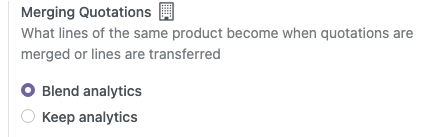
- The default mode is a company setting in Sales → Configuration → Settings; every merge or transfer can change it
Screenshots
Merge quotations
Transfer lines of a quotation
Merging Quotations setting
How to Use
- In Sales → Configuration → Settings, choose the default for Merging Quotations.
- To merge, select quotations of one customer in the list and choose Actions → Merge. Pick the quotation to merge into and the mode, then click Merge.
- To transfer lines, open a quotation and click Transfer Lines. Choose the customer, optionally an existing quotation of that customer, switch on the lines to move and click Transfer.
Related Modules
The same merge and transfer wizards with analytics for other documents:
- Purchase Merge with Analytics: merge RFQs of one vendor and move lines to the RFQ of another vendor, blending or keeping their analytics.
- Invoice Merge with Analytics: merge draft invoices and bills of one partner and move lines to another draft, blending or keeping their analytics.
Contact me for Support, Customization, Implementation:
Email: sales@xfanis.dev
Telegram: https://t.me/xfanis
Email: sales@xfanis.dev
Telegram: https://t.me/xfanis
Want to know when this module gets a new version or fixes? Subscribe to updates (one email to sales@xfanis.dev, no spam).