Odoo Excel Connector
by XFanis
/ version
Official Odoo store · pay by card
Requires
Odoo modules
Excel Odoo Connector
Data connection and synchronization
Using this module you can generate office document connection (ODC) file and open it via Microsoft Excel to build reports or for other purposes.
Also special url allows you to fetch data from Odoo into Power BI.
This module helps to get and synchronize data between Odoo and Excel, LibreOffice, PowerBI. Using the excel odoo connector you can link ERP data and Excel spreadsheets, easily sync Odoo data to Excel file, build reports (accounting reports, sales reports, purchase order reports, project task reports and any kind of other reports).
Excel file can be updated manually (the Refresh button) or with a regular time interval.
You can see how it works in this short video.
The functionality is tested using Excel App from Office 365. If you use older office apps or want to link Odoo data manually please see next video: How to link external data from Odoo to Excel using Web Data URL
If you use LibreOffice or other OpenOffice suite you can link external data from Odoo. Please watch this video: How to link Odoo data to LibreOffice Calc.
After installation of the module you will the special "excel" icon near the "export" button
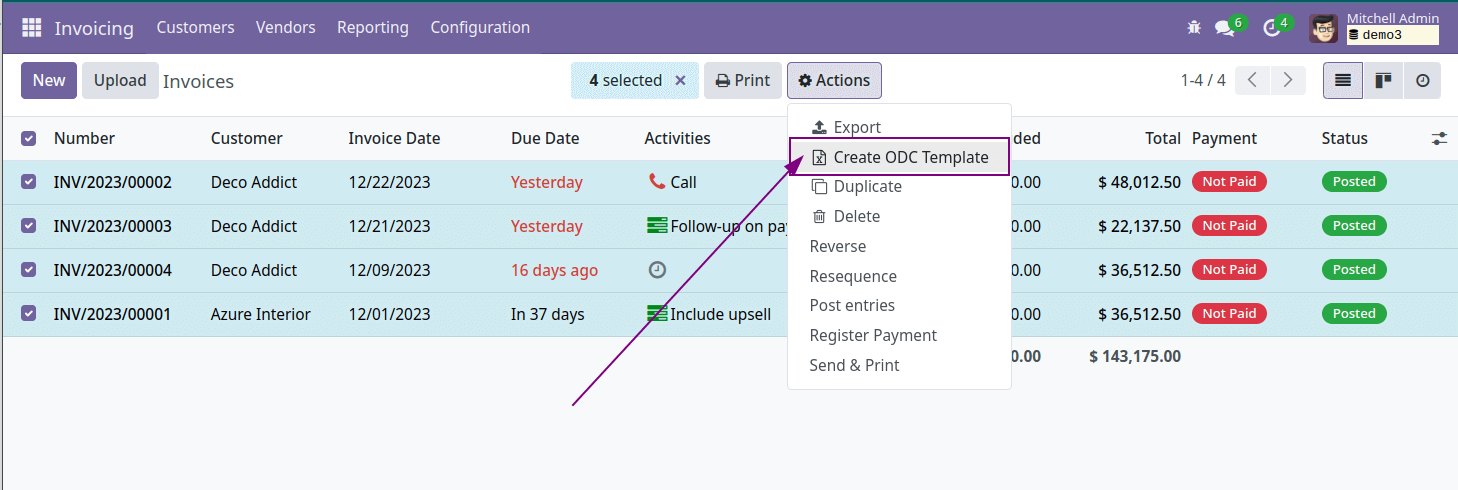
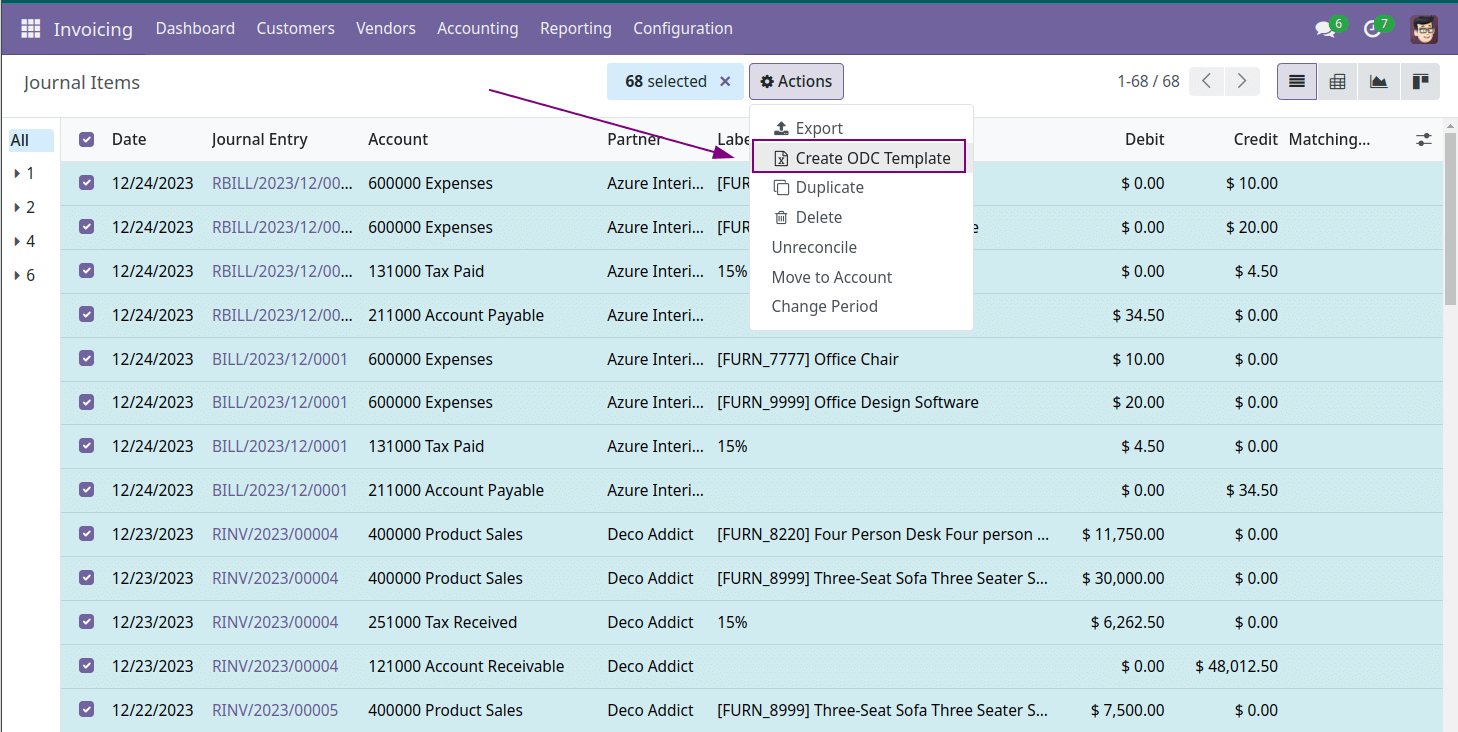
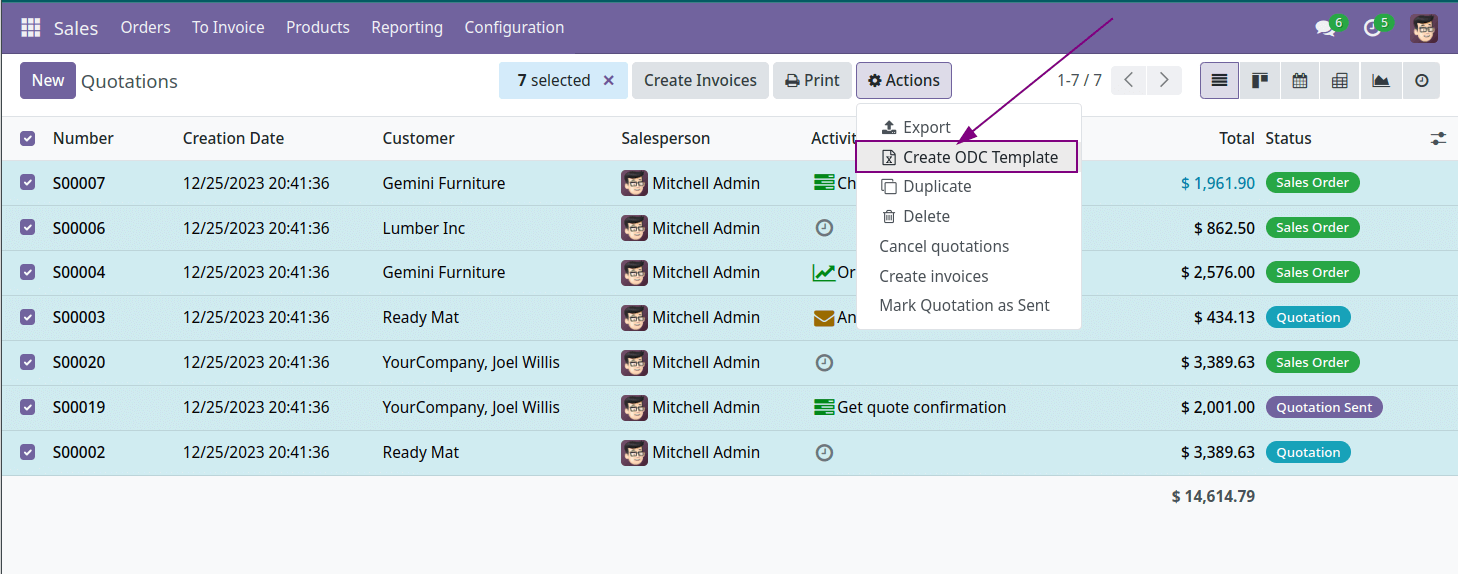
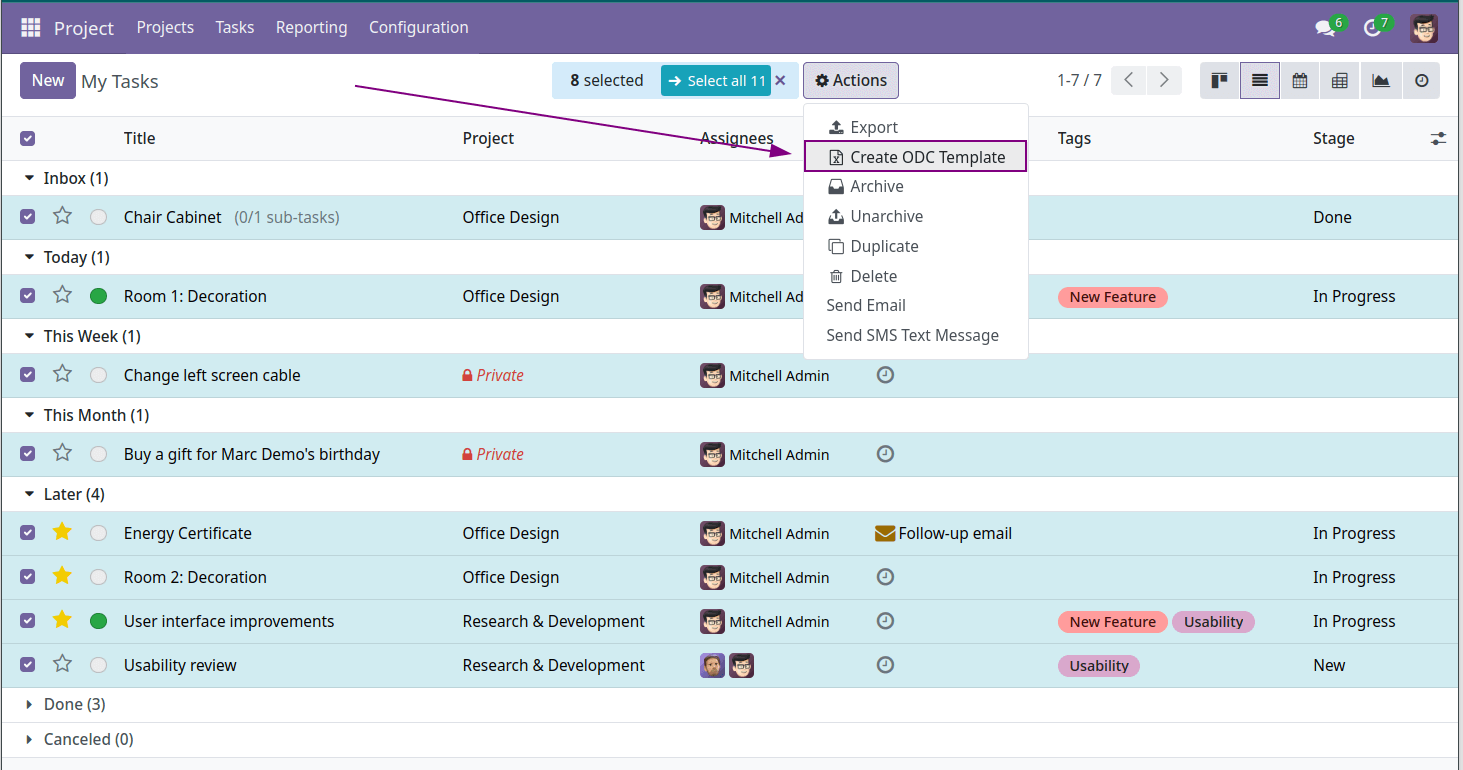
The button is displayed in each list (tree) view and allow open ODC generation wizard.
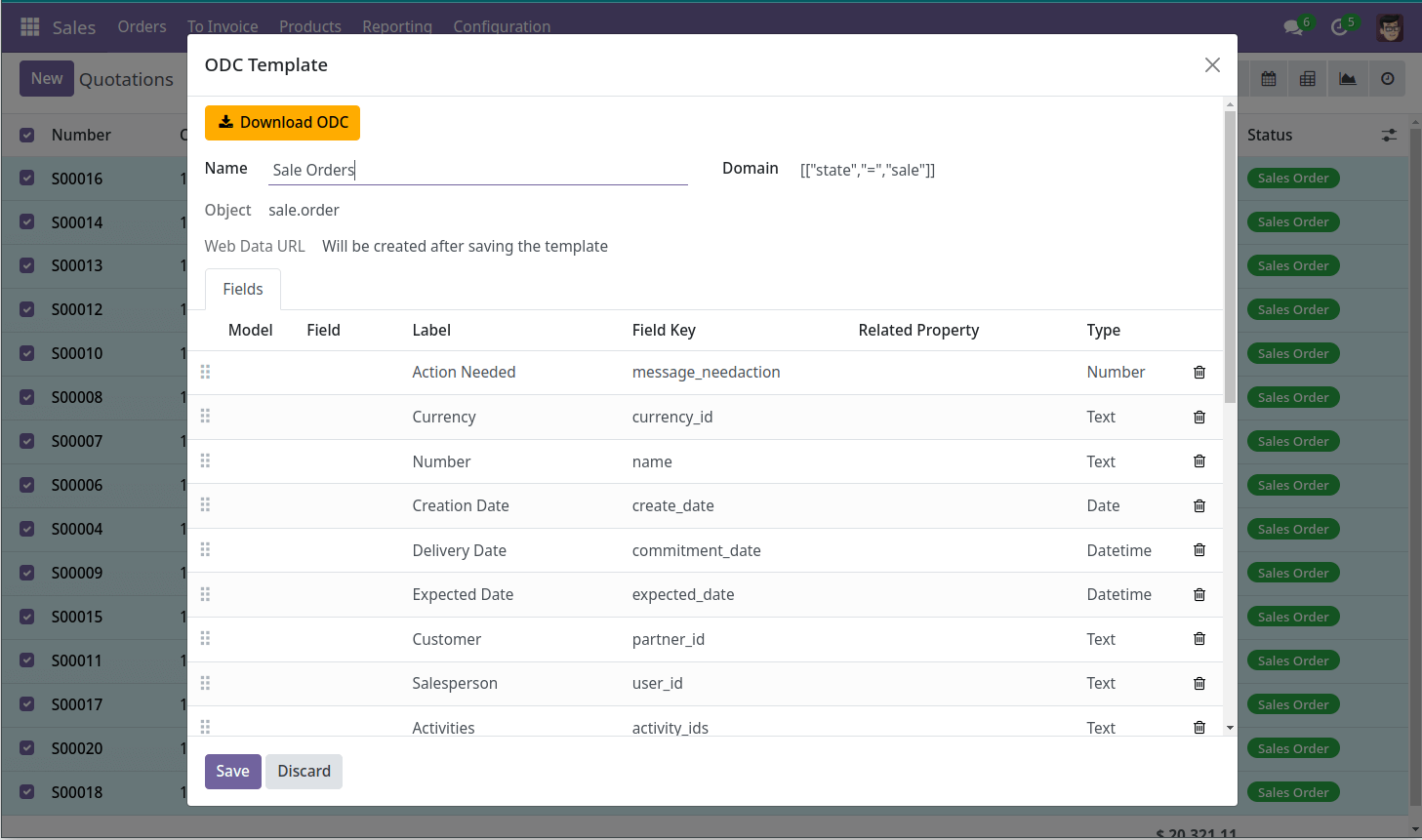
ODC is office document connection format for Microsoft Excel and allow save power query rules as file.
When user open ODC file Excel gets external web data from Odoo server by specified algorithm and shows Odoo records as Excel spreadsheets.
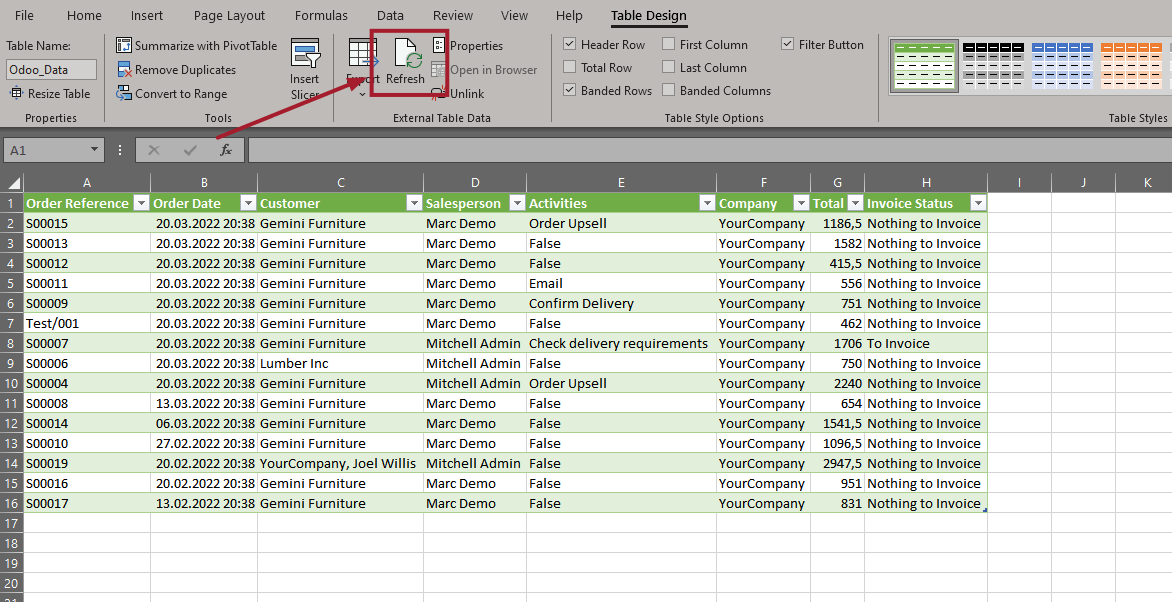
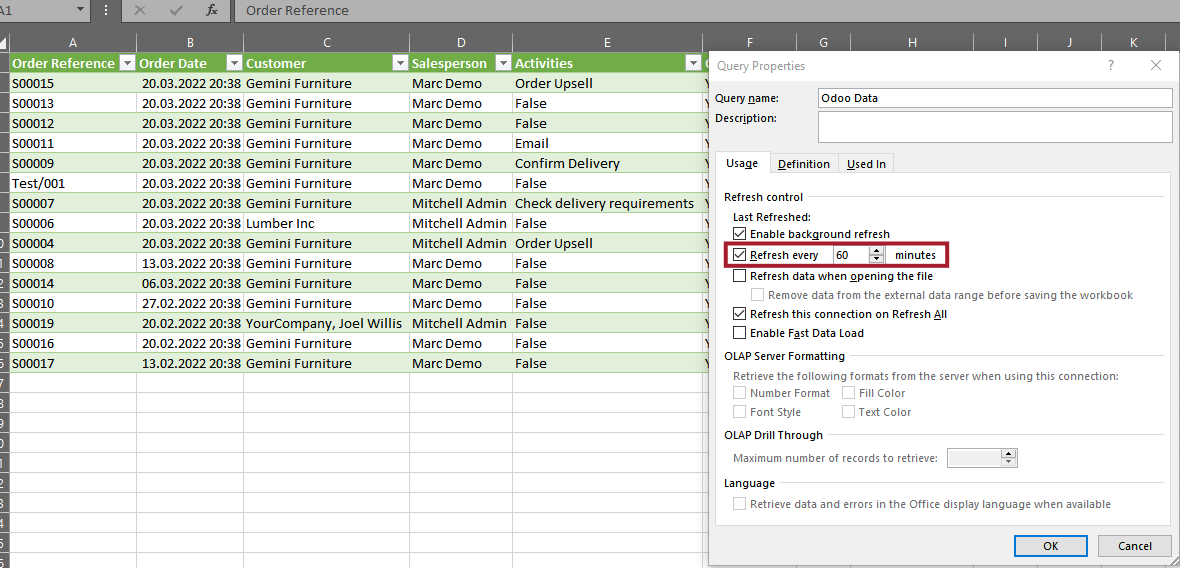
After saving of XLSX file, user can update data using the "Refresh" button or configure to update data at a specified interval.
Excel will always update the spreadsheets according predefined rules and filters.
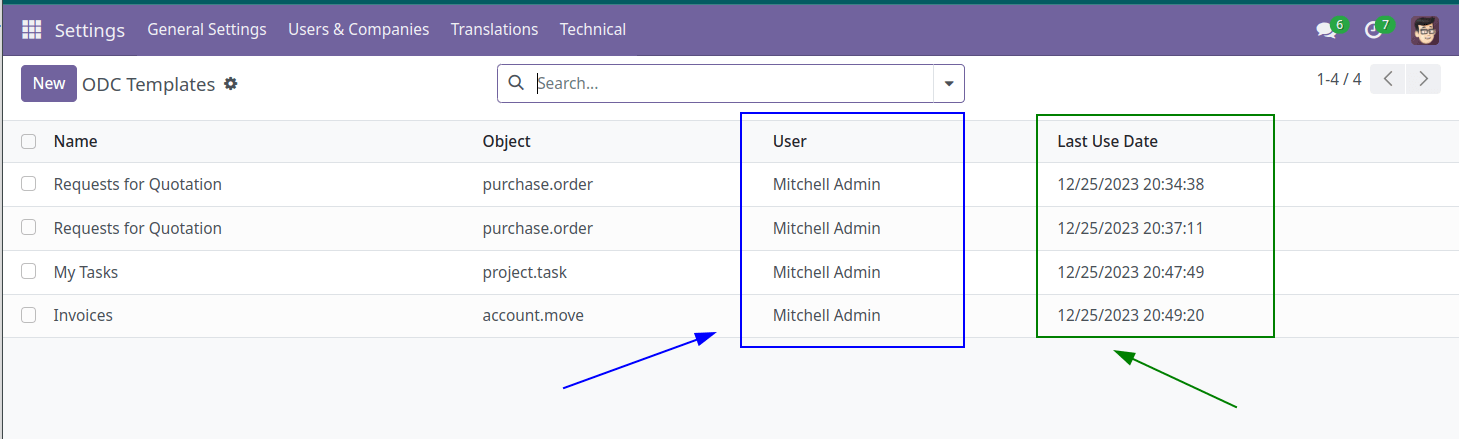
Administrator can see all ODC templates generated by users: