Odoo Excel Connector
by XFanis
module: $2.00 + deps
Price breakdown
Official Odoo store · pay by card
Odoo Excel Connector
Seamless Data Connection from Odoo to Spreadsheets
The first and most trusted Excel-Odoo connector with 250+ sales - others just copy our proven functionality to attract customers.
Effortlessly sync Odoo to Excel with our powerful Excel Odoo Connector, enabling seamless data export, reporting, and real-time updates for accounting, sales, and inventory. Generate dynamic Excel reports with one click, automate data refreshes, and integrate with Power BI, LibreOffice, and OpenOffice for advanced analytics. Perfect for Odoo ERP users who need automated spreadsheets, live data linking, and scheduled syncs without manual exports. Boost productivity with pre-built templates for invoices, sales orders, and project tasks, all compatible with Microsoft Excel 365, 2019, and LibreOffice Calc. Streamline your workflow today with the most reliable Odoo Excel integration solution!
This module enables you to generate Office Data Connection (ODC) files for direct access to Odoo data in Microsoft Excel. It also provides special URLs for importing Odoo data into Power BI, LibreOffice/OpenOffice Calc and Google Sheets.
This module helps to get and synchronize data between Odoo and Excel, LibreOffice, PowerBI. Using the Odoo Excel Connector, you can link ERP data and Excel spreadsheets, easily sync Odoo data to Excel file, build reports (accounting reports, sales reports, purchase order reports, project task reports and any kind of other reports).
The Excel Odoo Connector allows you to:
- Pull Odoo data into Excel, LibreOffice, Google Sheet, or PowerBI with a few clicks
- Create dynamic reports for accounting, sales, purchases, projects, and more
- Schedule automatic data refreshes at regular intervals
- Maintain data consistency with one-directional sync (Odoo to spreadsheet)
- Export hundreds of thousands of records without running out of memory or hitting request timeouts
Built for large datasets. The connector streams records to the client in configurable chunks, so memory usage stays flat no matter how many records the template returns. Concurrent downloads of the same template are supported without database lock contention, and a per-template rate limit prevents heavy exports from overloading the server.
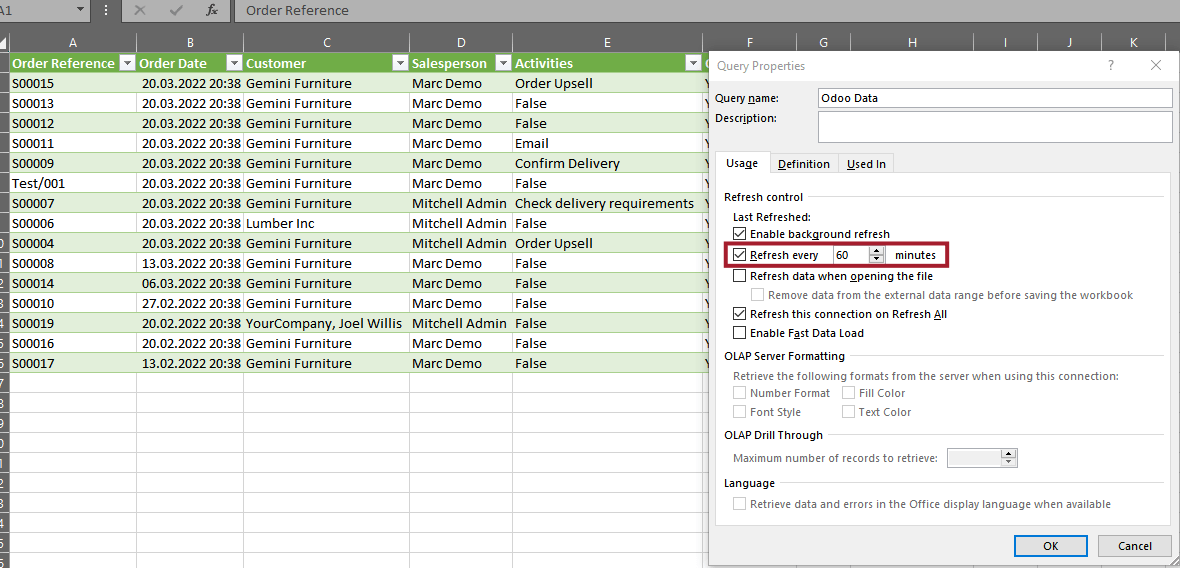
Excel file can be updated manually (the Refresh button) or with a regular time interval.
You can see how it works in this short video.
The functionality is tested using Excel App from Office 365. If you use older office apps or want to link Odoo data manually, please see the next video: How to link external data from Odoo to Excel using Web Data URL
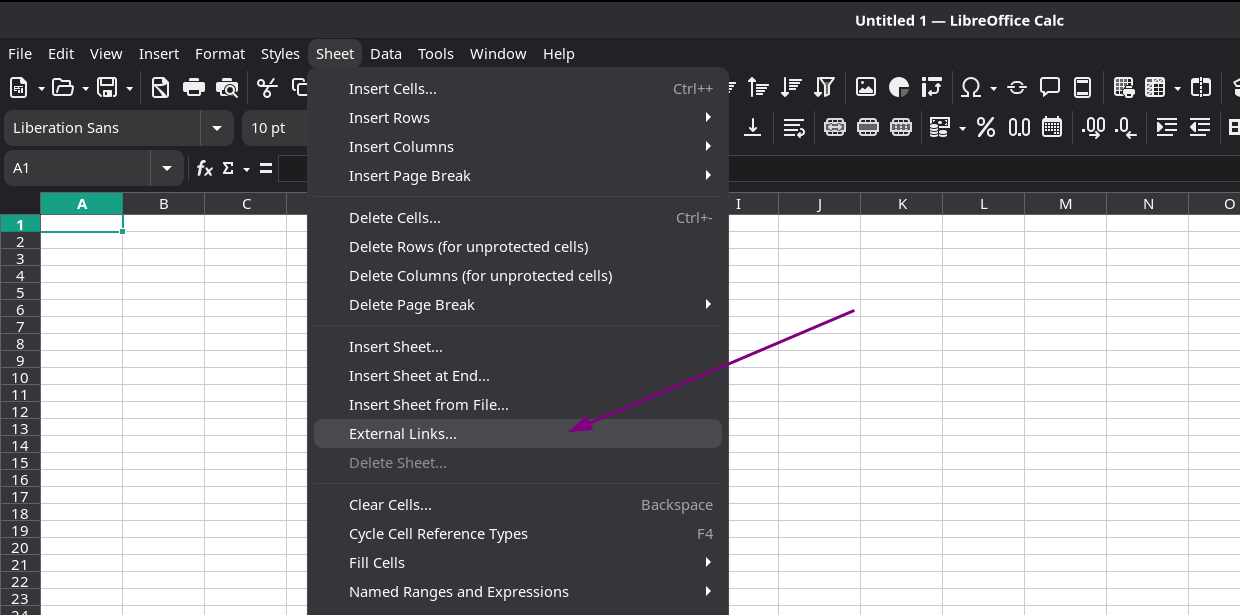
If you use LibreOffice or other OpenOffice suite, you can link external data from Odoo. Please watch this video: How to link Odoo data to LibreOffice Calc.
Clicking the Excel icon opens the ODC generation wizard where you can configure your data connection:
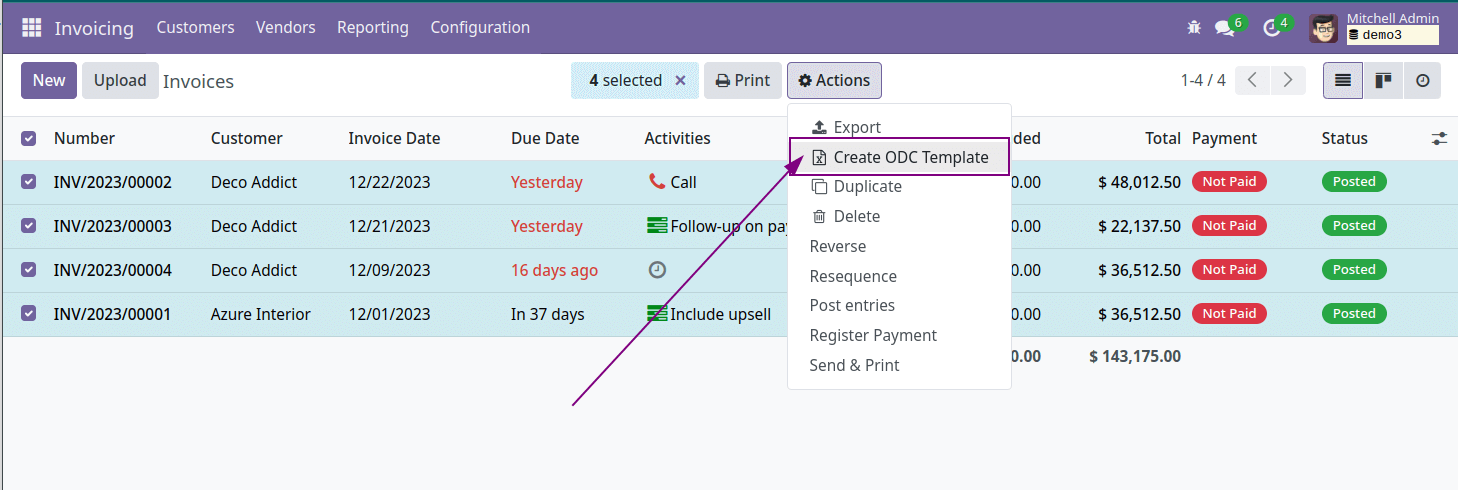
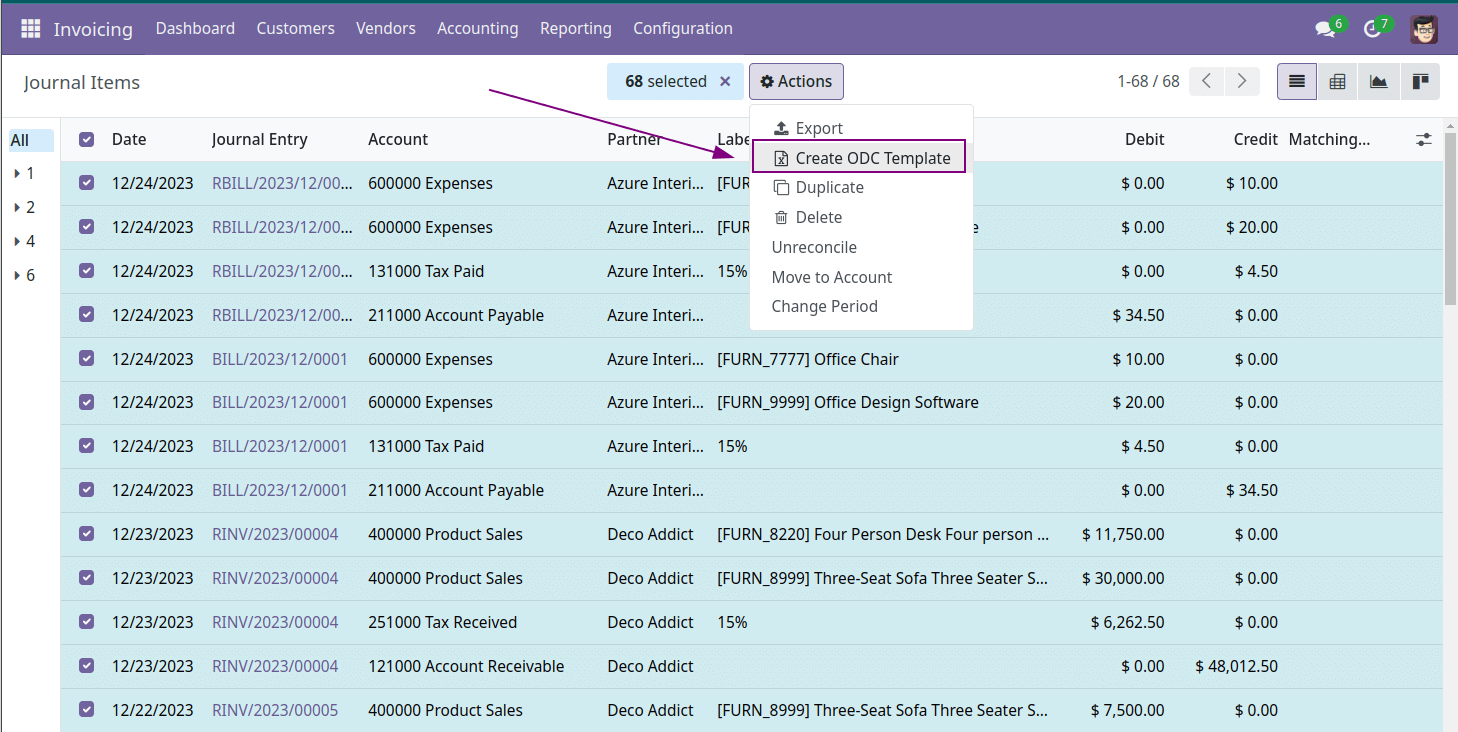
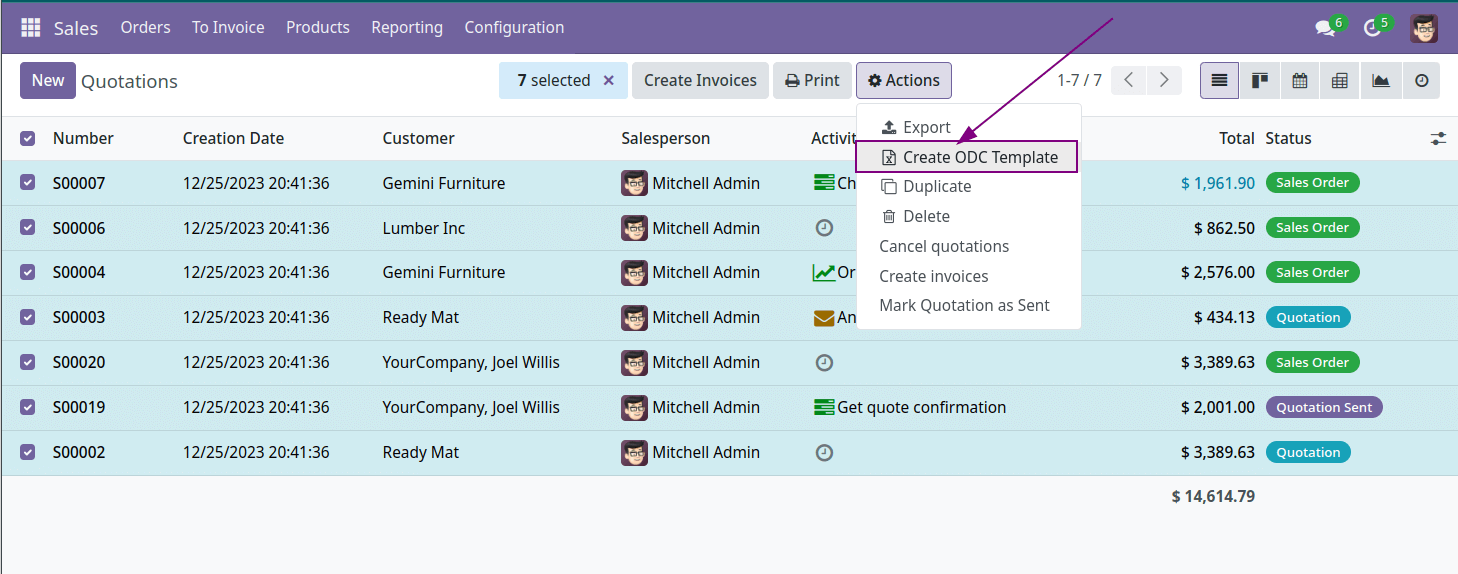
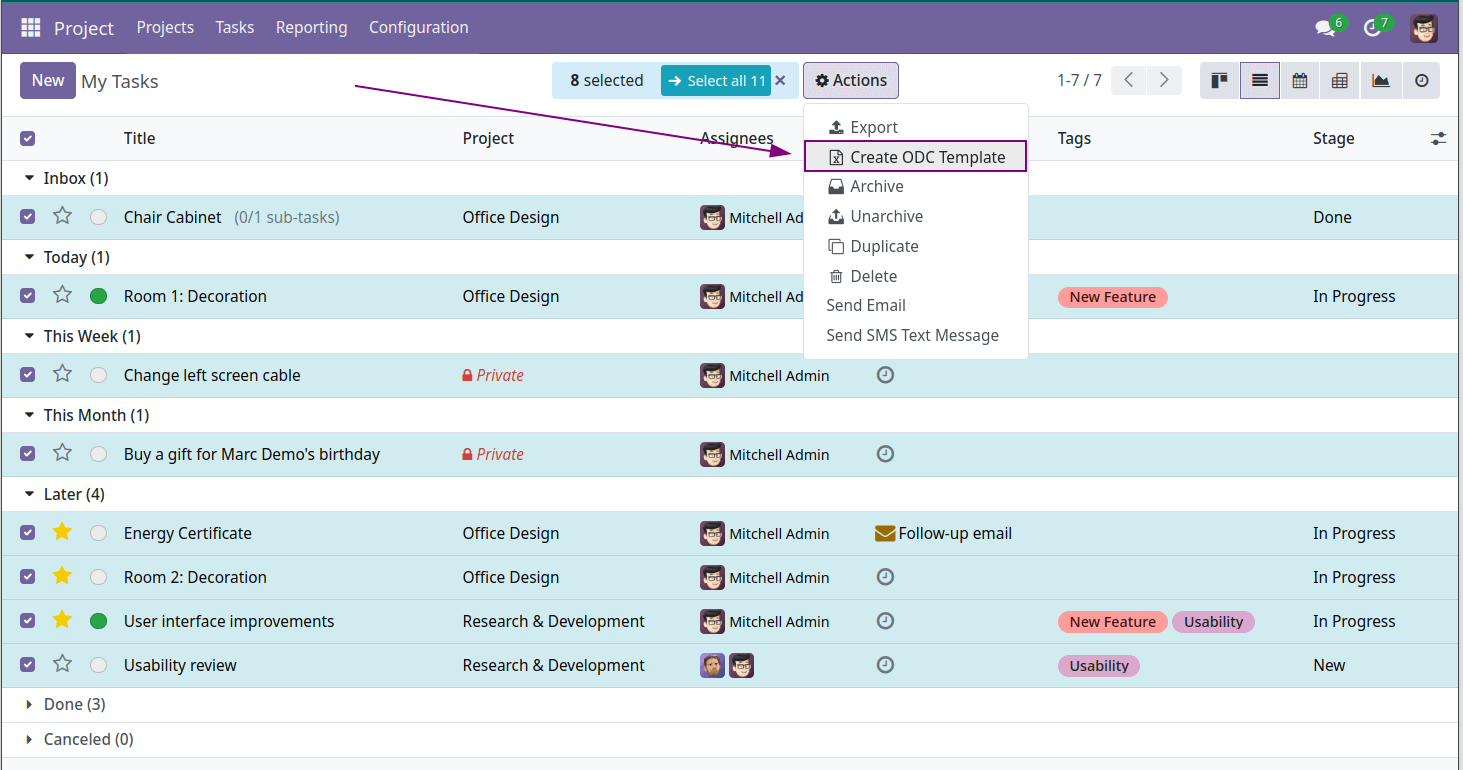
The button is displayed in each list view and allows open ODC generation wizard.
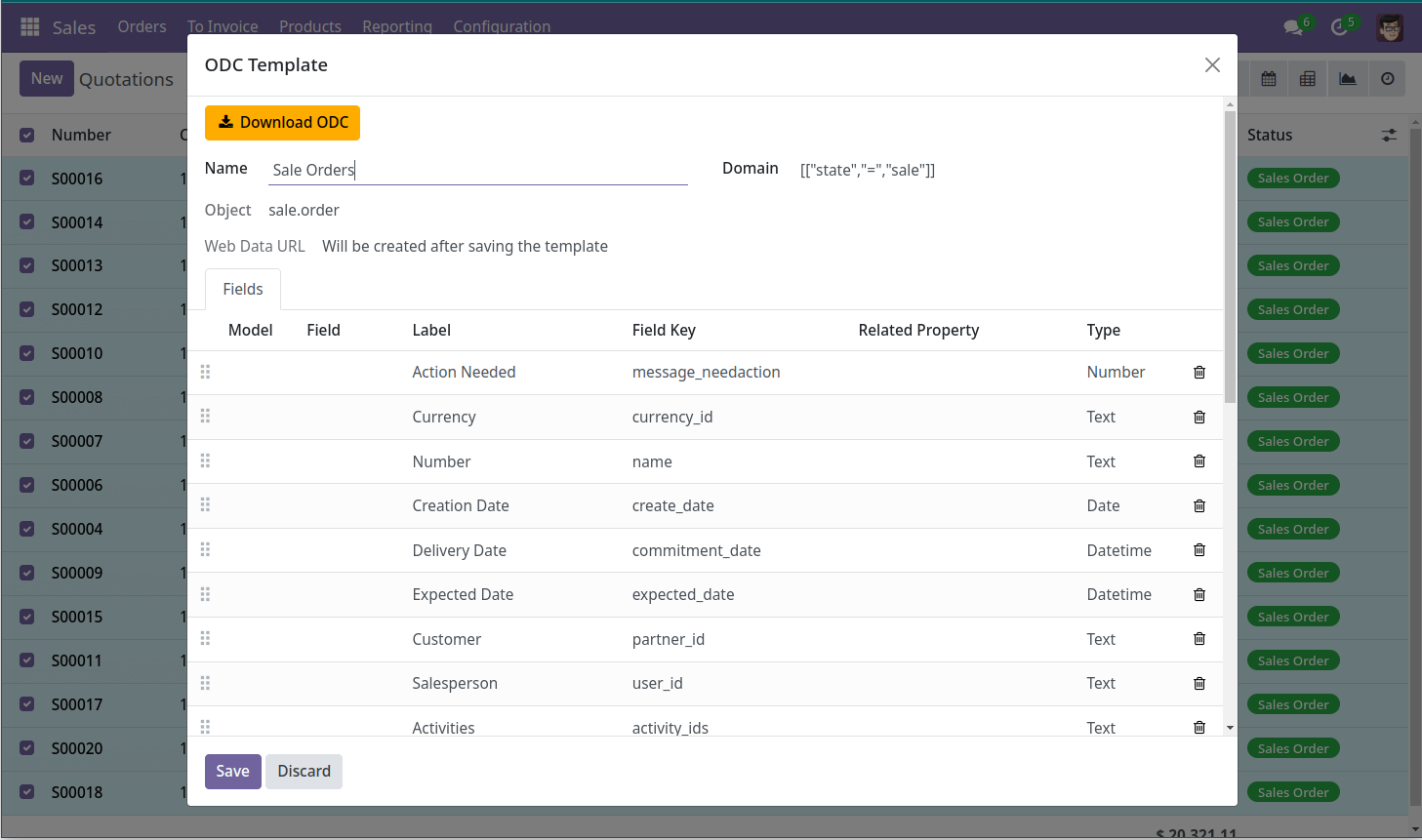
ODC is Office Data Connection format for Microsoft Excel and allows to save power query rules as a file.
When a user opens an ODC file, Excel gets external web data from Odoo server by specified algorithm and shows Odoo records as Excel spreadsheets.
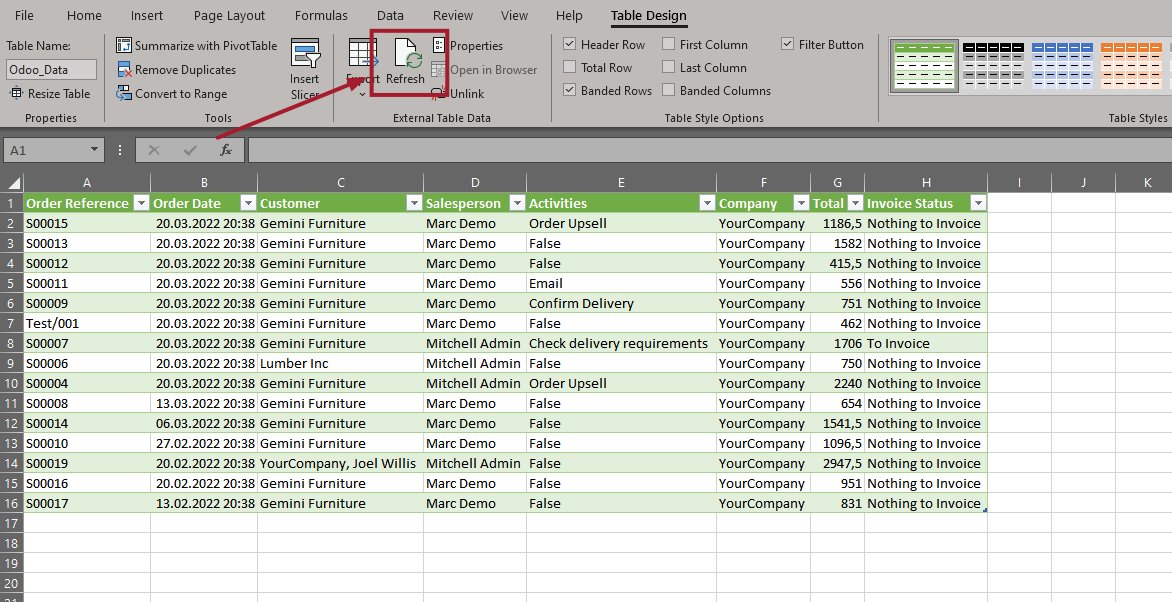
After saving of XLSX file, user can update data using the "Refresh" button or configure to update data at a specified interval.
Excel will always update the spreadsheets according to predefined rules and filters.
Odoo LibreOffice and OpenOffice Calc Integration
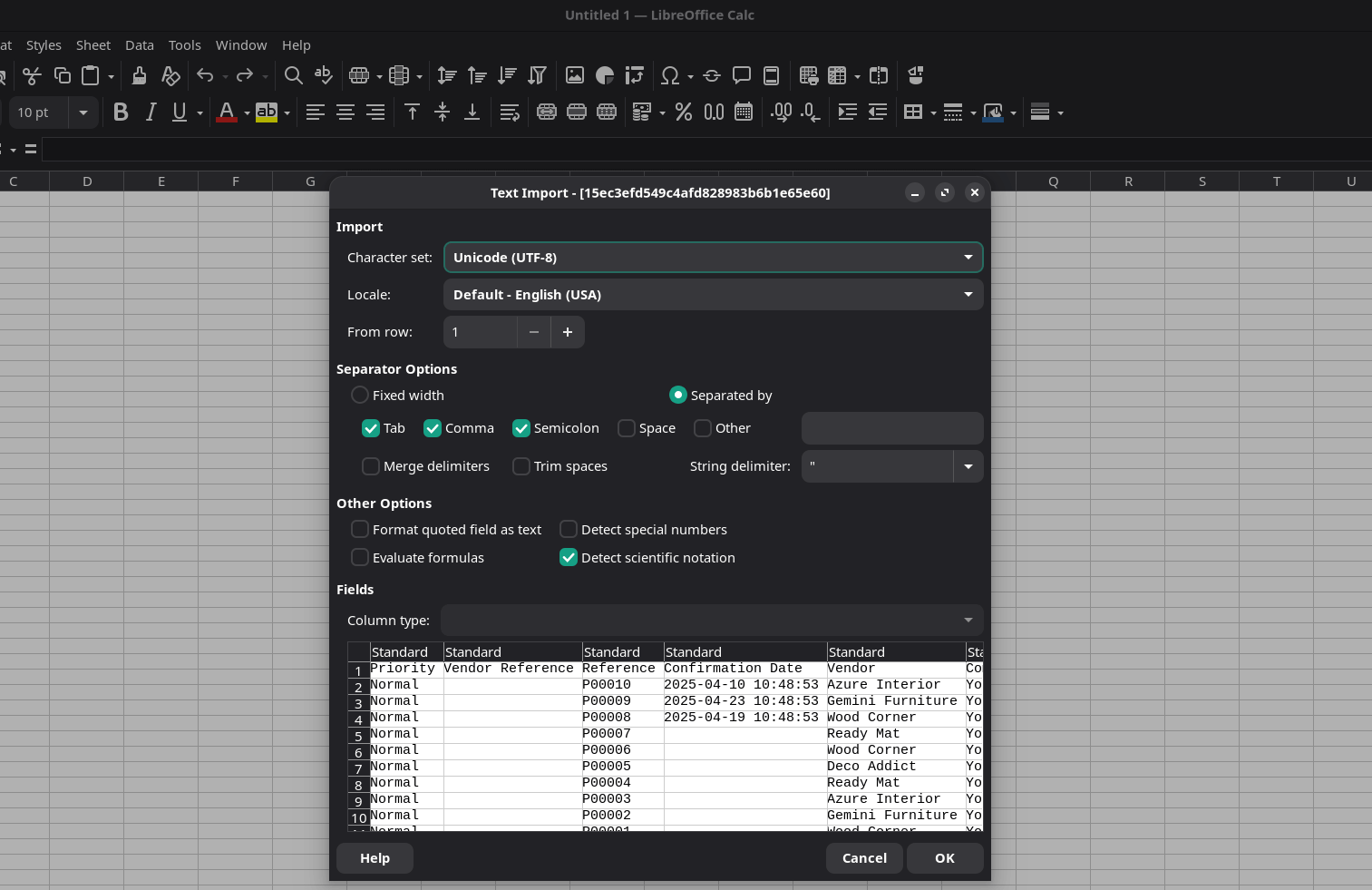
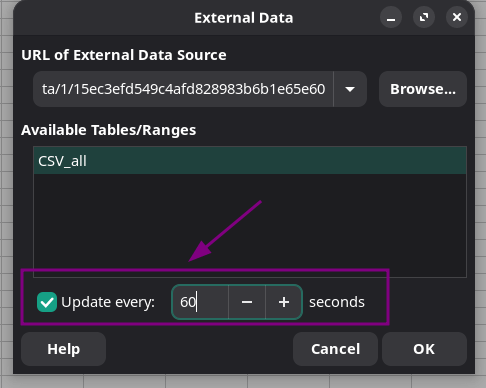
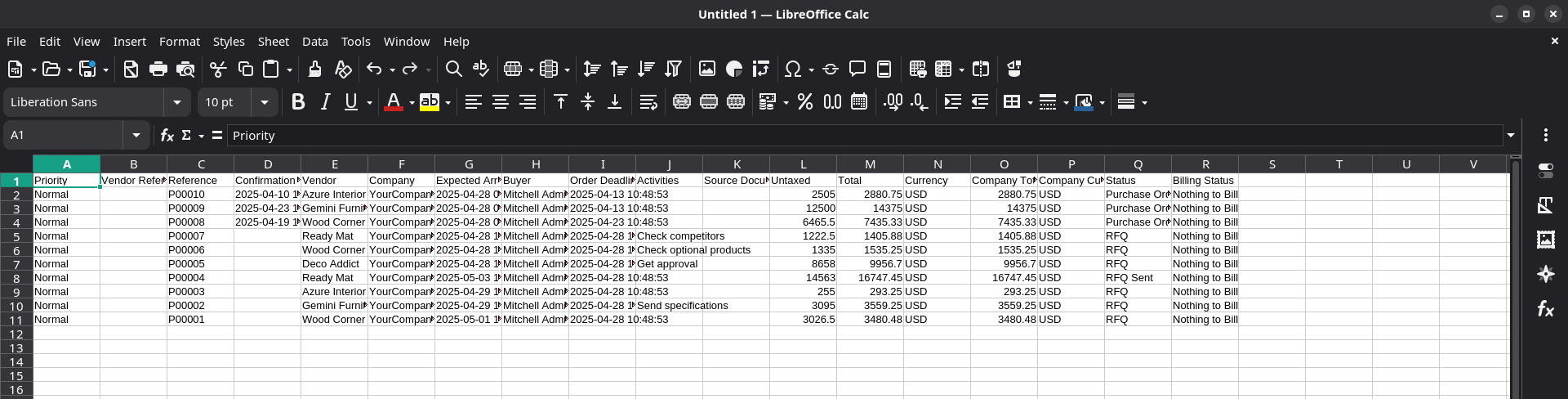
This module also can help to integrate Odoo and LibreOffice/OpenOffice. You can generate external link and use this link to import data to LibreOffice Calc and mark data as updatable so that LibreOffice will update data with specified time range, for example, every 1 min or every 5 min.
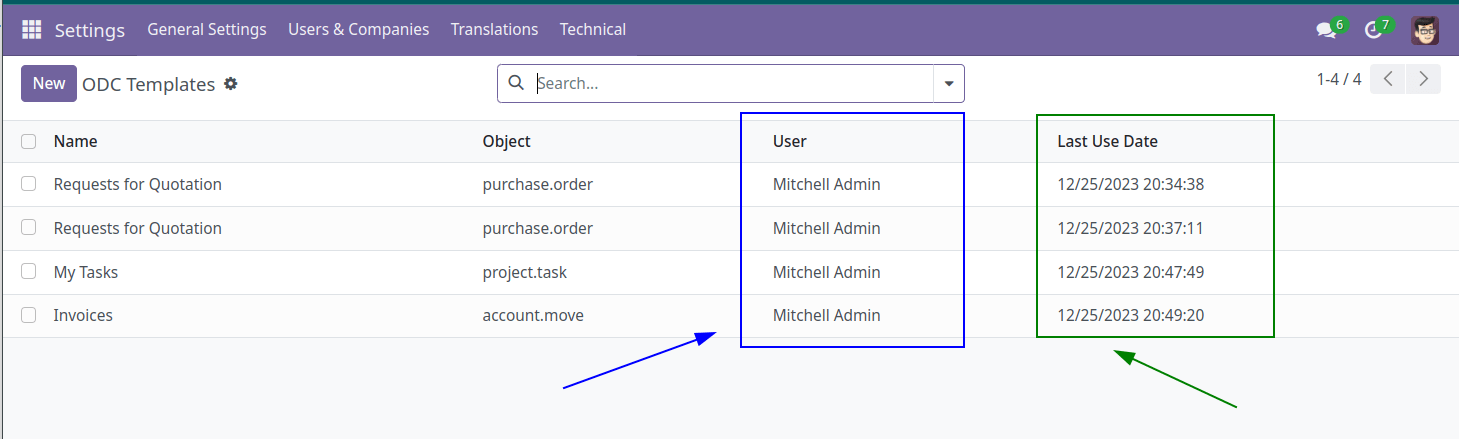
Administrator can see all ODC templates generated by users:
Want to know when this module gets a new version or fixes? Subscribe to updates (one email to sales@xfanis.dev, no spam).