Spare Parts in Maintenance: Consumption, Replacement, Serial Numbers
by XFanis
module: $19.00 + deps
Price breakdown
Official Odoo store · pay by card
Available Versions
Requires
My modules
Odoo modules
Spare Parts in Maintenance: Consumption, Replacement, Serial Numbers for Odoo
Spare Parts Lists and Planned Parts
- Spare parts lists on equipment and categories, with on-hand and forecast quantities
- Planned parts on task lists, in any unit of the product
- Planning a work order turns the planned parts of each section into stock moves; optional parts are suggested
Reservation and Procurement
- Check Availability reserves the parts; the form and the kanban show the availability
- Parts on an MTO route create the purchase or manufacturing order with the work order as origin
- An Order button procures the missing quantity of any other part
- The planner and the technicians are notified when an ordered part arrives
Consumption from the Warehouse, a Cabinet or the Van
- One Maintenance operation type per warehouse
- Each line takes its parts from an allowed location: van of the technician, team stock, emergency cabinet
- Lots and serial numbers are required for tracked parts
- Technicians need no Inventory rights; a filter lists the parts they consumed for the storekeeper
Removed Parts
- A removed part goes back to stock, to Removed Parts for repair, or to scrap
- Removed Parts sits outside the stock location: repairable parts are never reserved for normal work
- Repairable parts are valued at zero, at the product cost or at the lot cost (setting)
Replace and Remove Serial-Numbered Components
- Components are child equipment linked to a serial number
- Replace Component installs existing equipment or a serial number from stock; Remove Component takes one out
- The new component follows the parent's meters and keeps its own totals; the old one keeps its history
- A component sent to repair gets a corrective request; a scrapped one is decommissioned
- Reopening the work order reverts the swap and the moves
Parts Cost
- Parts cost of the work order, split by section in the work order analysis: preventive and corrective work
- The read-only auditor sees the parts of every work order
- Parts carry the analytic distribution of the work order (with Accounting)
- The printed work order lists the planned, consumed and removed parts
Screenshots
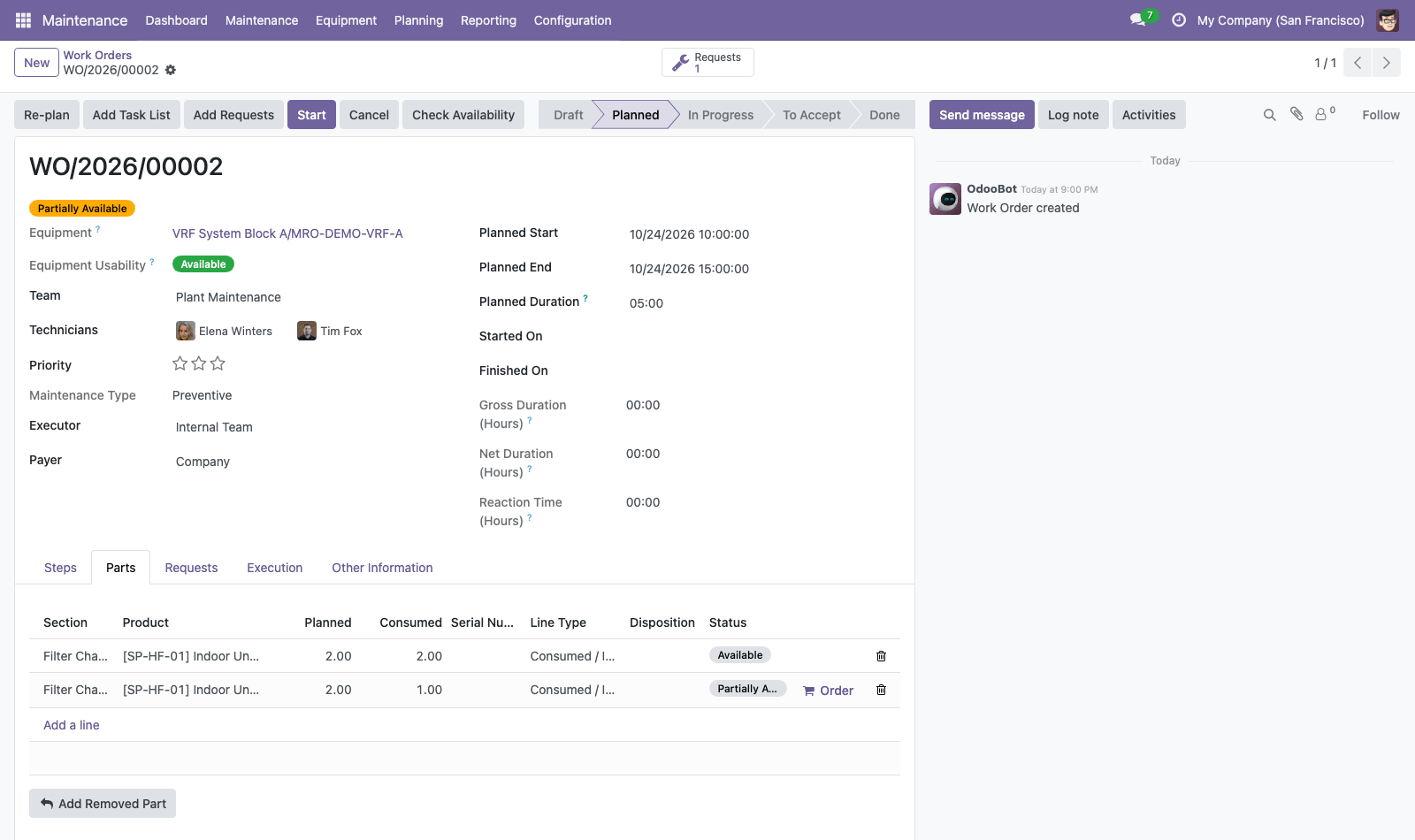
Parts of a planned work order
Each section gets the planned parts of its task list; the badge shows the availability and the Order button procures the missing quantity.
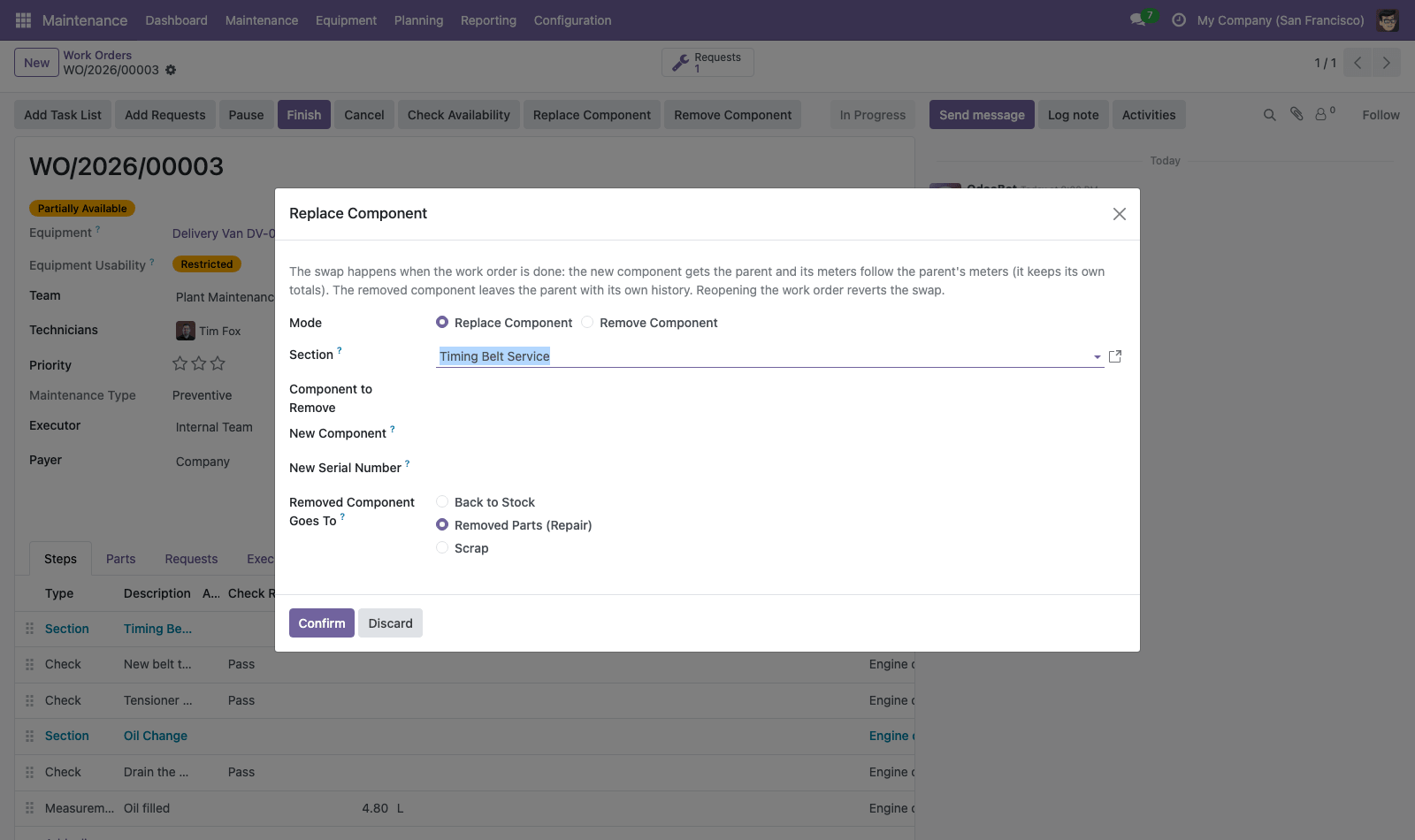
Replace or remove a component
Choose the component to remove, the new equipment or serial number from stock, and where the old one goes.
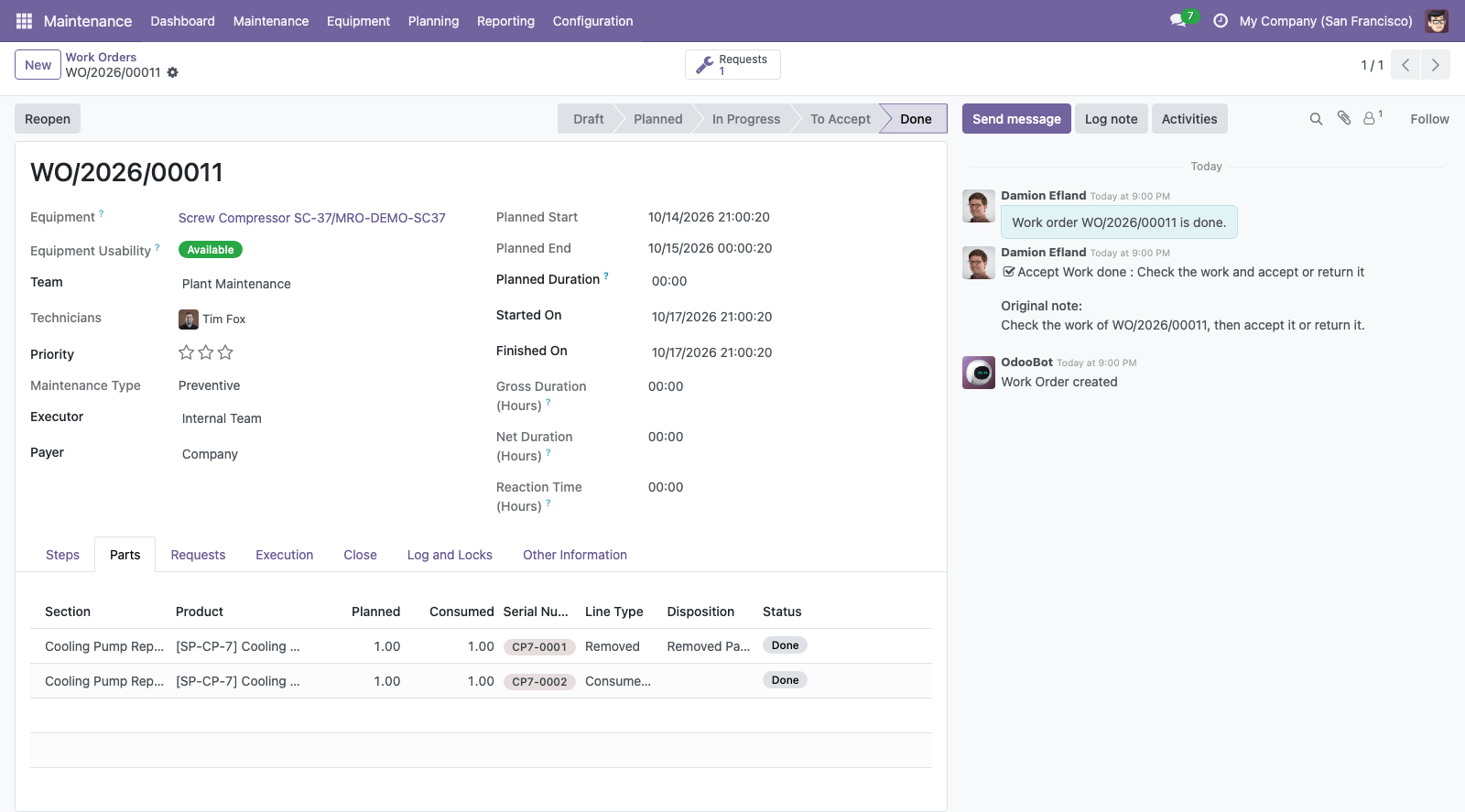
A done pump swap
The old pump went to Removed Parts for repair, the new serial number was installed from stock.
How to use
- Give each warehouse's Maintenance operation type its allowed sources, each technician a van and each team a stock location.
- Add spare parts to equipment and categories, and planned parts to task lists.
- Plan a work order: its sections get their parts. Press Check Availability, and Order for missing parts.
- During the work, set the consumed quantities, lots and sources; add removed parts; replace or remove components.
- Close the work order: the parts are consumed, the cost is computed and the components are swapped.
Receiving goods into a van and counting a van are Inventory operations and need Inventory user rights.
Related Maintenance Modules
This module adds spare parts to Maintenance Plans by Meter & Calendar, Work Orders, Checklists (CMMS), the core of the suite, which brings the preventive maintenance plans by meter and calendar, the work orders with checklists, the maintenance log and the equipment locks. With Maintenance Timesheets & Labor Cost, the labour of each work order sits next to its parts: one total cost, split by section into preventive and corrective work, on the same analytic accounts. It works with the standard Inventory, Purchase (parts ordered from a work order) and Accounting (valuation and analytic distribution) apps.
Email: sales@xfanis.dev
Telegram: https://t.me/xfanis
Want to know when this module gets a new version or fixes? Subscribe to updates (one email to sales@xfanis.dev, no spam).