Maintenance Timesheets & Labor Cost
by XFanis
module: $19.00 + deps
Price breakdown
Official Odoo store · pay by card
Available Versions
Requires
My modules
Odoo modules
Maintenance Timesheets & Labor Cost for Odoo
Executors with or without a User
- Employees are executors of work orders next to the technicians
- A work order whose only executors are employees can be planned and executed
- Each team lists its employees; members bring their employees automatically
Timesheets on the Work Order
- A Timesheets page with date, employee, section, description and hours
- One timesheet project per team, created automatically
- Lines stay editable until the work order is done, and again after a reopen
- Changes after the start are posted to the work order chatter
Automatic Timesheets
- Start, Pause, Resume and Finish record one line per executor and running interval
- An executor added or removed during the work starts or stops at that moment
- Technicians without an employee are skipped with a note
Supervisors Record Time for Their Teams
- No timesheet approver rights needed: other teams' timesheets stay hidden
- Other teams' employees are refused in the form and on the server
- A step result entered for an employee shows "entered by"
Labour Cost and Analytic
- Labour cost of the work order: hours by the hourly cost of each employee
- Part of the total cost of the work order, split by section: preventive and corrective work
- The work order's analytic distribution is copied to its timesheets, so parts and labour meet on the same accounts
- The read-only auditor sees the time of every work order; changes of the executors are tracked
Reports
- Timesheet analysis by work order, equipment, section and team
- The weekly digest lists the planned hours of executor employees
- The printed work order shows its employees and a time table
Screenshots
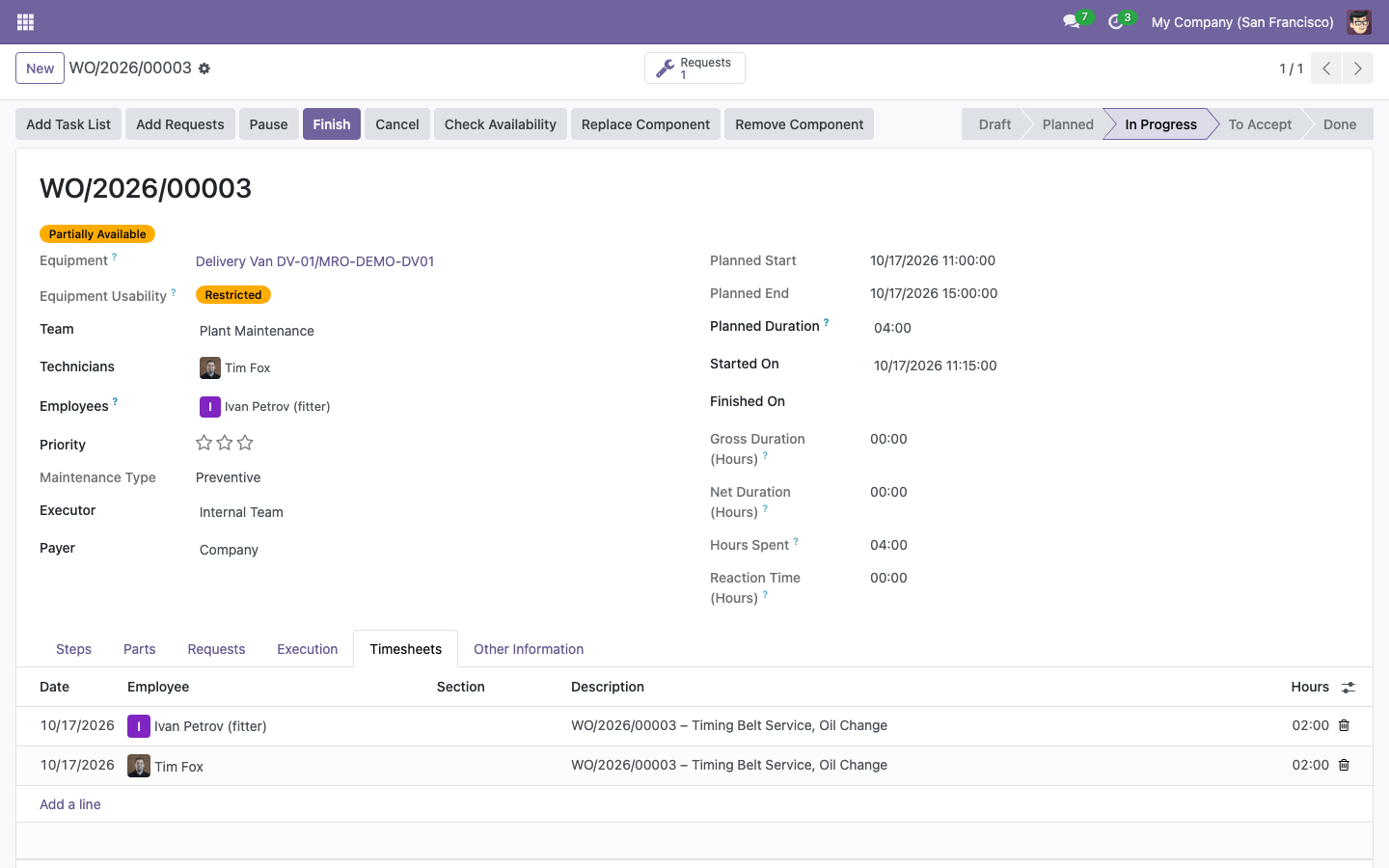
Time on the work order
The technician and a fitter without an Odoo login are executors; their automatic lines carry the work order and its task lists.
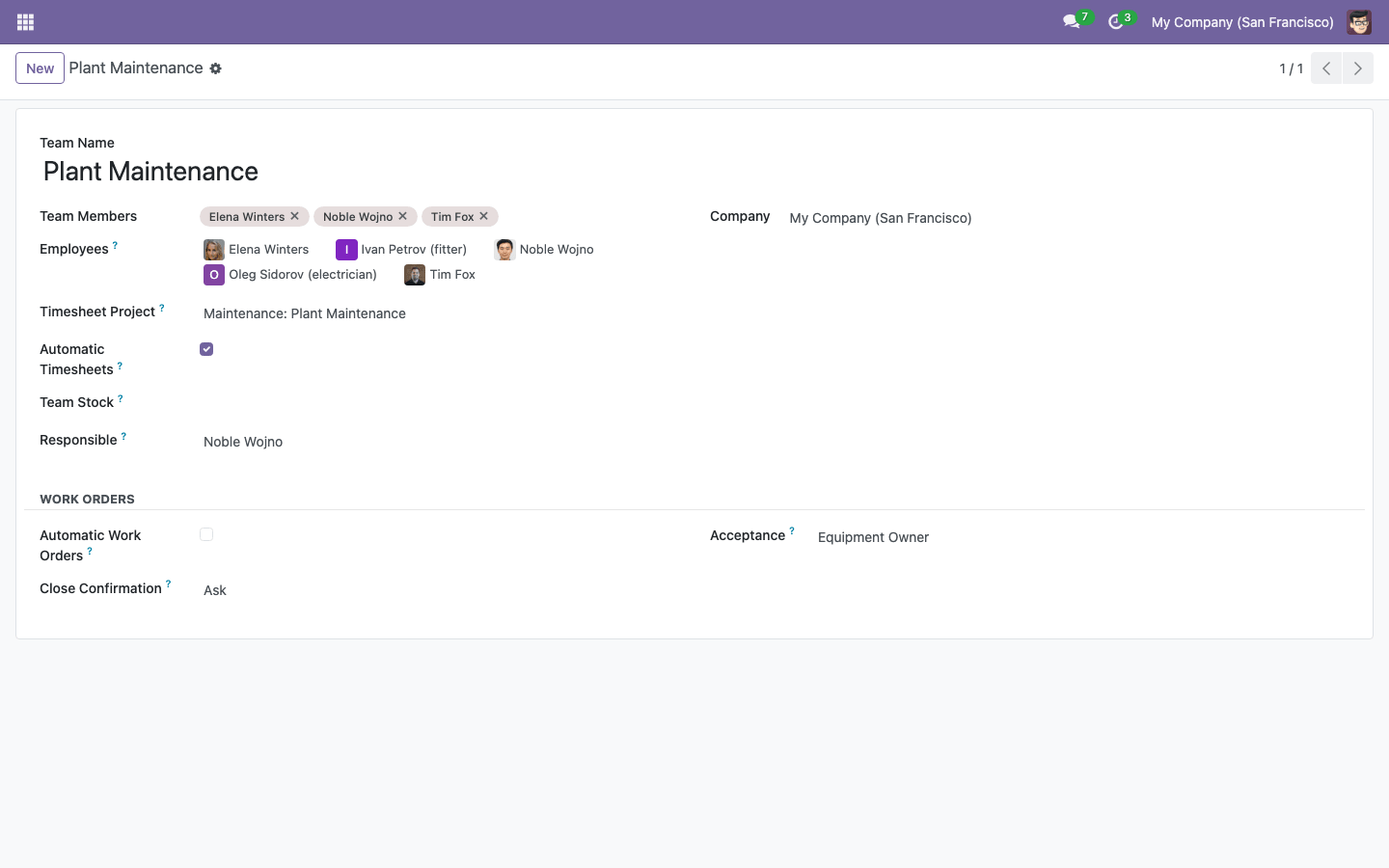
Team employees and automatic timesheets
Members bring their employees; employees without a user are added by hand. The team has its own timesheet project.
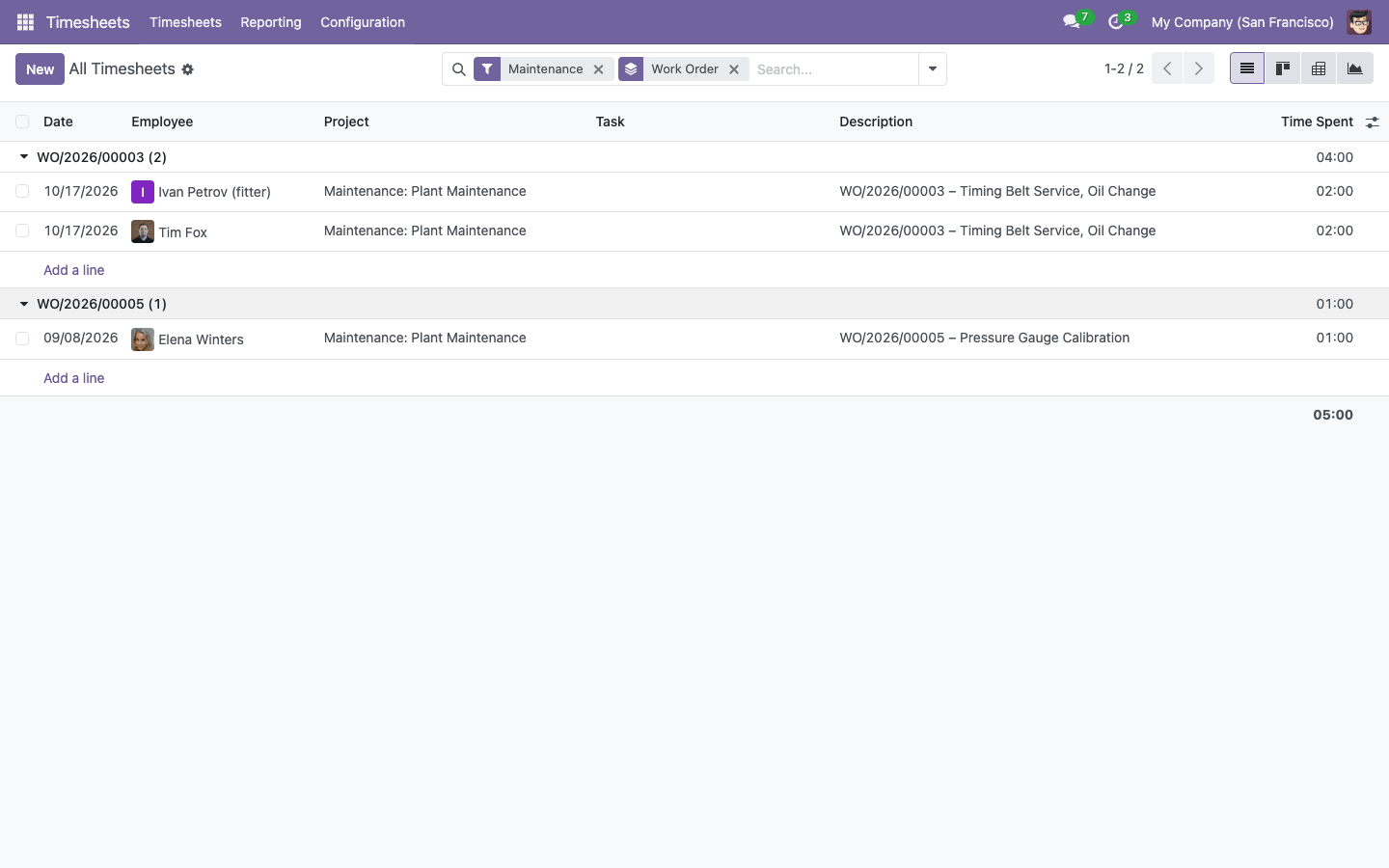
Timesheets by work order
Timesheets and the timesheet analysis filter and group by work order, equipment, section and team.
How to use
- Add the employees without a user to their maintenance team, and tick Automatic Timesheets where time comes from Start / Pause / Finish.
- Set the hourly cost of each employee.
- Choose the executors of a work order: technicians and employees.
- Run the work order: automatic lines are recorded at Pause and Finish, or technicians and supervisors fill the Timesheets page.
- Read the hours and the labour cost on the work order and in the analysis.
The standard timesheet pivot shows the cost of the lines to every user who can see them.
Related Maintenance Modules
This module adds time and labour cost to Maintenance Plans by Meter & Calendar, Work Orders, Checklists (CMMS), the core of the suite, which brings the preventive maintenance plans by meter and calendar, the work orders with checklists, the maintenance log and the equipment locks. With Spare Parts in Maintenance: Consumption, Replacement, Serial Numbers, the parts of each work order sit next to its labour: one total cost, split by section into preventive and corrective work, on the same analytic accounts. It works with the standard Timesheets, Employees and Accounting apps.
Email: sales@xfanis.dev
Telegram: https://t.me/xfanis
Want to know when this module gets a new version or fixes? Subscribe to updates (one email to sales@xfanis.dev, no spam).